AI agent for solutions architects
Technical Proposal Assembly Agent
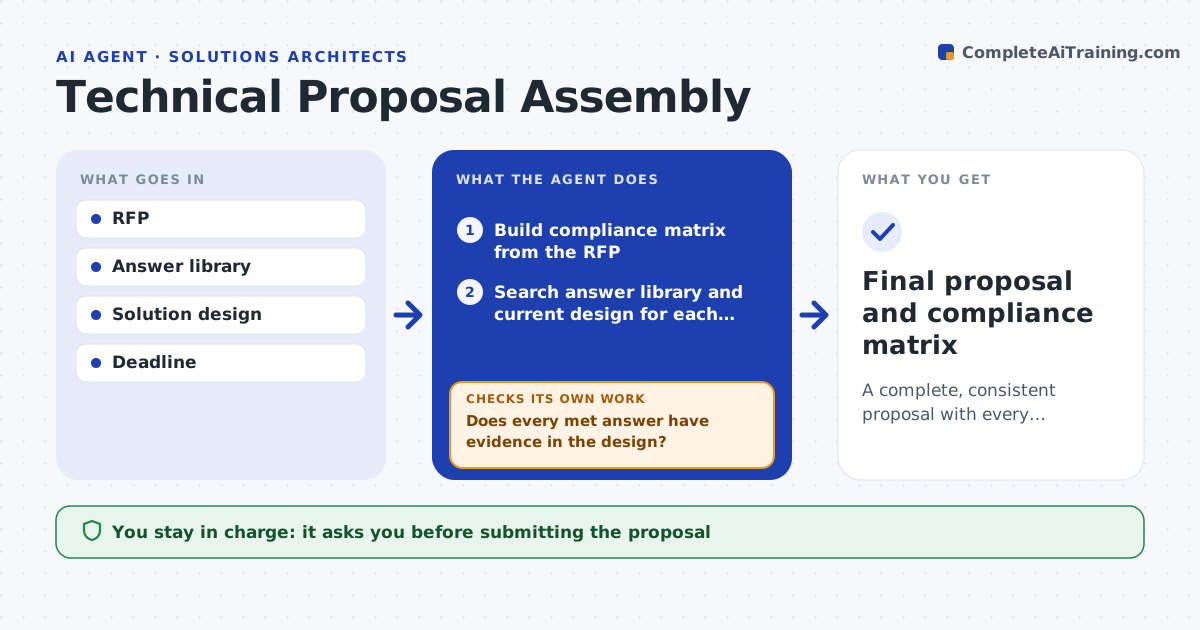
A complete, consistent proposal with every requirement answered
What it does
An RFP may have hundreds of requirements, and one wrong or outdated answer can cost the deal or create a promise the team cannot keep. When an RFP arrives, this agent breaks it into a compliance matrix. For each requirement it searches the approved answer library and the current solution design, drafts an answer and marks it met, partly met or not met. It never claims met without evidence in the design, and partial answers explain the gap. It then checks the whole draft for unanswered items, contradictions between answers or with the architecture, and mentions of retired products. Any problem blocks completion and goes back for redrafting. The architect approves the final response and every not met answer before submission. Edge case: an answer copied from an older proposal that names a retired product is flagged even if the rest is right.
How it works
Follow the arrows from top to bottom. The orange dashed arrow is the loop: when a check fails, the agent goes back and tries again.
Read the steps as a list
- RFP received
- Build compliance matrix from the RFP
- Search answer library and current design for each requirement
- Draft answers with met, partly met or not met status
- Does every met answer have evidence in the design?If not: downgrade the status or add the missing evidence. Back to step 4.
- Are all items answered with no contradictions or retired products?If not: redraft the flagged answers and recheck. Back to step 4.
- Prepare a summary of not met and partial items
- Architect approves the responseThe agent waits here for your OK.
- Final proposal and compliance matrix
How it decides
Every requirement needs an answer and status; any contradiction or retired product mention blocks completion.
- Never claims met without evidence in the design
- Retired products are flagged
- Partial answers explain the gap
Make it yours
Every agent is a starting point. You choose these settings for your own situation.
- Answer library
- Status labels
- Deadline buffer
- Approval roles
What keeps you in control
It always asks you first
- Submitting the proposal
- Any not met answer
Hard limits
- Never submits proposals
- Never invents capabilities
It stops when
- Done: approved
- Stop: deadline at risk, report open items
Set it up
We guide you through the set-up, step by step
Members get the full set-up guide for this agent. No technical skills needed: you copy, paste and upload.
- One set of instructions to paste into your AI, with the clicks for ChatGPT, Claude, Microsoft 365 Copilot, Gemini and Grok
- The agent then walks you through connecting your own data, one source at a time
- A downloadable copy with the flow chart, the rules and the full guide