AI agent for sales engineers
Technical Requirements Fit-Gap Agent
Produce a sourced fit-gap for a customer requirement list
What it does
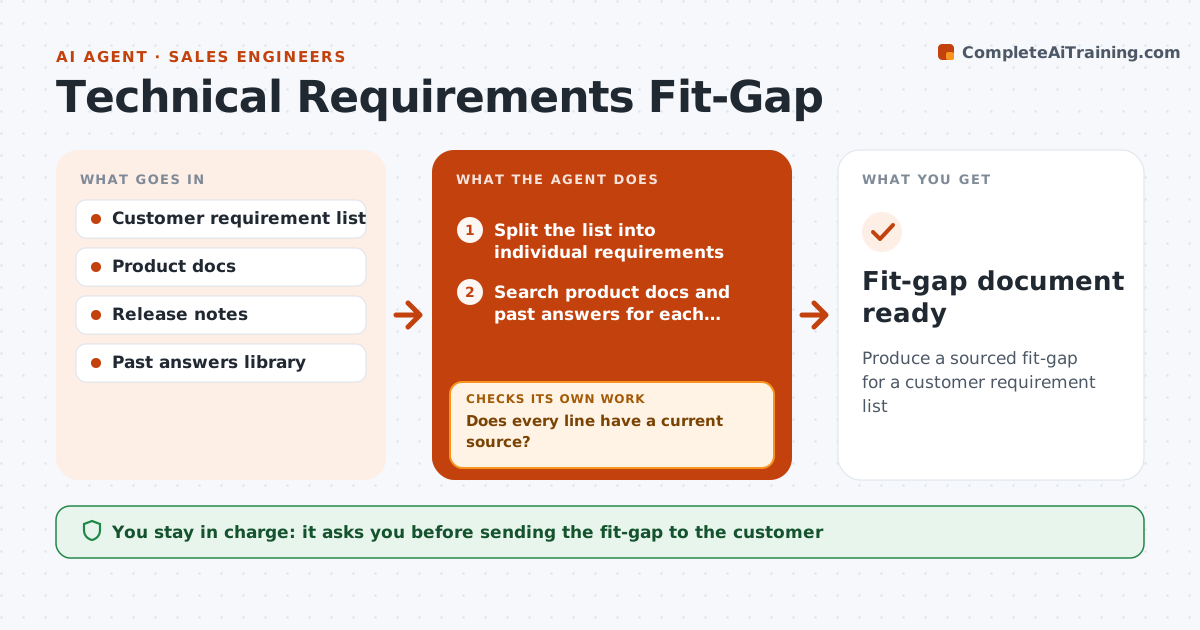
Before a deal can move to proposal, sales engineers must say which customer requirements the product meets, and long lists take days. This agent splits the requirement list into individual lines and searches product documentation, release notes and past answered requirements for each. It marks each line as met, met with configuration, partly met, roadmap or not met, with its source. A line counts as met only when a current document or a past answer under 12 months old supports it. It checks every line has a current source; unsourced lines go to the right product specialist with a short question, and it rechecks when answers return. Not met lines get a suggested workaround where one exists. It summarizes risk areas for the deal team. The sales engineer approves the fit-gap, and roadmap items need written product approval. Edge case: roadmap answers can read as commitments, so they always need product sign-off.
How it works
Follow the arrows from top to bottom. The orange dashed arrow is the loop: when a check fails, the agent goes back and tries again.
Read the steps as a list
- Requirement list received
- Split the list into individual requirements
- Search product docs and past answers for each requirement
- Mark each line with a fit status and source
- Does every line have a current source?If not: send unsourced lines to the right product specialist and wait for answers. Back to step 3.
- Summarize risk areas for the deal team
- Sales engineer approves the fit-gap; roadmap items need product approvalThe agent waits here for your OK.
- Fit-gap document ready
How it decides
A line is met only when a current doc or a past answer less than 12 months old supports it. Otherwise it goes to a specialist.
- Past answers older than 12 months need rechecking
- Roadmap items need written product approval
- Not met lines get a suggested workaround if one exists
Make it yours
Every agent is a starting point. You choose these settings for your own situation.
- Past answer age limit (default 12 months)
- Fit status labels
- Specialist routing by product area
- Output format
What keeps you in control
It always asks you first
- Sending the fit-gap to the customer
- Any roadmap statement
Hard limits
- Never states a roadmap date without product approval
- Never sends to the customer directly
It stops when
- Done: all lines answered and approved
- Stop: requirement list is unreadable or missing
Set it up
We guide you through the set-up, step by step
Members get the full set-up guide for this agent. No technical skills needed: you copy, paste and upload.
- One set of instructions to paste into your AI, with the clicks for ChatGPT, Claude, Microsoft 365 Copilot, Gemini and Grok
- The agent then walks you through connecting your own data, one source at a time
- A downloadable copy with the flow chart, the rules and the full guide