AI agent for change managers
Technology Rollout Readiness Agent
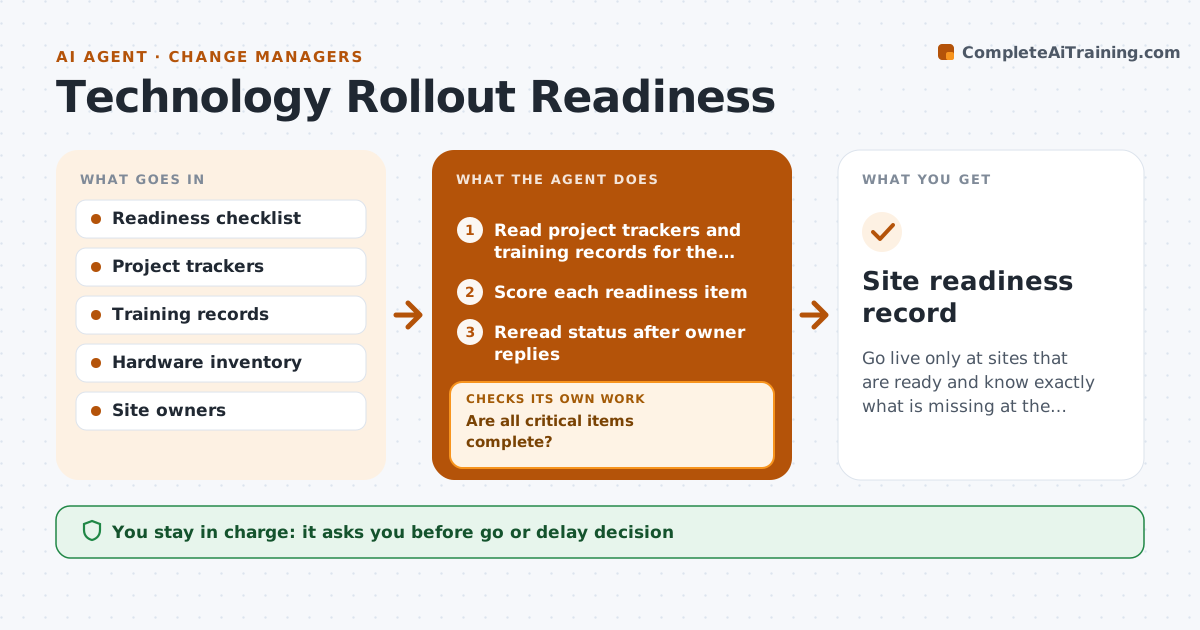
Go live only at sites that are ready and know exactly what is missing at the others.
What it does
A new system goes live at a site where staff are not trained, data is not migrated or the scanners are missing. Adoption stalls and the project blames the site. This agent keeps a readiness list for each site: training done, data migrated, hardware installed, owners named. It pulls status from project trackers and training records, flags gaps, and rechecks after owners respond. It computes a readiness score and a recommendation. The VP approves the go or delay call for each site. Edge case: a site that is ready except for a minor item is given a conditional go with a dated fix.
How it works
Follow the arrows from top to bottom. The orange dashed arrow is the loop: when a check fails, the agent goes back and tries again.
Read the steps as a list
- Site go-live is 6 weeks away
- Read project trackers and training records for the site
- Score each readiness item
- Are all critical items complete?If not: List the gaps and send them to the owners with a due date. Back to step 3.
- Reread status after owner replies
- Recompute the readiness score
- Draft a go, conditional go or delay recommendation
- VP approves the go or delay callThe agent waits here for your OK.
- Is any condition overdue after go-live?If not: Escalate to the site owner and reset the check. Back to step 4.
- Site readiness record
How it decides
Scores each readiness item against its requirement and recommends go only if all critical items are complete.
- Critical items: training above 90%, data migration complete, hardware installed
- Conditional go needs a dated fix for minor items
- Two weeks to go with a critical gap triggers a delay proposal
- Readiness is rechecked weekly
Make it yours
Every agent is a starting point. You choose these settings for your own situation.
- Critical items and thresholds
- Readiness score weights
- Lead time (default 6 weeks)
- Recheck frequency
- Who approves
What keeps you in control
It always asks you first
- Go or delay decision
- Any conditional go
- Any message to site staff about the date
Hard limits
- Never set the go-live date
- Never mark an item done without evidence
It stops when
- Done: site live and conditions closed
- Stop: project paused
- Stop: site closed
Set it up
We guide you through the set-up, step by step
Members get the full set-up guide for this agent. No technical skills needed: you copy, paste and upload.
- One set of instructions to paste into your AI, with the clicks for ChatGPT, Claude, Microsoft 365 Copilot, Gemini and Grok
- The agent then walks you through connecting your own data, one source at a time
- A downloadable copy with the flow chart, the rules and the full guide