
AI agent for manager of sales
Territory Realignment Transition Agent
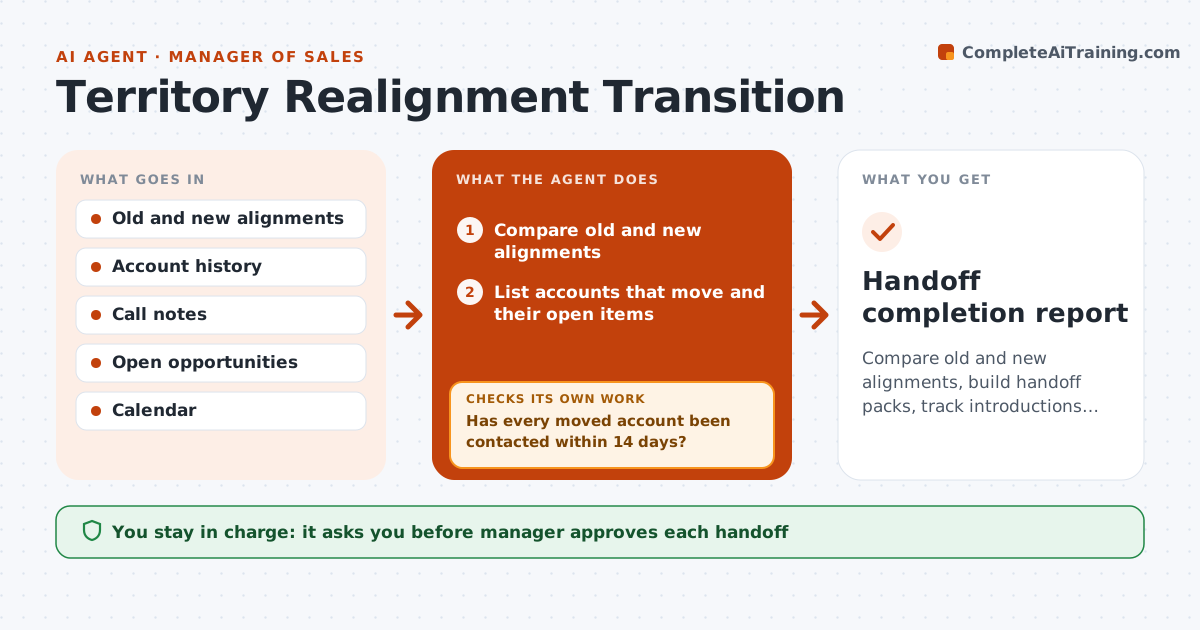
Compare old and new alignments, build handoff packs, track introductions and make sure no account goes untouched for 30 days
What it does
Accounts moved between reps lose context and revenue. When a new alignment is set, the agent compares it with the old one and lists every account that moves. For each, it builds a handoff pack with history, contacts, open opportunities and the last notes. It schedules an introduction between the old and new rep and tracks whether it happens. It checks that no account goes untouched for 30 days and escalates gaps. It reports progress weekly. The manager approves each handoff. Edge case: an account with an open contract renewal in 3 weeks gets a priority introduction.
How it works
Follow the arrows from top to bottom. The orange dashed arrow is the loop: when a check fails, the agent goes back and tries again.
Read the steps as a list
- New alignment approved
- Compare old and new alignments
- List accounts that move and their open items
- Build a handoff pack for each account
- Manager approves each handoffThe agent waits here for your OK.
- Schedule an introduction between the reps
- Track completed introductions and first contacts
- Has every moved account been contacted within 14 days?If not: Remind the new rep and offer a joint call. Back to step 3.
- Is any account untouched for 30 days?If not: Escalate to the manager with the account name and risk. Back to step 4.
- Handoff completion report
How it decides
Every moved account gets a pack and an introduction; any account untouched for 30 days is escalated.
- Prioritize accounts with open renewals or deals
- Require a first contact within 14 days
- Escalate at 30 days without contact
- Include the last 12 months of notes
Make it yours
Every agent is a starting point. You choose these settings for your own situation.
- Contact window (default 14 days)
- Escalation days (default 30)
- Pack contents
- Priority rules
What keeps you in control
It always asks you first
- Manager approves each handoff
- Manager approves any change to the plan
Hard limits
- Never move an account without approval
- Never share notes the manager marked private
It stops when
- Done: all accounts introduced and contacted
- Stop: the alignment is revised
Set it up
We guide you through the set-up, step by step
Members get the full set-up guide for this agent. No technical skills needed: you copy, paste and upload.
- One set of instructions to paste into your AI, with the clicks for ChatGPT, Claude, Microsoft 365 Copilot, Gemini and Grok
- The agent then walks you through connecting your own data, one source at a time
- A downloadable copy with the flow chart, the rules and the full guide



