AI agent for chief sales officers
Territory Rebalancing Agent
Score territories on potential and workload, test rebalancing options and flag accounts to move
What it does
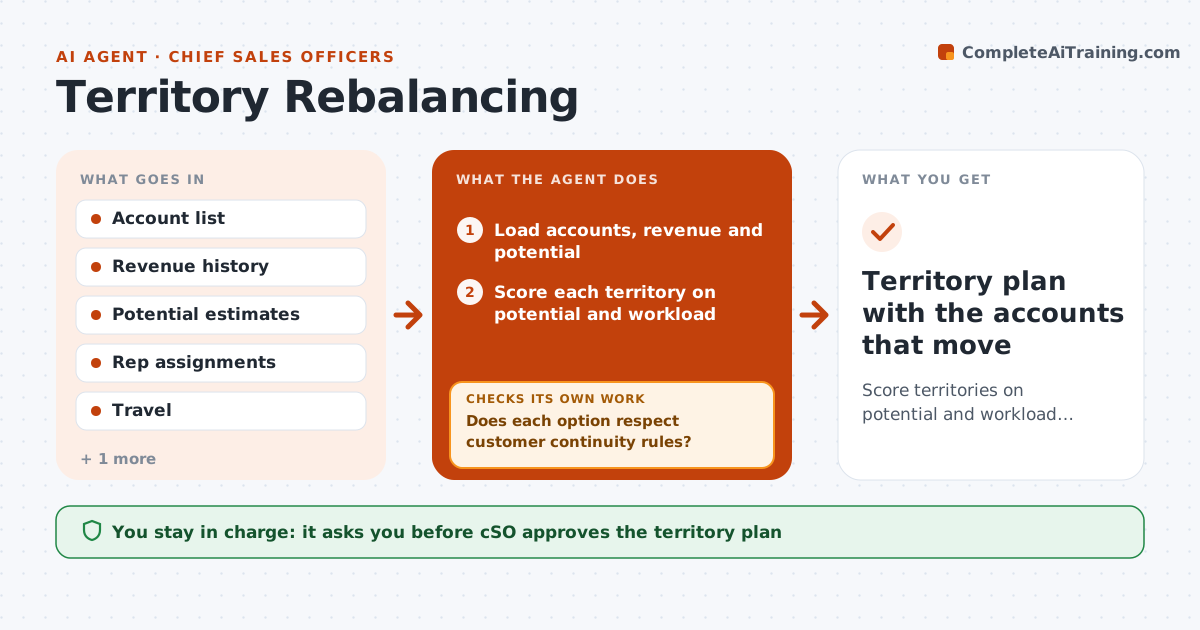
Uneven territories cause rep turnover and arguments over fairness. The agent scores each territory on market potential and workload, such as account count and travel. It lays out the imbalance and tests rebalancing options, such as moving accounts or redrawing a boundary. For each option it checks customer continuity: the length of the relationship, recent wins and open deals. It flags accounts that should move and those that should stay. It reruns the scores after each constraint the CSO adds. The CSO approves the final plan. Edge case: the largest account belongs to a rep with a ten-year relationship, so the agent keeps it and balances elsewhere.
How it works
Follow the arrows from top to bottom. The orange dashed arrow is the loop: when a check fails, the agent goes back and tries again.
Read the steps as a list
- Planning cycle begins
- Load accounts, revenue and potential
- Score each territory on potential and workload
- Find imbalances above the tolerance
- Propose rebalancing options
- Does each option respect customer continuity rules?If not: Remove the moves that break the rules and redraft. Back to step 3.
- Recompute scores after the moves
- Are all territories within tolerance?If not: Try a second set of moves. Back to step 3.
- CSO approves the planThe agent waits here for your OK.
- Territory plan with the accounts that move
How it decides
Territories are balanced by potential and workload; moves avoid breaking strong customer relationships.
- Keep accounts with an open deal over $50,000 where they are
- Keep accounts with relationships over 5 years
- Allow territory potential to differ by 10% at most
- Limit moved accounts per rep to 15%
Make it yours
Every agent is a starting point. You choose these settings for your own situation.
- Tolerance (default 10%)
- Continuity rules
- Potential measure
- Maximum moves
What keeps you in control
It always asks you first
- CSO approves the territory plan
- CSO approves any change in rep compensation impact
Hard limits
- Never assign accounts without CSO approval
- Never use personal data about reps
It stops when
- Done: territories within tolerance and approved
- Stop: potential data is missing
Set it up
We guide you through the set-up, step by step
Members get the full set-up guide for this agent. No technical skills needed: you copy, paste and upload.
- One set of instructions to paste into your AI, with the clicks for ChatGPT, Claude, Microsoft 365 Copilot, Gemini and Grok
- The agent then walks you through connecting your own data, one source at a time
- A downloadable copy with the flow chart, the rules and the full guide