AI agent for qa managers
Test Coverage Gap Agent
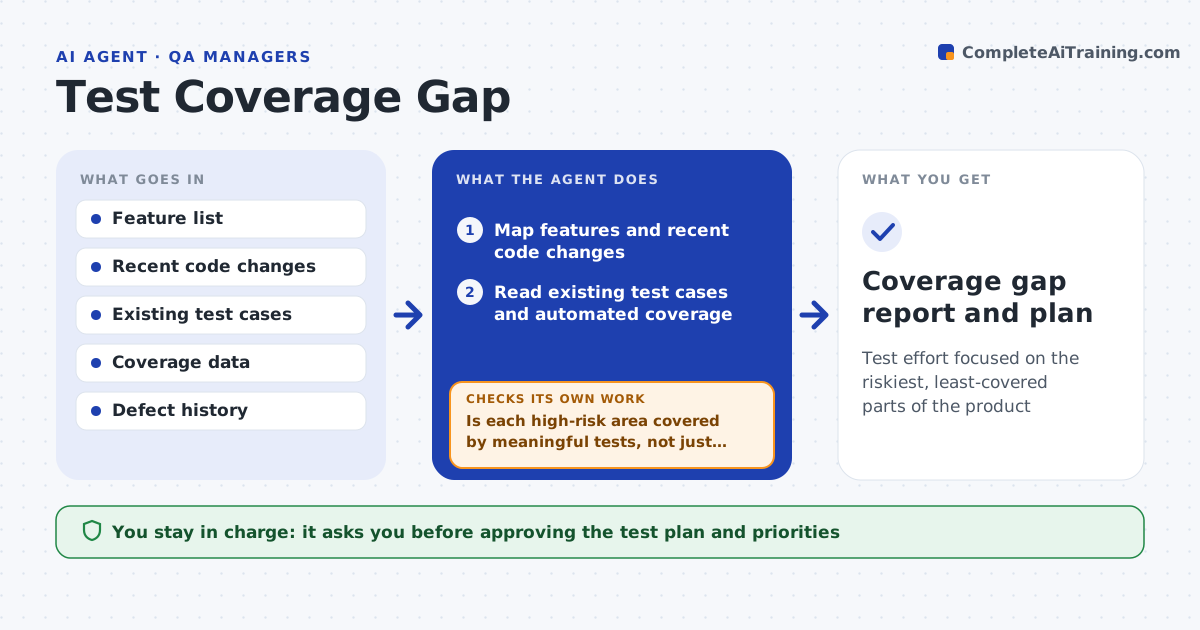
Test effort focused on the riskiest, least-covered parts of the product
What it does
QA effort often goes where it always has, not where the risk is, so risky areas ship with thin coverage. Before a release this agent maps the product's features and recent code changes and compares them with existing test cases and automated coverage. It finds gaps: features with few or no tests, changed code not covered and areas with a defect history but little testing. It ranks gaps by risk, combining change frequency, defect history and business importance. It also looks at test depth, because a high coverage number can hide shallow tests. For high-risk gaps it drafts the test cases that should exist. After the team adds tests, it measures coverage again to confirm the gap closed. You approve the test plan and priorities. Edge case: high coverage with only happy-path tests is flagged as a gap.
How it works
Follow the arrows from top to bottom. The orange dashed arrow is the loop: when a check fails, the agent goes back and tries again.
Read the steps as a list
- Coverage review before release
- Map features and recent code changes
- Read existing test cases and automated coverage
- Find gaps and rank them by risk
- Is each high-risk area covered by meaningful tests, not just happy paths?If not: draft the missing test cases for the team. Back to step 4.
- QA manager approves the test plan and prioritiesThe agent waits here for your OK.
- Measure coverage again after tests are added
- Did each planned gap close?If not: flag the remaining gaps and follow up with the team. Back to step 7.
- Coverage gap report and plan
How it decides
It ranks gaps by risk from change frequency, defect history and importance, and treats shallow coverage as a gap despite high numbers.
- Rank gaps by change, defect history and importance
- Treat shallow happy-path coverage as a gap
- Confirm a gap closed after tests are added
Make it yours
Every agent is a starting point. You choose these settings for your own situation.
- Risk factors and weights
- Coverage thresholds
- Areas in scope
- Whether to draft test cases
What keeps you in control
It always asks you first
- Approving the test plan and priorities
Hard limits
- Does not change test results or coverage data
- Flags misleading coverage honestly
It stops when
- Done: gaps ranked and plan approved
- Stop: no coverage data is available
Set it up
We guide you through the set-up, step by step
Members get the full set-up guide for this agent. No technical skills needed: you copy, paste and upload.
- One set of instructions to paste into your AI, with the clicks for ChatGPT, Claude, Microsoft 365 Copilot, Gemini and Grok
- The agent then walks you through connecting your own data, one source at a time
- A downloadable copy with the flow chart, the rules and the full guide