AI agent for online course creators
Testimonial and Case Study Collection Agent
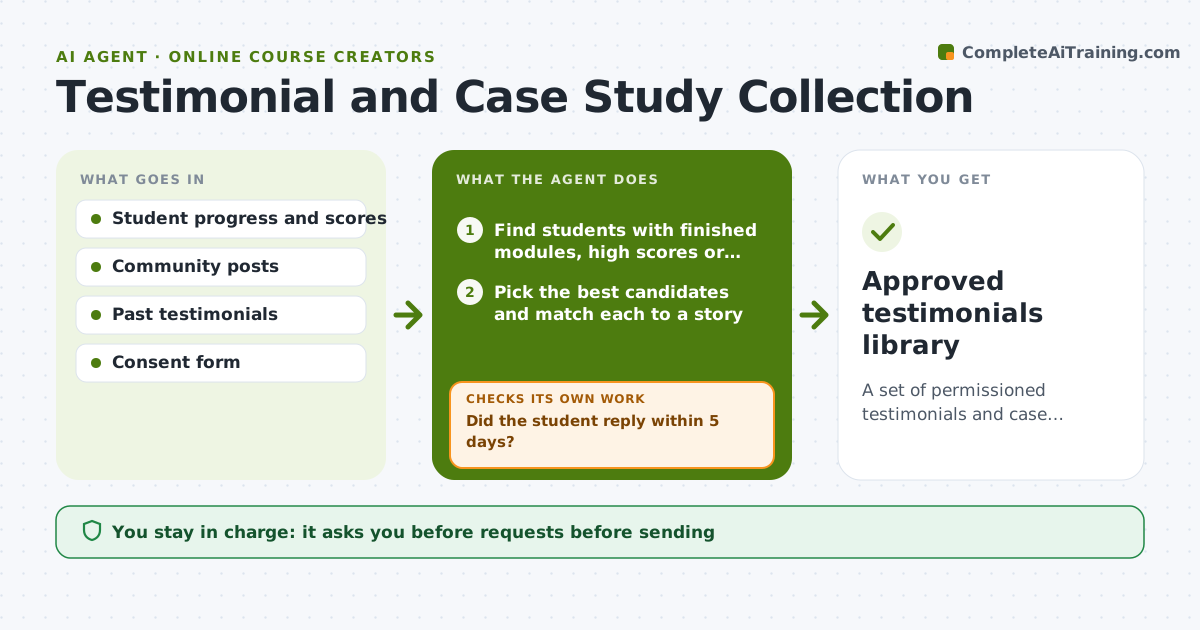
A set of permissioned testimonials and case studies collected at the right moment.
What it does
Your best students finish a module, post a win and never get asked for a testimonial, so the right moment passes. This agent finds students who finished modules, scored well or posted wins and drafts a short personal ask for each. It tracks replies and follows up once. For each quote, it checks that the student gave permission and consent for how it will be used, including name and photo. Edge case: a student shared a win in a private group, so the agent asks permission to quote it. The creator approves requests and publication.
How it works
Follow the arrows from top to bottom. The orange dashed arrow is the loop: when a check fails, the agent goes back and tries again.
Read the steps as a list
- Weekly student review
- Find students with finished modules, high scores or posted wins
- Pick the best candidates and match each to a story
- Draft a personal ask for each
- Creator approves the requestsThe agent waits here for your OK.
- Send requests and track replies
- Did the student reply within 5 days?If not: send one follow-up and then stop. Back to step 5.
- Collect the quote and the consent for use
- Does each quote have written permission for the intended use?If not: ask for permission or exclude the quote. Back to step 7.
- Creator approves publicationThe agent waits here for your OK.
- Approved testimonials library
How it decides
It picks students with strong results and recent activity, and asks only once more if there is no reply.
- Ask only once, with one follow-up.
- No quote is used without written consent.
- Do not ask students who requested a refund.
- Never edit a quote beyond typos without student approval.
Make it yours
Every agent is a starting point. You choose these settings for your own situation.
- Triggers for an ask
- Follow-up timing
- Consent wording
- Fields collected
- Tone of requests
What keeps you in control
It always asks you first
- Requests before sending
- Publishing any testimonial
Hard limits
- Do not send requests without approval.
- Do not publish any quote without consent.
It stops when
- Done: testimonials collected with consent and approved
- Stop: a student declines, so the agent removes them from the list
Set it up
We guide you through the set-up, step by step
Members get the full set-up guide for this agent. No technical skills needed: you copy, paste and upload.
- One set of instructions to paste into your AI, with the clicks for ChatGPT, Claude, Microsoft 365 Copilot, Gemini and Grok
- The agent then walks you through connecting your own data, one source at a time
- A downloadable copy with the flow chart, the rules and the full guide