AI agent for blockchain developers
Testnet Deployment Verification Agent
A test-network deployment confirmed to match its intended configuration
What it does
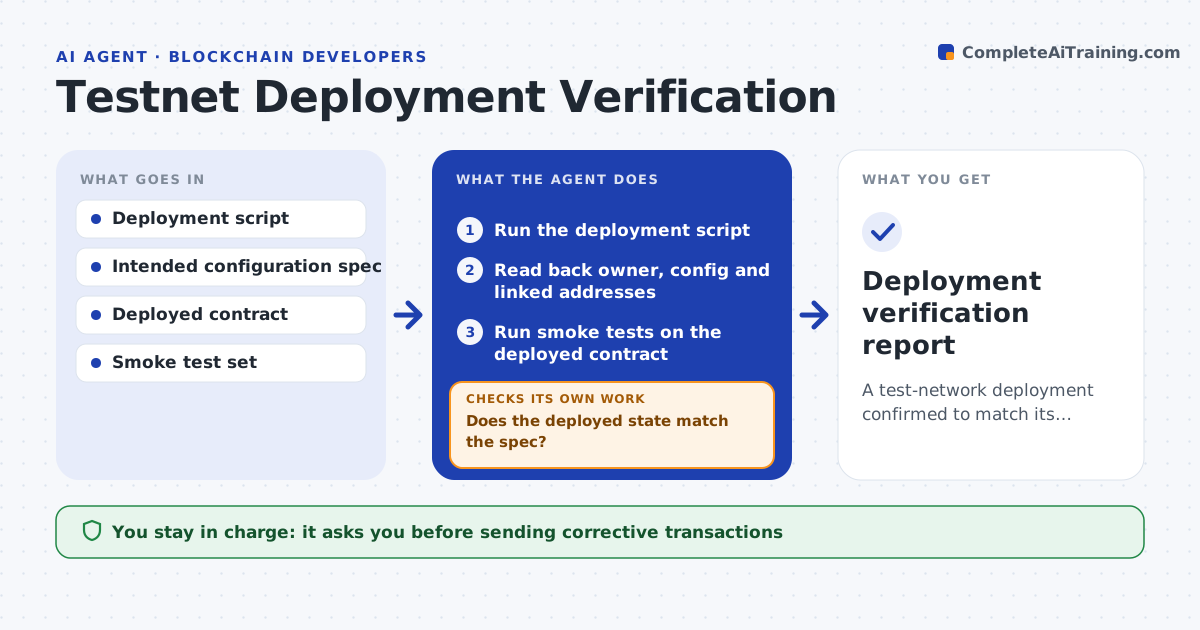
After a contract is deployed to a test network, it must be set up correctly, or later testing chases setup bugs instead of real ones. This agent runs the deployment from the script, then verifies the deployed state against what was intended. It reads back the owner, configuration values and linked contract addresses and checks each against the spec. It runs smoke tests that exercise the main functions on the deployed contract. Where a value is wrong or a smoke test fails, it reports exactly what differs and, for configuration, proposes the corrective transaction. After the fix it reads the state back again. If the deployment failed partway, it reports the exact state reached. You approve any corrective transaction. Edge case: a contract deployed but not verified on the block explorer is flagged.
How it works
Follow the arrows from top to bottom. The orange dashed arrow is the loop: when a check fails, the agent goes back and tries again.
Read the steps as a list
- Deployment to test network requested
- Run the deployment script
- Read back owner, config and linked addresses
- Does the deployed state match the spec?If not: report the differences and propose corrective transactions. Back to step 3.
- Run smoke tests on the deployed contract
- Did the smoke tests pass?If not: report the failing function and likely cause. Back to step 5.
- Developer approves any corrective transactionThe agent waits here for your OK.
- Deployment verification report
How it decides
The deployment passes only when the read-back configuration matches the spec and the smoke tests succeed.
- Pass only when state matches the spec and smoke tests pass
- Flag unverified source on the explorer
- Report partial deployments clearly
Make it yours
Every agent is a starting point. You choose these settings for your own situation.
- Configuration spec to check
- Smoke tests
- Test network to use
- Whether explorer verification is required
What keeps you in control
It always asks you first
- Sending corrective transactions
Hard limits
- Operates only on the test network here
- No corrective transaction without approval
It stops when
- Done: deployment verified or differences reported
- Stop: the test network is unreachable
Set it up
We guide you through the set-up, step by step
Members get the full set-up guide for this agent. No technical skills needed: you copy, paste and upload.
- One set of instructions to paste into your AI, with the clicks for ChatGPT, Claude, Microsoft 365 Copilot, Gemini and Grok
- The agent then walks you through connecting your own data, one source at a time
- A downloadable copy with the flow chart, the rules and the full guide