AI agent for hr information system (hris) specialists
Time-Off Accrual Rule Audit Agent
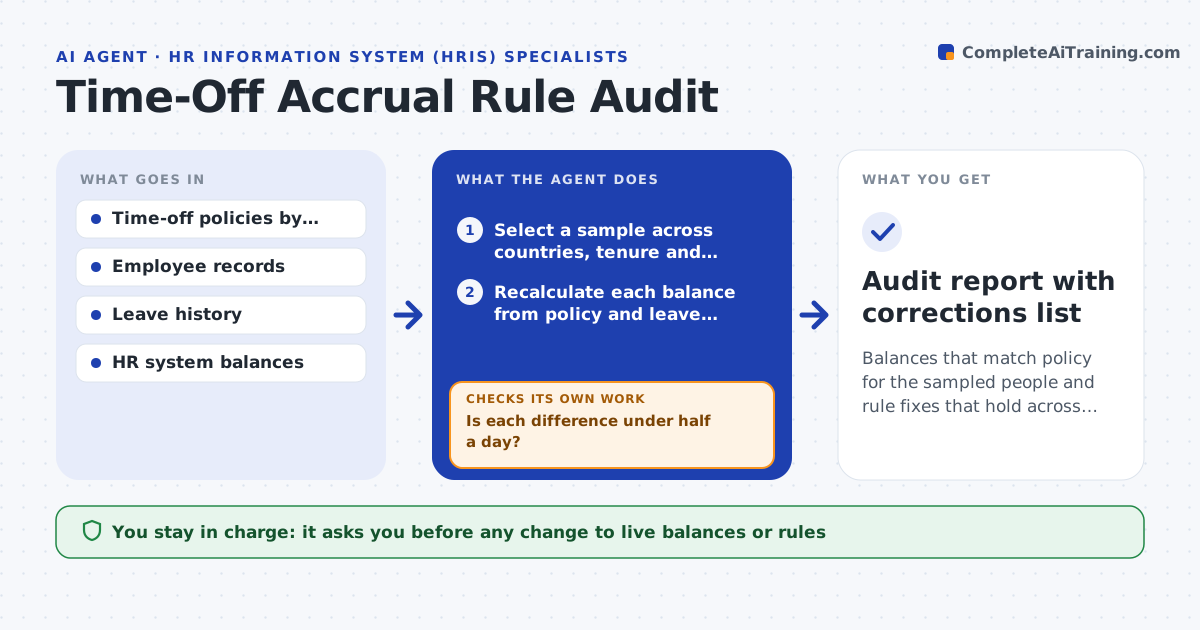
Balances that match policy for the sampled people and rule fixes that hold across everyone on the same rule
What it does
A balance that is two days off becomes a payroll or morale issue. This agent samples employees across countries, tenure bands and employment types, and recalculates each person's time-off balance from the written policy: accrual rates, carryover, caps and leave taken. It compares the result with the HR system's balance. For each difference, it traces whether the cause is a rule set up wrongly, a data problem such as a wrong start date, or a manual adjustment. It proposes a fix for the rule or the record and rechecks the sample after each fix. If the rule is the problem, it checks everyone under that rule. HR approves balance corrections. Edge case: a person who changed country mid-year is checked against both countries' rules for the right period.
How it works
Follow the arrows from top to bottom. The orange dashed arrow is the loop: when a check fails, the agent goes back and tries again.
Read the steps as a list
- Quarterly audit starts
- Select a sample across countries, tenure and employment types
- Recalculate each balance from policy and leave history
- Compare with the system balance
- Is each difference under half a day?If not: trace the difference to a rule, a data issue or a manual adjustment. Back to step 3.
- Propose a fix to the rule or the record
- Apply the fix to a test copy and recalculate the sample
- Do all sample balances now match?If not: revise the fix and recalculate. Back to step 6.
- Check everyone under the same rule
- HR approves balance correctionsThe agent waits here for your OK.
- Audit report with corrections list
How it decides
A difference over half a day is investigated. If more than 3 people under one rule differ, the rule is checked for everyone.
- Investigate any difference of half a day or more
- Check a whole rule group when 3 or more people differ
- Treat manual adjustments without a note as unexplained
- Sample at least 5 percent of staff in each country
Make it yours
Every agent is a starting point. You choose these settings for your own situation.
- Difference that triggers review (default 0.5 day)
- Sample size per country
- Policies in scope
- Audit schedule
What keeps you in control
It always asks you first
- Any change to live balances or rules
Hard limits
- Never changes live balances itself
- Treats employee data as confidential
It stops when
- Done: balances match or corrections are approved
- Stop: policy text is missing for a country
Set it up
We guide you through the set-up, step by step
Members get the full set-up guide for this agent. No technical skills needed: you copy, paste and upload.
- One set of instructions to paste into your AI, with the clicks for ChatGPT, Claude, Microsoft 365 Copilot, Gemini and Grok
- The agent then walks you through connecting your own data, one source at a time
- A downloadable copy with the flow chart, the rules and the full guide