AI agent for computer science students
Timed Past Exam Rehearsal Agent
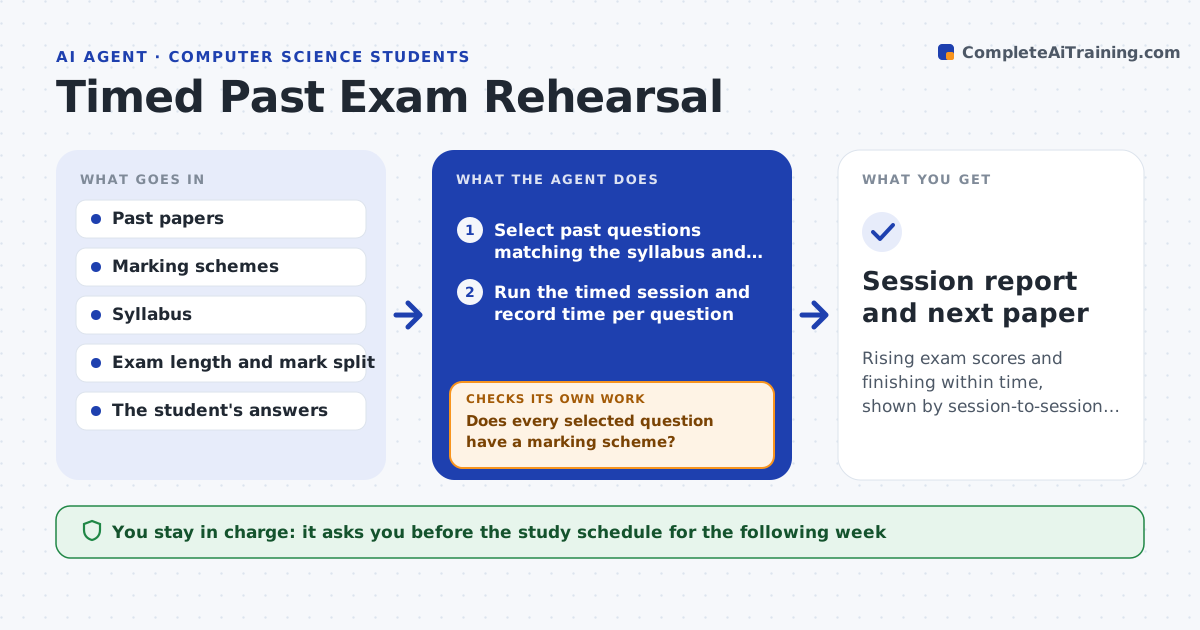
Rising exam scores and finishing within time, shown by session-to-session results
What it does
Knowing the content is not the same as finishing a written exam. This agent builds a timed practice session from past paper questions that match the syllabus, matching the real paper's length and mark split. The student answers under the clock, and the agent marks each answer against the marking scheme, noting marks lost for missing steps or unclear presentation. It records time per question and compares it with the time the marks allow. It then chooses the next paper to target the slowest and lowest scoring topics, so each session aims at the current weakness. The student confirms the study schedule. Edge case: when the marking scheme is missing for a past question, the agent drops that question rather than guessing the marks.
How it works
Follow the arrows from top to bottom. The orange dashed arrow is the loop: when a check fails, the agent goes back and tries again.
Read the steps as a list
- Student starts a rehearsal
- Select past questions matching the syllabus and target length
- Does every selected question have a marking scheme?If not: swap in another question from the same topic. Back to step 2.
- Run the timed session and record time per question
- Mark each answer against the scheme
- Compare time spent with the time the marks allow
- List topics that are both slow and low scoring
- Did the score and pace improve since the last session?If not: choose easier questions on the weak topic before the next full paper. Back to step 2.
- Student confirms the study scheduleThe agent waits here for your OK.
- Session report and next paper
How it decides
Questions are chosen from topics with the lowest marks per minute. A question counts as slow when it takes 25 percent longer than its mark share of the time.
- Allow 1 minute per mark as the time guide unless the paper says otherwise
- Mark a question slow when it takes 25 percent over its share
- Pick the next paper from the 3 lowest scoring topics
- Drop any question with no marking scheme
Make it yours
Every agent is a starting point. You choose these settings for your own situation.
- Exam length and mark total
- Time guide per mark (default 1 minute)
- Sessions per week (default 2)
- Topics to include or leave out
What keeps you in control
It always asks you first
- The study schedule for the following week
Hard limits
- Never marks without a scheme
- Never gives answers during the timed session
It stops when
- Done: the student scores above target within time on 2 papers
- Stop: no usable past papers remain for the syllabus
Set it up
We guide you through the set-up, step by step
Members get the full set-up guide for this agent. No technical skills needed: you copy, paste and upload.
- One set of instructions to paste into your AI, with the clicks for ChatGPT, Claude, Microsoft 365 Copilot, Gemini and Grok
- The agent then walks you through connecting your own data, one source at a time
- A downloadable copy with the flow chart, the rules and the full guide