AI agent for category managers
Trade Funds and Rebate Tracking Agent
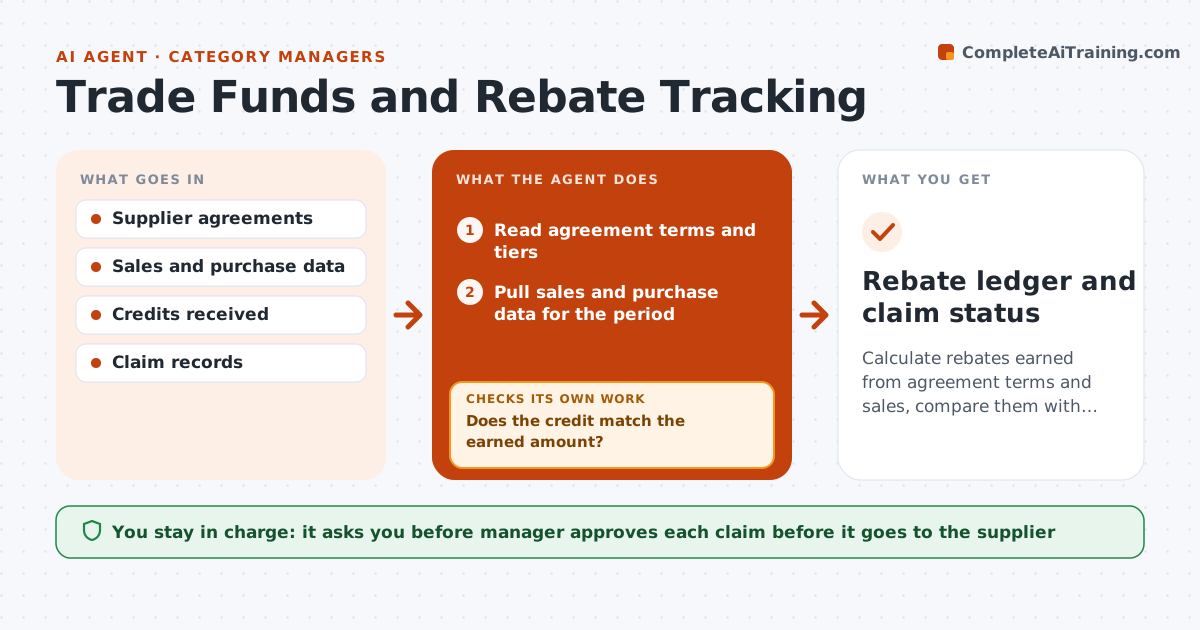
Calculate rebates earned from agreement terms and sales, compare them with credits received and claim the difference
What it does
Earned supplier funding is claimed late or short because the terms live in contracts and the numbers live in sales reports. Each period, the agent reads the agreement terms, such as tiers and volume targets, and the sales and purchase data. It calculates the rebate earned and compares it with the credit received. When there is a gap, it traces the cause: wrong tier, missed promotion, late credit or a data mismatch. It drafts a claim with the calculation and the contract clause. After the supplier replies, it rechecks the credit and follows up on short payments. The manager approves each claim. Edge case: sales cross a tier on the last day of the quarter, and the agent asks the supplier to confirm the date.
How it works
Follow the arrows from top to bottom. The orange dashed arrow is the loop: when a check fails, the agent goes back and tries again.
Read the steps as a list
- Rebate period closes
- Read agreement terms and tiers
- Pull sales and purchase data for the period
- Compute earned rebate by supplier
- Pull credits received
- Does the credit match the earned amount?If not: Trace the cause of the difference and rebuild the calculation. Back to step 3.
- Draft the claim with calculations and clauses
- Manager approves each claimThe agent waits here for your OK.
- Track supplier replies and new credits
- Has the shortfall been paid or explained?If not: Follow up and reopen the claim if the reply is wrong. Back to step 2.
- Rebate ledger and claim status
How it decides
Earned rebate is computed from the exact terms; a claim goes out only when the shortfall exceeds the minimum and the evidence is complete.
- Claim any gap over $250 or 2% of the rebate
- Use the contract's definition of eligible sales
- Recheck the tier on the last day of the period
- Escalate a claim unpaid after 45 days
Make it yours
Every agent is a starting point. You choose these settings for your own situation.
- Minimum claim size (default $250)
- Escalation days (default 45)
- Eligible sales definition
- Suppliers covered
What keeps you in control
It always asks you first
- Manager approves each claim before it goes to the supplier
- Manager approves any compromise
Hard limits
- Never send claims without approval
- Never accept a compromise without the manager
It stops when
- Done: all claims are paid or resolved
- Stop: the contract terms are unclear
Set it up
We guide you through the set-up, step by step
Members get the full set-up guide for this agent. No technical skills needed: you copy, paste and upload.
- One set of instructions to paste into your AI, with the clicks for ChatGPT, Claude, Microsoft 365 Copilot, Gemini and Grok
- The agent then walks you through connecting your own data, one source at a time
- A downloadable copy with the flow chart, the rules and the full guide