AI agent for traders
Trade Journal Review Agent
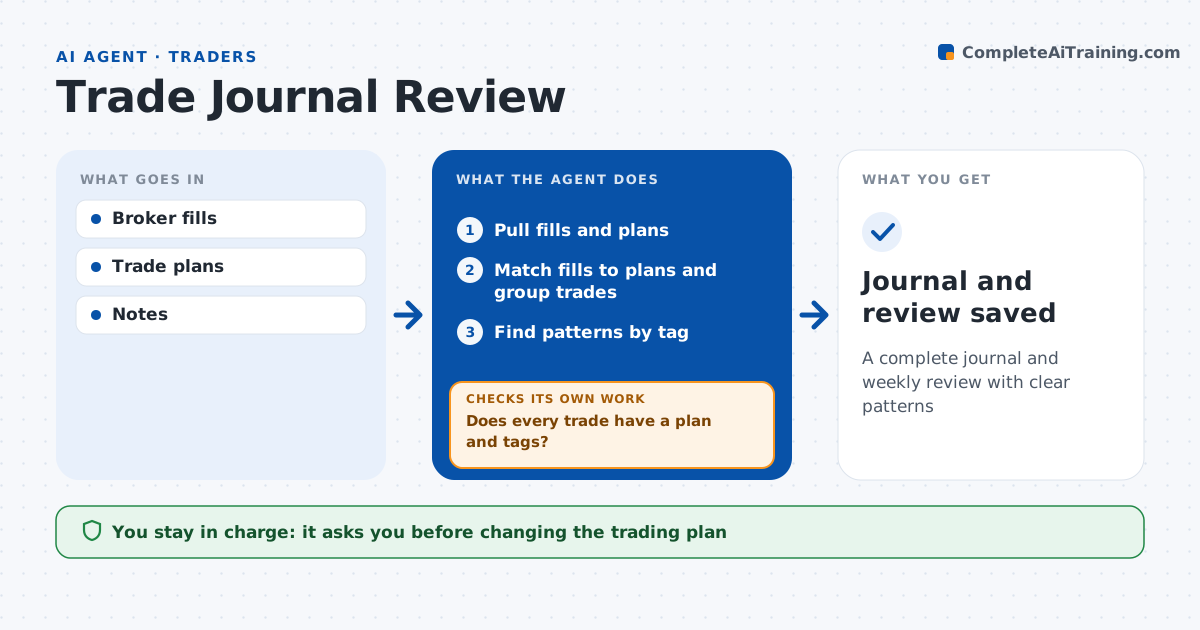
A complete journal and weekly review with clear patterns
What it does
Building a trade journal by hand is tedious, so mistakes repeat. Each week this agent builds the journal from broker fills and the trader's written plans. It matches each fill to a plan and calculates results in money and in risk units. It tags trades by setup, time of day and whether rules were followed, such as a stop moved against plan. It then checks that every trade has a plan and tags; when gaps remain, it asks the trader to fill them and rematches. Only with 10 or more trades in a group does it call something a pattern, such as losses after moving stops or weaker results in the first 15 minutes. Any loss over 1.5R gets a review note. The trader decides whether to change the plan. Edge case: a partial fill and add-on are grouped as one trade.
How it works
Follow the arrows from top to bottom. The orange dashed arrow is the loop: when a check fails, the agent goes back and tries again.
Read the steps as a list
- Week ends
- Pull fills and plans
- Match fills to plans and group trades
- Does every trade have a plan and tags?If not: ask the trader to fill gaps and rematch. Back to step 3.
- Find patterns by tag
- Write weekly review
- Trader picks changes to tryThe agent waits here for your OK.
- Journal and review saved
How it decides
It groups results by tag and flags patterns with enough trades to matter.
- Pattern needs 10 or more trades
- Stop moved against plan: tag rule break
- Loss over 1.5R: review note
Make it yours
Every agent is a starting point. You choose these settings for your own situation.
- Tags used
- Minimum trades for a pattern
- Review day
- Review format
What keeps you in control
It always asks you first
- Changing the trading plan
Hard limits
- Never trades
- Never shares the journal
It stops when
- Done: review saved
- Stop: fills unavailable
Set it up
We guide you through the set-up, step by step
Members get the full set-up guide for this agent. No technical skills needed: you copy, paste and upload.
- One set of instructions to paste into your AI, with the clicks for ChatGPT, Claude, Microsoft 365 Copilot, Gemini and Grok
- The agent then walks you through connecting your own data, one source at a time
- A downloadable copy with the flow chart, the rules and the full guide