AI agent for patent agents
Trademark and Patent Docket Cross-Check Agent
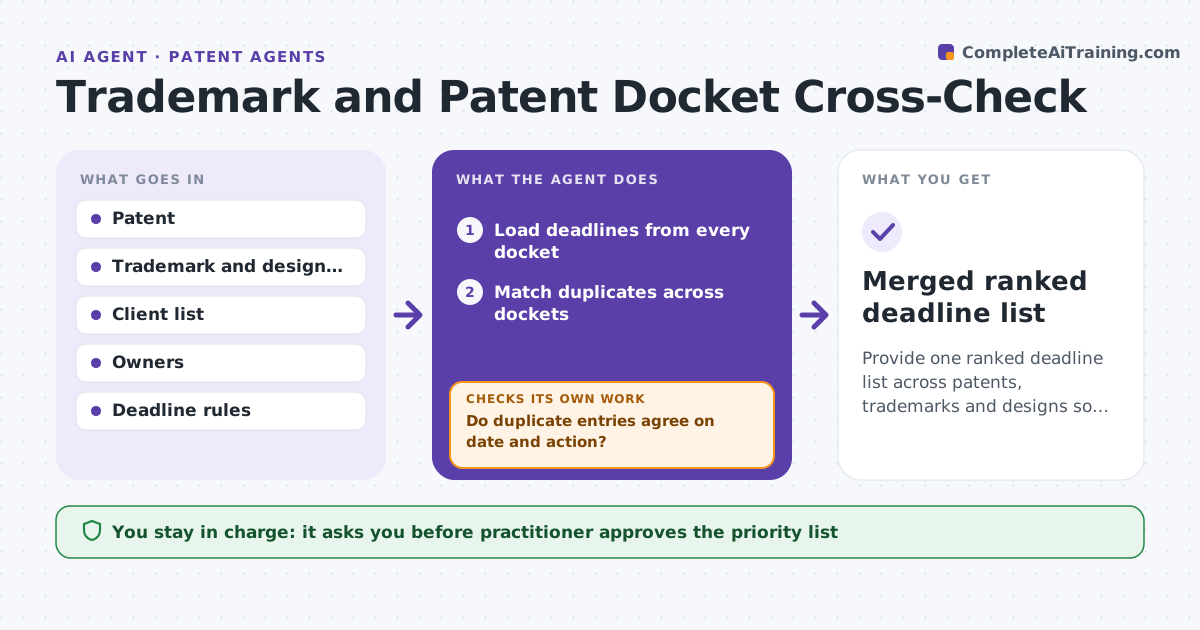
Provide one ranked deadline list across patents, trademarks and designs so no date is missed.
What it does
Patent, trademark and design deadlines are held in separate systems, and missing one can cost rights. The agent merges deadlines from each docket, checks for duplicates and conflicts, and ranks them by the consequence of missing the date. It flags items with no assigned owner. When a date changes or a new action arrives, it re-merges and re-ranks. The practitioner approves the priority list and any client notice. Edge case: a trademark declaration and a patent maintenance fee fall on the same day for one client, so both are listed with the higher consequence first.
How it works
Follow the arrows from top to bottom. The orange dashed arrow is the loop: when a check fails, the agent goes back and tries again.
Read the steps as a list
- Daily docket merge
- Load deadlines from every docket
- Match duplicates across dockets
- Do duplicate entries agree on date and action?If not: Flag the conflict and show both sources. Back to step 2.
- Rank by consequence of missing the date and days left
- Find items with no owner
- Practitioner approves the priority list and any client noticeThe agent waits here for your OK.
- Send approved notices and update owners
- Did any date or action change since the last run?If not: Re-merge and re-rank, then show what moved. Back to step 2.
- Merged ranked deadline list
How it decides
It ranks deadlines by loss of rights, then by days left. Duplicates are merged, conflicting dates are flagged for review, and items without an owner are listed first.
- Loss of rights ranks above fees
- Under 14 days left is red, under 30 is amber
- Conflicting dates must be checked against the source document
- An item without an owner is flagged at the top
Make it yours
Every agent is a starting point. You choose these settings for your own situation.
- Dockets merged
- Red and amber thresholds (default 14 and 30 days)
- Run time
- Consequence ranking
What keeps you in control
It always asks you first
- Practitioner approves the priority list
- Practitioner approves client notices
Hard limits
- Never changes a docket date
- Never sends a notice without approval
It stops when
- Done: list approved and notices sent
- Stop: docket access fails, so the practitioner is told
Set it up
We guide you through the set-up, step by step
Members get the full set-up guide for this agent. No technical skills needed: you copy, paste and upload.
- One set of instructions to paste into your AI, with the clicks for ChatGPT, Claude, Microsoft 365 Copilot, Gemini and Grok
- The agent then walks you through connecting your own data, one source at a time
- A downloadable copy with the flow chart, the rules and the full guide