AI agent for elearning developers
Policy-Triggered Course Update Agent
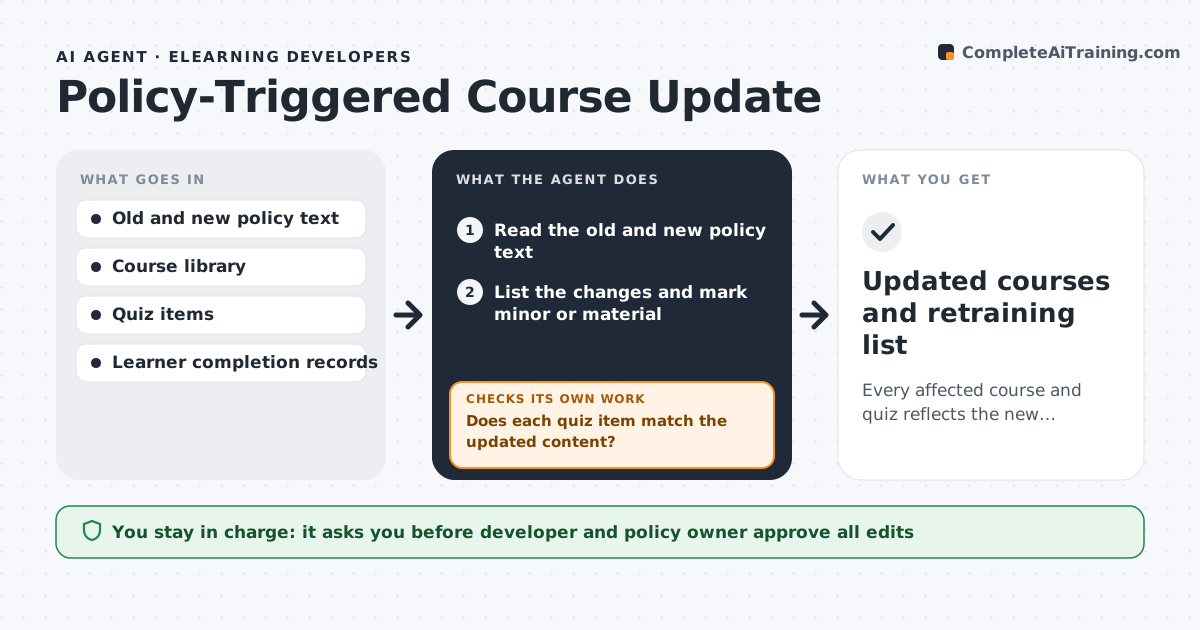
Every affected course and quiz reflects the new policy and the right learners are retrained.
What it does
When a policy changes, the training that teaches it can stay wrong for months. The agent starts from the new policy and the old one, and finds what changed. It searches every course for the screens, quiz questions and downloads that mention the old rule, and drafts updated text and revised questions. It checks that each quiz question still matches what the course now teaches. It then lists the learners who completed the old version and need retraining, based on the level of change. After the developer edits the course, it rechecks all affected screens and quizzes for leftover old wording. The developer and the policy owner approve before anything goes live. Edge case: a minor wording change does not need retraining, but a changed deadline does.
How it works
Follow the arrows from top to bottom. The orange dashed arrow is the loop: when a check fails, the agent goes back and tries again.
Read the steps as a list
- Policy change published
- Read the old and new policy text
- List the changes and mark minor or material
- Search courses and quizzes for the old rule
- Draft updated screens and quiz items
- Does each quiz item match the updated content?If not: Rewrite the quiz item or screen until they agree. Back to step 4.
- List learners who need retraining based on the change level
- Developer and policy owner approve the edits and retraining listThe agent waits here for your OK.
- Publish the updated course and assign retraining
- Does any screen still mention the old rule?If not: Return the screen to the draft step and repeat the search. Back to step 3.
- Updated courses and retraining list
How it decides
It finds mentions of the changed rule across courses and classifies the change as minor or material to decide retraining.
- Material change means retraining
- Minor change means update only
- Any mention of the old rule needs a revision
- Retraining deadline follows the policy effective date
Make it yours
Every agent is a starting point. You choose these settings for your own situation.
- Policies and courses linked
- Material change rule
- Retraining deadline
- Approvers
- Search scope
What keeps you in control
It always asks you first
- Developer and policy owner approve all edits
- Policy owner approves the retraining list
Hard limits
- Never publish without both approvals
- Never leave old values in the course
- Never assign retraining without the owner's list
It stops when
- Done: all affected content updated and retraining assigned
- Stop: the policy is withdrawn or changed again
Set it up
We guide you through the set-up, step by step
Members get the full set-up guide for this agent. No technical skills needed: you copy, paste and upload.
- One set of instructions to paste into your AI, with the clicks for ChatGPT, Claude, Microsoft 365 Copilot, Gemini and Grok
- The agent then walks you through connecting your own data, one source at a time
- A downloadable copy with the flow chart, the rules and the full guide