AI agent for elearning developers
Course Drop-Off Analysis Agent
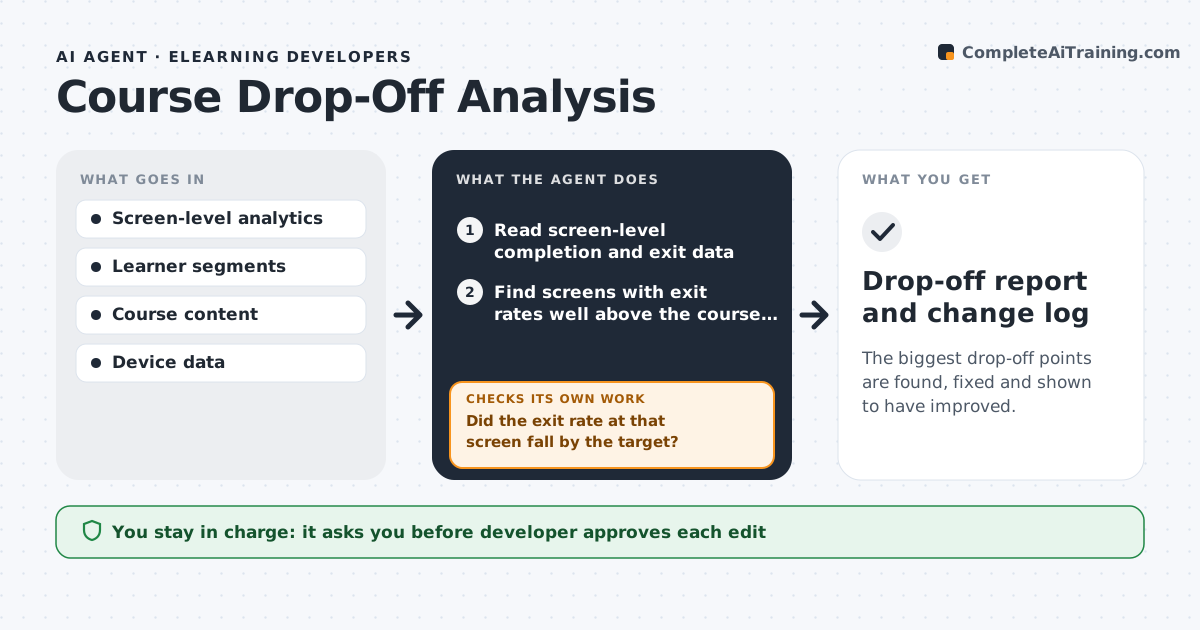
The biggest drop-off points are found, fixed and shown to have improved.
What it does
Completion rates fall, but the data shows only that learners leave, not why. The agent reads screen-level completion data and finds where learners leave, such as a long video or a hard quiz. It compares segments, like new hires versus experienced staff and mobile versus desktop, to see who leaves where. It then reads the content at those points to find likely causes, such as length, unclear steps or a technical fault, and proposes edits. After the developer changes the course, it waits for new learner data and tests whether the drop-off at that screen shrank. If not, it tries the next likely cause. The developer approves every edit. Edge case: a drop-off that appears only on mobile may be a layout fault, not a content problem.
How it works
Follow the arrows from top to bottom. The orange dashed arrow is the loop: when a check fails, the agent goes back and tries again.
Read the steps as a list
- Monthly run
- Read screen-level completion and exit data
- Find screens with exit rates well above the course average
- Compare exits by segment and device
- Read the content at those screens for likely causes
- Propose edits for each cause
- Developer approves editsThe agent waits here for your OK.
- Apply edits and record the change date
- Read new learner data after the change
- Did the exit rate at that screen fall by the target?If not: Try the next likely cause and propose a new edit. Back to step 3.
- Drop-off report and change log
How it decides
It ranks screens by exit rate against the course average and tests causes in order of likelihood.
- Exit rate above twice the course average is flagged
- A device-only drop points to a layout fault
- Wait for at least 50 learners before testing
- Change one thing per screen at a time
Make it yours
Every agent is a starting point. You choose these settings for your own situation.
- Exit rate multiple (default 2x)
- Minimum learners to test
- Segments to compare
- Review frequency
- Target improvement
What keeps you in control
It always asks you first
- Developer approves each edit
- Developer approves any change to required content
Hard limits
- Never edit course content without approval
- Never test with fewer than the minimum learners
- Never expose learner identities
It stops when
- Done: flagged screens meet the target exit rate
- Stop: not enough learner data
Set it up
We guide you through the set-up, step by step
Members get the full set-up guide for this agent. No technical skills needed: you copy, paste and upload.
- One set of instructions to paste into your AI, with the clicks for ChatGPT, Claude, Microsoft 365 Copilot, Gemini and Grok
- The agent then walks you through connecting your own data, one source at a time
- A downloadable copy with the flow chart, the rules and the full guide