AI agent for court reporters
Transcript Index and Exhibit Log Agent
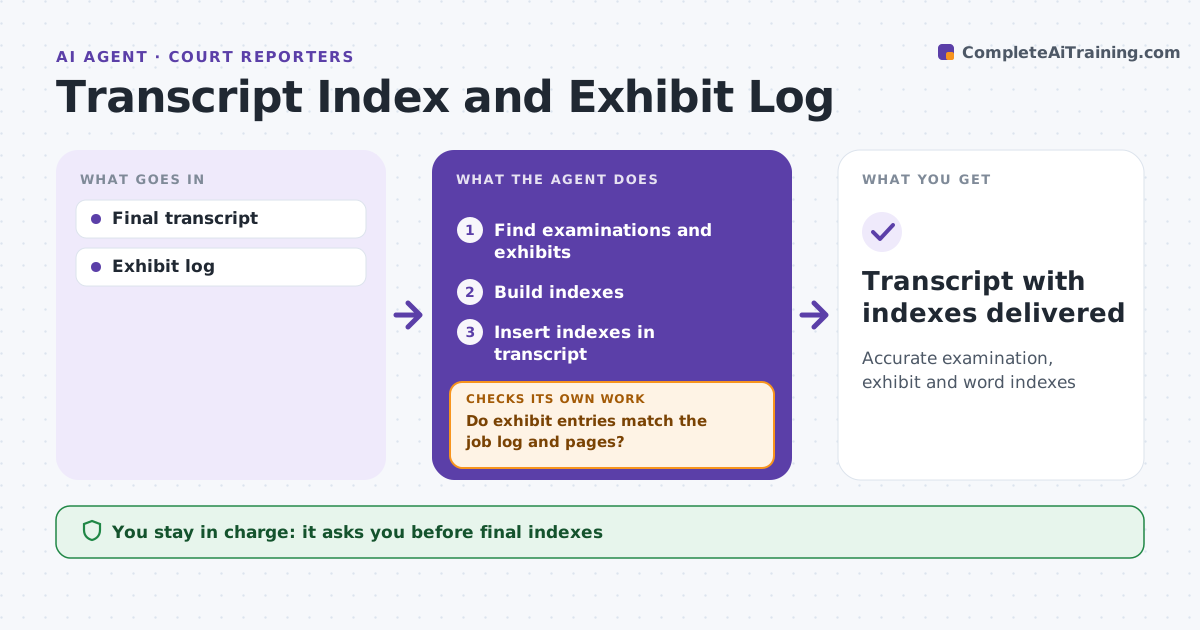
Accurate examination, exhibit and word indexes
What it does
Indexes and exhibit logs let attorneys find testimony fast, but building them by hand invites numbering mistakes. After the transcript is final, this agent lists examinations by attorney with page numbers, lists exhibits marked and referenced with descriptions and page and line, and builds a word index. It then checks that each exhibit number is marked once, that referenced pages exist, and that descriptions match the exhibit log from the job. Where a description differs, it uses the log wording and flags the difference. Anything that does not match is flagged for the reporter, and after fixes the agent checks again. The reporter approves the final indexes before delivery. Edge case: an exhibit was marked, withdrawn and re-marked with a new number, so the agent shows both numbers rather than reporting a duplicate.
How it works
Follow the arrows from top to bottom. The orange dashed arrow is the loop: when a check fails, the agent goes back and tries again.
Read the steps as a list
- Transcript final
- Find examinations and exhibits
- Build indexes
- Do exhibit entries match the job log and pages?If not: flag differences for the reporter. Back to step 2.
- Insert indexes in transcript
- Reporter approvesThe agent waits here for your OK.
- Transcript with indexes delivered
How it decides
It ties each index entry to page and line and checks against the exhibit log.
- Exhibit marked twice: flag
- Description differs: use log and flag
- Re-marked exhibit: show both numbers
Make it yours
Every agent is a starting point. You choose these settings for your own situation.
- Index types
- Format
- Description length
- Exhibit numbering
What keeps you in control
It always asks you first
- Final indexes
Hard limits
- Never changes transcript text
- Never delivers
It stops when
- Done: delivered
- Stop: exhibit log missing
Set it up
We guide you through the set-up, step by step
Members get the full set-up guide for this agent. No technical skills needed: you copy, paste and upload.
- One set of instructions to paste into your AI, with the clicks for ChatGPT, Claude, Microsoft 365 Copilot, Gemini and Grok
- The agent then walks you through connecting your own data, one source at a time
- A downloadable copy with the flow chart, the rules and the full guide