AI agent for court reporters
Transcript Order and Deadline Planning Agent
Every transcript delivered by its due date
What it does
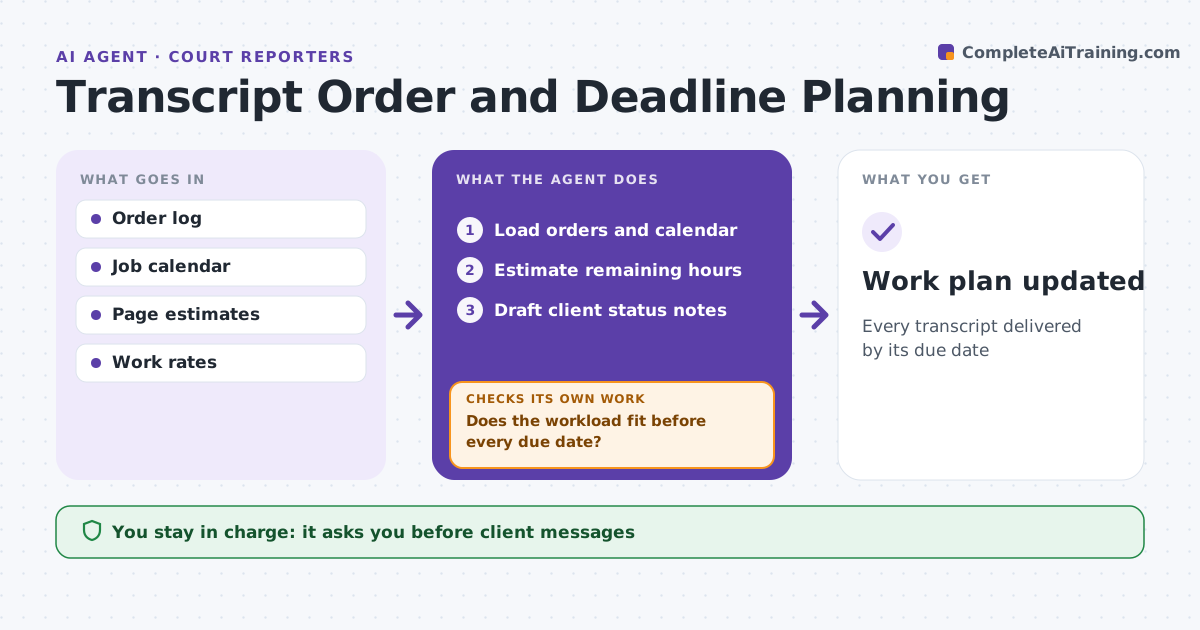
Court reporters juggle expedited and regular transcript orders, and a crowded week can mean missed delivery dates. This agent tracks every order: job date, pages expected, turnaround ordered and due date. Each day it estimates the hours of work left for each transcript and compares the total to available hours before each due date. Expedited orders get priority by due date. If the workload does not fit, it shows which jobs are at risk and options such as sending work to a scopist or proofreader. It rechecks whenever new jobs or orders arrive. It drafts status notes to clients when a delay is possible. The reporter decides and approves every message. Edge case: a daily copy order arrives for a trial already booked, which shifts other deadlines.
How it works
Follow the arrows from top to bottom. The orange dashed arrow is the loop: when a check fails, the agent goes back and tries again.
Read the steps as a list
- Daily planning
- Load orders and calendar
- Estimate remaining hours
- Does the workload fit before every due date?If not: list at-risk jobs and options and recalculate. Back to step 3.
- Draft client status notes
- Reporter decides and approves messagesThe agent waits here for your OK.
- Work plan updated
How it decides
It compares estimated hours to available hours by due date.
- Expedite: priority by due date
- Shortfall over 4 hours: suggest scopist
- Due within 48 hours and behind: alert
Make it yours
Every agent is a starting point. You choose these settings for your own situation.
- Work rates
- Working hours
- Alert timing
- Message templates
What keeps you in control
It always asks you first
- Client messages
- Using a scopist
Hard limits
- Never accepts orders
- Never shares transcripts
It stops when
- Done: plan updated
- Stop: no orders
Set it up
We guide you through the set-up, step by step
Members get the full set-up guide for this agent. No technical skills needed: you copy, paste and upload.
- One set of instructions to paste into your AI, with the clicks for ChatGPT, Claude, Microsoft 365 Copilot, Gemini and Grok
- The agent then walks you through connecting your own data, one source at a time
- A downloadable copy with the flow chart, the rules and the full guide