AI agent for fashion designers
Trend Research Board Agent
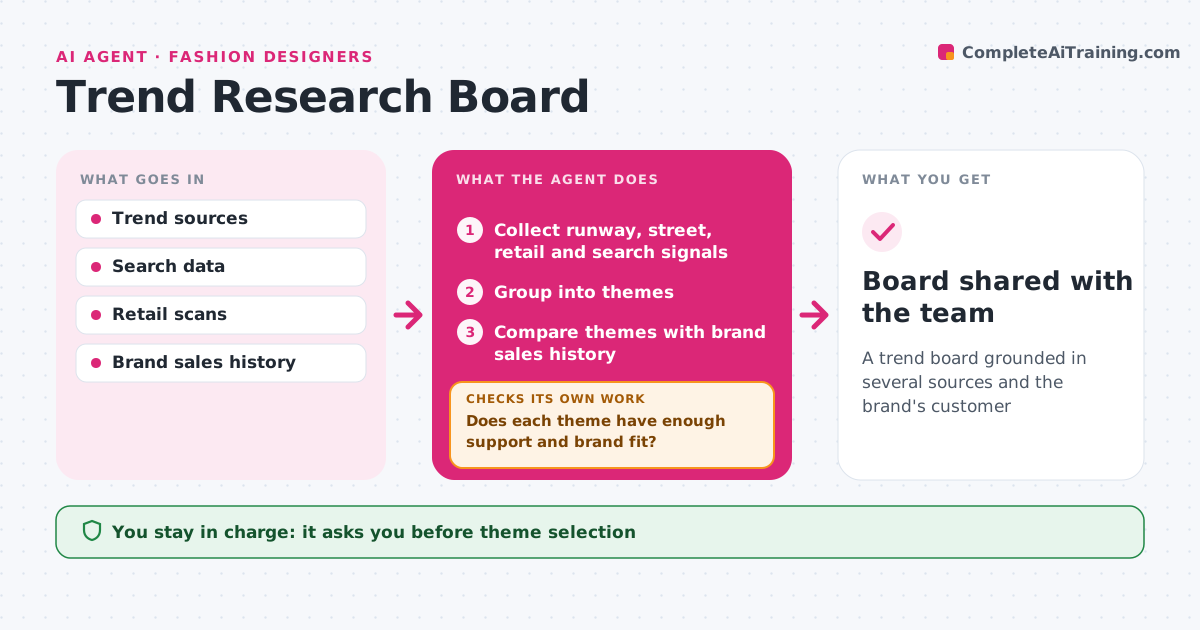
A trend board grounded in several sources and the brand's customer
What it does
Trend research for a new season scatters across runway sites, social feeds and sales reports, and it is hard to tell a real trend from noise. This agent collects runway reports, street style, retail new arrivals, search trends and the brand's own sales data. It groups the signals into themes such as colors, silhouettes, fabrics and details, and counts how many source types support each one. It then compares every theme with the brand's sales history and customer profile to judge fit. A theme with weak support or poor fit is dropped or marked as a watch item instead of making the board. It drafts a trend board with images and short data notes for each theme. The designer chooses which themes to develop. Edge case: a theme strong in one market but absent in the brand's main market is labeled regional.
How it works
Follow the arrows from top to bottom. The orange dashed arrow is the loop: when a check fails, the agent goes back and tries again.
Read the steps as a list
- Season planning starts
- Collect runway, street, retail and search signals
- Group into themes
- Compare themes with brand sales history
- Does each theme have enough support and brand fit?If not: drop it or mark it as a watch item. Back to step 3.
- Draft the trend board
- Designer chooses themesThe agent waits here for your OK.
- Board shared with the team
How it decides
A theme needs support from three source types and fit with the brand's sales to make the board.
- Three source types per theme
- Regional themes are labeled
- Weak themes become watch items
Make it yours
Every agent is a starting point. You choose these settings for your own situation.
- Sources
- Support threshold
- Board format
- Markets considered
What keeps you in control
It always asks you first
- Theme selection
Hard limits
- Never copies designs
- Uses images for internal reference only
It stops when
- Done: board shared
- Stop: season plan cancelled
Set it up
We guide you through the set-up, step by step
Members get the full set-up guide for this agent. No technical skills needed: you copy, paste and upload.
- One set of instructions to paste into your AI, with the clicks for ChatGPT, Claude, Microsoft 365 Copilot, Gemini and Grok
- The agent then walks you through connecting your own data, one source at a time
- A downloadable copy with the flow chart, the rules and the full guide