AI agent for sports coachs
Tryout and Roster Evaluation Agent
Produce a complete, consistent scoring record and a roster scenario the head coach can explain
What it does
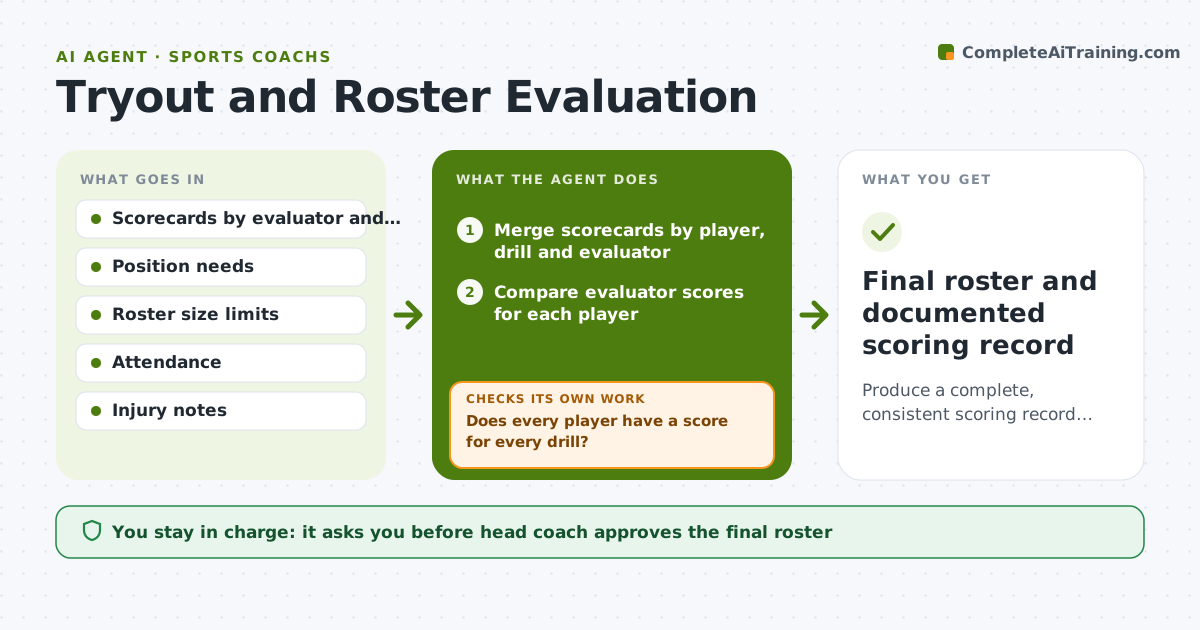
After three days of tryouts a coach has stacks of scorecards from several evaluators and no single ranking. This agent merges every scorecard by player and drill, then checks for gaps, such as a player missing a drill score, and for outliers where two evaluators disagree by a wide margin. When they disagree, it asks for a re-score and recomputes. It ranks players by position needs, for example two goalkeepers and four defenders, and drafts roster scenarios with the reasons behind each choice. It keeps checking until scores are complete and consistent. The head coach approves the final roster and any cut notices. Edge case: a strong player who missed one drill with a documented injury is flagged for a separate decision.
How it works
Follow the arrows from top to bottom. The orange dashed arrow is the loop: when a check fails, the agent goes back and tries again.
Read the steps as a list
- Tryout session ends
- Merge scorecards by player, drill and evaluator
- Does every player have a score for every drill?If not: List the gaps and ask evaluators to fill or mark as absent. Back to step 2.
- Compare evaluator scores for each player
- Do evaluators agree within 2 points?If not: Request a re-score of that drill and recompute the averages. Back to step 4.
- Rank players by position needs
- Draft roster scenarios with reasons
- Head coach approves the final rosterThe agent waits here for your OK.
- Draft cut notices and feedback notes
- Head coach approves notices before they are sentThe agent waits here for your OK.
- Final roster and documented scoring record
How it decides
It averages scores per drill and flags a gap when two evaluators differ by more than 2 points on a 10-point scale. Rankings follow position needs after scores are fixed.
- Flag a disagreement when evaluators differ by more than 2 points on a 10-point scale
- Rank within each position first, then fill flex spots
- Flag injured players for a separate decision
- Never cut a player with a missing score
Make it yours
Every agent is a starting point. You choose these settings for your own situation.
- Disagreement threshold (default 2 points)
- Position needs (default the team's formation)
- Roster size (default the league limit)
- Tone of cut notices (default kind and specific)
What keeps you in control
It always asks you first
- Head coach approves the final roster
- Head coach approves cut notices
Hard limits
- Never publish a roster or send a cut notice without the head coach
- Never reveal one evaluator's scores to players
- Keep ranking criteria written and consistent
It stops when
- Done: Roster approved and notices sent by the coach
- Stop: Score data cannot be reconciled, so hand it to the head coach
Set it up
We guide you through the set-up, step by step
Members get the full set-up guide for this agent. No technical skills needed: you copy, paste and upload.
- One set of instructions to paste into your AI, with the clicks for ChatGPT, Claude, Microsoft 365 Copilot, Gemini and Grok
- The agent then walks you through connecting your own data, one source at a time
- A downloadable copy with the flow chart, the rules and the full guide