AI agent for medical assistants
Unscheduled Treatment Follow-Up Agent
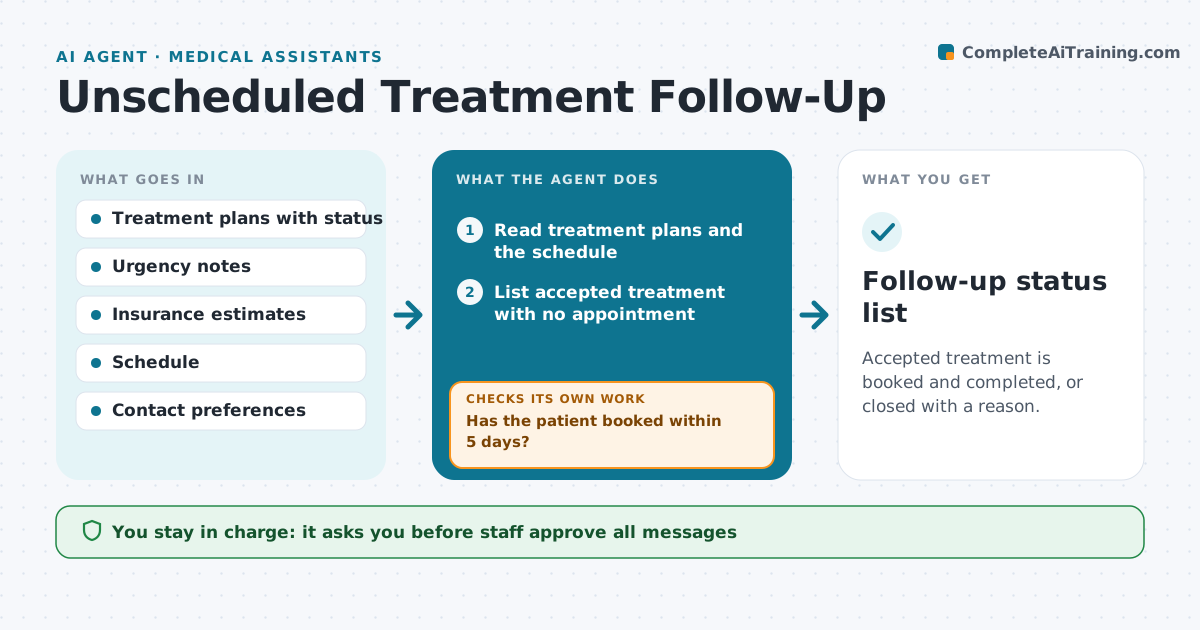
Accepted treatment is booked and completed, or closed with a reason.
What it does
Patients accept a treatment plan at the front desk and then never book. The agent finds all accepted but unscheduled treatment, checks how urgent it is from the dentist's notes and what the insurance will pay, and drafts a friendly message with real open appointments. It tracks replies and bookings. If there is no reply, it follows up by another method after a few days. Urgent items, such as a cracked tooth, are escalated to the dentist and the front desk for a phone call. After a patient books, it checks that the appointment matches the planned treatment. Staff approve all messages. Edge case: if the patient has already had the work done elsewhere, they reply with that and the agent closes the item.
How it works
Follow the arrows from top to bottom. The orange dashed arrow is the loop: when a check fails, the agent goes back and tries again.
Read the steps as a list
- Weekly run
- Read treatment plans and the schedule
- List accepted treatment with no appointment
- Rank by urgency and days since acceptance
- Draft messages with real open slots and the estimate
- Staff approve the messagesThe agent waits here for your OK.
- Send messages and track replies
- Has the patient booked within 5 days?If not: Send the next message by another method, then add a call task for staff. Back to step 3.
- Escalate urgent items to the dentist
- Does the booked appointment match the planned treatment?If not: Correct the booking with the front desk. Back to step 3.
- Follow-up status list
How it decides
It ranks open treatment by urgency and age and offers appointment slots that fit the treatment length.
- Urgent items go to the dentist at once
- No reply in 5 days means a second contact
- Slot length must match the treatment
- Items close when treatment is done or declined
Make it yours
Every agent is a starting point. You choose these settings for your own situation.
- Days before second contact
- Urgency rules
- Contact methods
- Message tone
- Weekly run day
What keeps you in control
It always asks you first
- Staff approve all messages
- Dentist approves urgency decisions
Hard limits
- Never send messages without approval
- Never pressure patients about treatment
- Never share treatment details outside the practice
It stops when
- Done: all accepted treatment is booked, done or closed
- Stop: the patient asks to stop contact
Set it up
We guide you through the set-up, step by step
Members get the full set-up guide for this agent. No technical skills needed: you copy, paste and upload.
- One set of instructions to paste into your AI, with the clicks for ChatGPT, Claude, Microsoft 365 Copilot, Gemini and Grok
- The agent then walks you through connecting your own data, one source at a time
- A downloadable copy with the flow chart, the rules and the full guide