
AI agent for marketing coordinators
User-Generated Content Rights Agent
A library of customer content with recorded permission
What it does
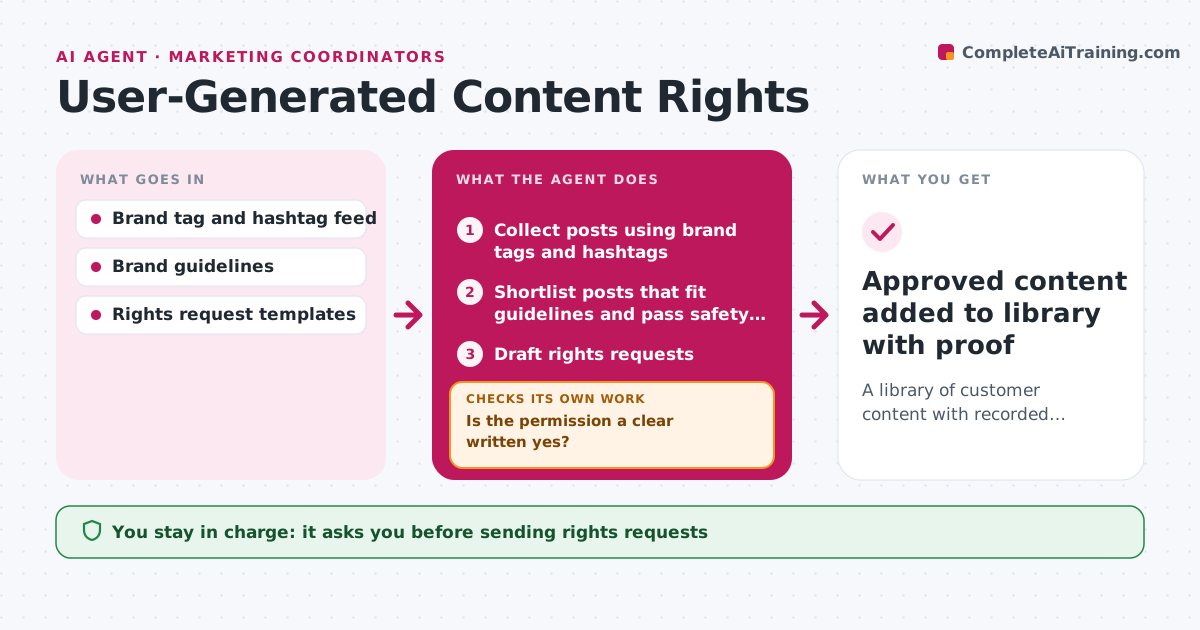
Sharing a customer's photo without clear permission can create legal and trust problems, but tracking consent by hand is slow. This agent scans brand tags and hashtags for strong customer posts. It shortlists posts that fit brand guidelines and checks they show no other brand logos, no minors and no private details. For each pick it drafts a rights request in the brand voice. The coordinator approves the requests before they go out. When a customer replies, the agent reads the answer and records the permission with a screenshot. If the reply is unclear, such as just an emoji, it drafts a follow-up asking for a clear yes. Only posts with recorded written permission enter the content library. Edge case: if the account looks like it belongs to a minor, the post is skipped entirely.
How it works
Follow the arrows from top to bottom. The orange dashed arrow is the loop: when a check fails, the agent goes back and tries again.
Read the steps as a list
- UGC scan runs
- Collect posts using brand tags and hashtags
- Shortlist posts that fit guidelines and pass safety checks
- Draft rights requests
- Coordinator approves sending requestsThe agent waits here for your OK.
- Read replies and record permission
- Is the permission a clear written yes?If not: draft a polite follow-up asking for clear consent. Back to step 4.
- Approved content added to library with proof
How it decides
It picks posts that fit the guidelines and only marks them usable after a clear written yes.
- Skip posts with minors, other logos or private info
- Only a clear written yes counts as permission
- Drop requests after two follow-ups without answer
Make it yours
Every agent is a starting point. You choose these settings for your own situation.
- Hashtags and tags to watch
- Scan days
- Credit format
- Number of follow-ups
What keeps you in control
It always asks you first
- Sending rights requests
- Reposting content
Hard limits
- Never reposts without recorded permission
- Never contacts accounts that look like minors
It stops when
- Done: all shortlisted posts approved or dropped
- Stop: no matching posts this week
Set it up
We guide you through the set-up, step by step
Members get the full set-up guide for this agent. No technical skills needed: you copy, paste and upload.
- One set of instructions to paste into your AI, with the clicks for ChatGPT, Claude, Microsoft 365 Copilot, Gemini and Grok
- The agent then walks you through connecting your own data, one source at a time
- A downloadable copy with the flow chart, the rules and the full guide



