AI agent for civil engineers
Utility Conflict Detection Agent
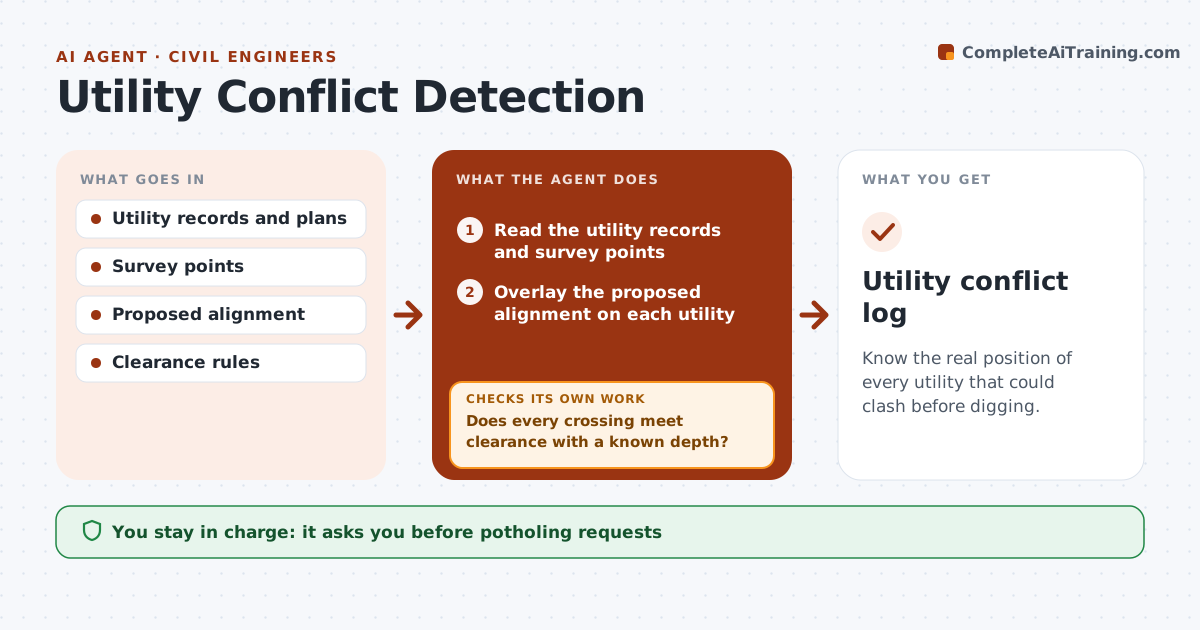
Know the real position of every utility that could clash before digging.
What it does
Buried utilities that clash with new work are found when the excavator hits them. This agent reads the utility records, survey points and the proposed alignment, and checks every crossing and parallel run against your clearance rules. It lists crossings and clearance violations with the depth and the size of the shortfall, and it flags utilities where depth is unknown and potholing is needed. It sends a potholing request list for approval. When field results arrive, it updates the model with real depths and rechecks each conflict. You approve any redesign and every request. Edge case: a gas main recorded at 4 ft is found at 2.5 ft, and the agent recomputes the clash.
How it works
Follow the arrows from top to bottom. The orange dashed arrow is the loop: when a check fails, the agent goes back and tries again.
Read the steps as a list
- Design alignment is ready
- Read the utility records and survey points
- Overlay the proposed alignment on each utility
- Check each crossing and parallel run against clearance rules
- Does every crossing meet clearance with a known depth?If not: List conflicts and unknown depths. Back to step 4.
- Draft a potholing request list ranked by risk
- Engineer approves the list and requestsThe agent waits here for your OK.
- Update the model with field results
- Are the conflicts now resolved with verified depths?If not: Propose a redesign or a new potholing target. Back to step 4.
- Engineer approves the redesignThe agent waits here for your OK.
- Utility conflict log
How it decides
It treats unknown depths as risks until verified. A conflict is resolved only when verified depth shows the clearance.
- Unknown depth is treated as a conflict until verified
- Gas and high voltage need 3 ft clearance, others 1 ft (default)
- Potholing is ranked by risk and cost of delay
- Never mark clear on record data alone
Make it yours
Every agent is a starting point. You choose these settings for your own situation.
- Clearance by utility type
- Risk ranking
- Records source
- Survey datum
- Potholing budget
What keeps you in control
It always asks you first
- Potholing requests
- Any redesign
Hard limits
- Never treats records as verified
- Never contacts utility owners without approval
- Keeps a full log
It stops when
- Done: all crossings verified and clear
- Stop: a conflict cannot be resolved; engineer reroutes
Set it up
We guide you through the set-up, step by step
Members get the full set-up guide for this agent. No technical skills needed: you copy, paste and upload.
- One set of instructions to paste into your AI, with the clicks for ChatGPT, Claude, Microsoft 365 Copilot, Gemini and Grok
- The agent then walks you through connecting your own data, one source at a time
- A downloadable copy with the flow chart, the rules and the full guide