AI agent for energy engineers
Utility Incentive and Rebate Application Agent
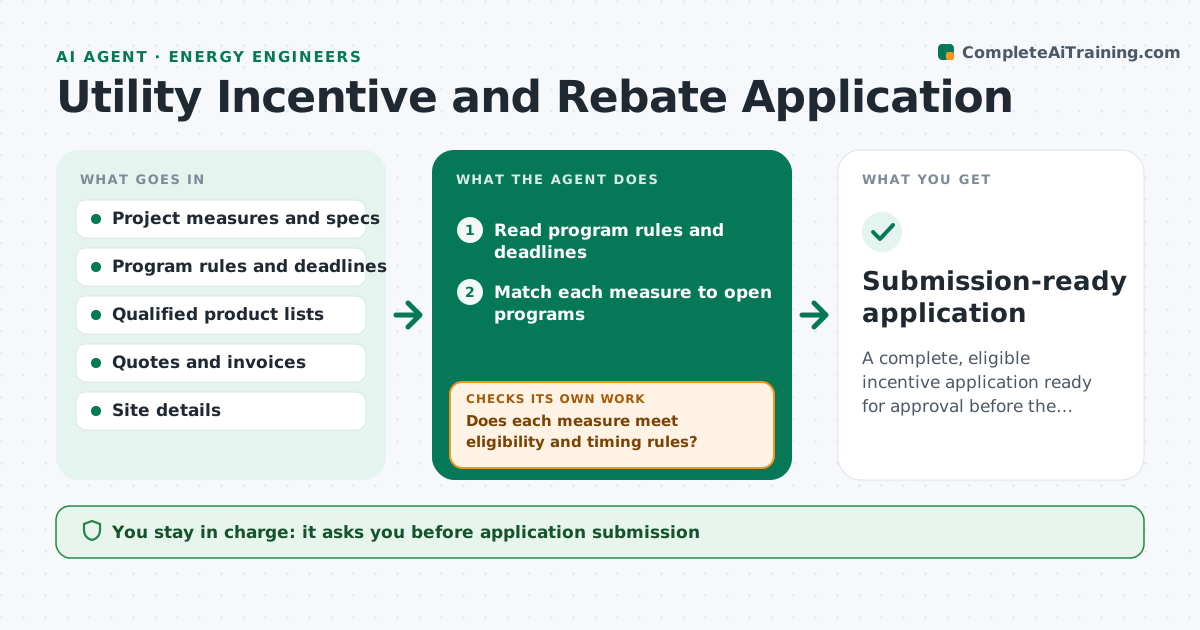
A complete, eligible incentive application ready for approval before the pre-approval deadline
What it does
Incentive programs have strict rules, and a missed pre-approval or wrong equipment model can cost a project thousands. This agent takes the planned measures and matches them to open programs from the utility and government lists. It checks eligibility, pre-approval deadlines, required documents and budget caps. It assembles the application with the right forms and compares equipment specifications to the program's qualified product list. If a model is not listed or a document is missing, it proposes a fix such as an alternative model and rechecks. The engineer approves submission. Edge case: a heat pump qualifies only if installed after pre-approval, but the contractor has already ordered it, so the agent flags the risk before anything is submitted.
How it works
Follow the arrows from top to bottom. The orange dashed arrow is the loop: when a check fails, the agent goes back and tries again.
Read the steps as a list
- Project measures are defined
- Read program rules and deadlines
- Match each measure to open programs
- Does each measure meet eligibility and timing rules?If not: remove it or propose an alternative program or equipment. Back to step 3.
- Compare equipment specs to the qualified product list
- Assemble forms and list required documents
- Is every document present and does every spec match the list?If not: request the missing item or propose a listed model, then recheck. Back to step 6.
- Draft the application package and savings estimate
- Engineer approves submissionThe agent waits here for your OK.
- Submission-ready application
How it decides
A measure goes into an application only if the program is open, the equipment is on the list and timing rules are met.
- Require pre-approval before any purchase when the program says so
- Match model numbers exactly to the qualified list
- Choose the program with higher net incentive when two apply
- Flag deadlines less than 14 days away
Make it yours
Every agent is a starting point. You choose these settings for your own situation.
- Programs to search
- Deadline warning (default 14 days)
- Required document list
- Savings assumptions
What keeps you in control
It always asks you first
- Application submission
- Any change in equipment model
Hard limits
- Never submits the application
- Never states a program is certain to pay
It stops when
- Done: package complete and approved
- Stop: program closed or budget exhausted
Set it up
We guide you through the set-up, step by step
Members get the full set-up guide for this agent. No technical skills needed: you copy, paste and upload.
- One set of instructions to paste into your AI, with the clicks for ChatGPT, Claude, Microsoft 365 Copilot, Gemini and Grok
- The agent then walks you through connecting your own data, one source at a time
- A downloadable copy with the flow chart, the rules and the full guide