AI agent for pharmacists
Vaccine Refrigerator Temperature Agent
Catch every temperature excursion and document the response
What it does
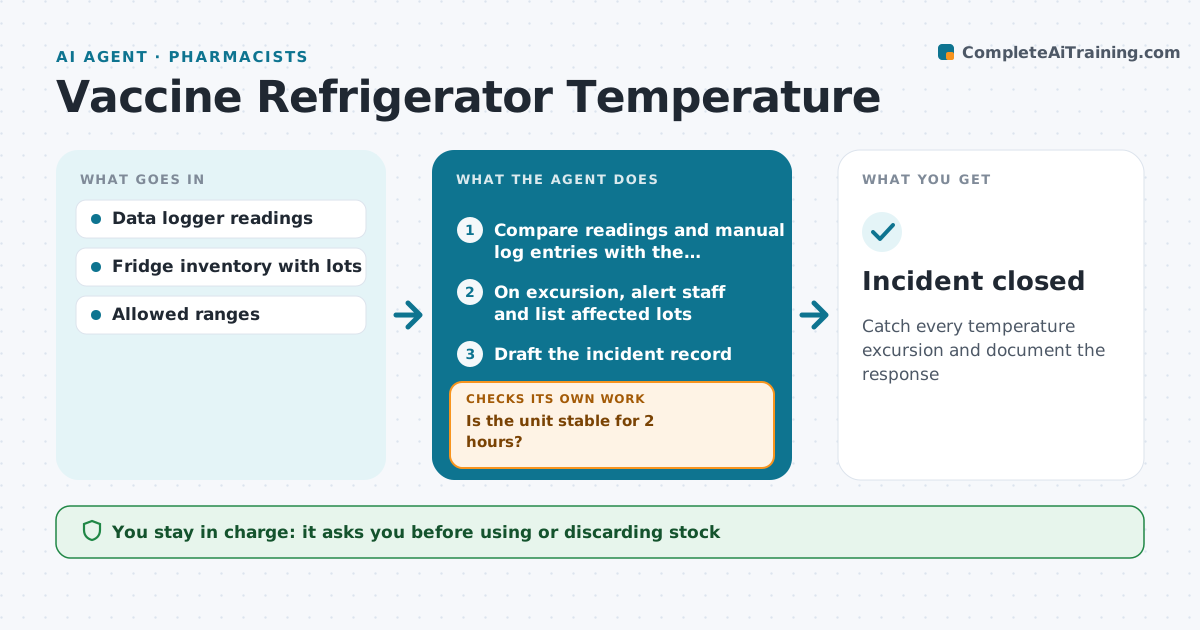
Vaccines must stay within a strict temperature range, and every excursion must be recorded and acted on. This agent reads data logger readings for each fridge and freezer and compares them, and the twice-daily manual log entries, with the allowed range. Missing manual entries are flagged daily. An excursion means out of range for more than 15 minutes. When one happens, it alerts staff, tells them to label the stock do-not-use and lists the affected lots. It drafts the incident record with time, duration and minimum or maximum temperature, and prepares the facts for the manufacturer call. It then watches readings until the unit is stable for 2 hours, and recommends moving stock to the backup unit if not. Staff decide whether stock is used or discarded, after manufacturer guidance. Edge case: a short spike during door opening under 15 minutes is logged, not treated as an excursion.
How it works
Follow the arrows from top to bottom. The orange dashed arrow is the loop: when a check fails, the agent goes back and tries again.
Read the steps as a list
- Logger reading arrives
- Compare readings and manual log entries with the allowed range
- On excursion, alert staff and list affected lots
- Draft the incident record
- Staff decide use or discard after manufacturer guidanceThe agent waits here for your OK.
- Watch readings until back in range
- Is the unit stable for 2 hours?If not: recommend moving stock to the backup unit. Back to step 6.
- Incident closed
How it decides
Readings outside the range for longer than the set minutes count as an excursion. Missing log entries are also flagged.
- Excursion means out of range for more than 15 minutes
- Missing manual log entries are flagged daily
- Stock is quarantined until a person decides
Make it yours
Every agent is a starting point. You choose these settings for your own situation.
- Allowed temperature range
- Minutes before an excursion
- Alert contacts
- Logger check frequency
What keeps you in control
It always asks you first
- Using or discarding stock
- Reporting to the health department
Hard limits
- Never mark stock usable without a person
- Alerts go to at least two people
It stops when
- Done: incident documented and unit stable
- Stop: logger offline, ask staff for manual readings
Set it up
We guide you through the set-up, step by step
Members get the full set-up guide for this agent. No technical skills needed: you copy, paste and upload.
- One set of instructions to paste into your AI, with the clicks for ChatGPT, Claude, Microsoft 365 Copilot, Gemini and Grok
- The agent then walks you through connecting your own data, one source at a time
- A downloadable copy with the flow chart, the rules and the full guide