AI agent for immigration consultants
Visa Eligibility Screening Agent
A clear eligibility view for each route before advice
What it does
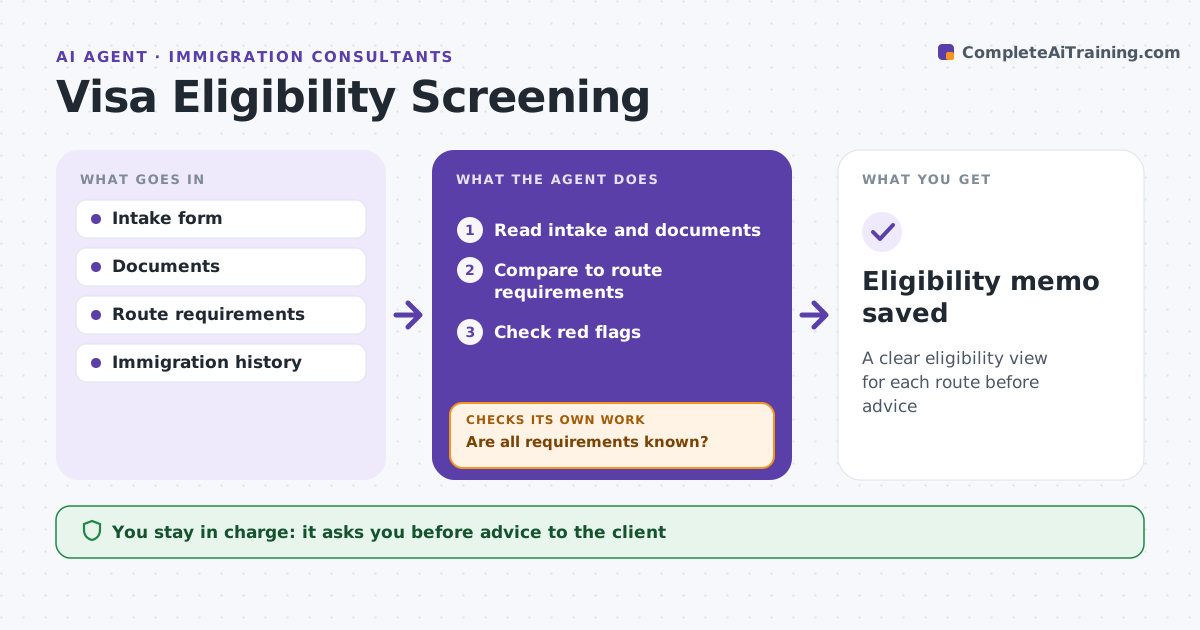
Immigration consultants spend the first meeting with a new client working out which routes are even possible. When intake is complete, this agent screens eligibility for the routes the client asked about and other likely ones. It reads the intake, documents and immigration history and compares the facts to each route's requirements, such as job offer, salary threshold, language level, funds or family ties. It lists requirements as met, unmet or unknown and checks red flags such as past refusals or overstays. For unknowns it drafts questions and reruns the screen once answers arrive. If a salary is below a threshold, it checks whether another job code fits the duties. The consultant decides which routes to advise and whether to take the case. Edge case: the salary is just under the threshold for one job code.
How it works
Follow the arrows from top to bottom. The orange dashed arrow is the loop: when a check fails, the agent goes back and tries again.
Read the steps as a list
- Intake complete
- Read intake and documents
- Compare to route requirements
- Check red flags
- Are all requirements known?If not: draft questions and rerun with answers. Back to step 3.
- Consultant decides adviceThe agent waits here for your OK.
- Eligibility memo saved
How it decides
It compares facts to each route's requirements and flags unknowns and red flags.
- Past refusal: flag
- Salary below threshold: check alternatives
- Unknown requirement: question
Make it yours
Every agent is a starting point. You choose these settings for your own situation.
- Routes
- Requirement sources
- Red flags
- Memo format
What keeps you in control
It always asks you first
- Advice to the client
- Taking the case
Hard limits
- Never advises clients directly
- Never guarantees outcomes
It stops when
- Done: memo saved
- Stop: client withdraws
Set it up
We guide you through the set-up, step by step
Members get the full set-up guide for this agent. No technical skills needed: you copy, paste and upload.
- One set of instructions to paste into your AI, with the clicks for ChatGPT, Claude, Microsoft 365 Copilot, Gemini and Grok
- The agent then walks you through connecting your own data, one source at a time
- A downloadable copy with the flow chart, the rules and the full guide