AI agent for optometrists
Vision Benefit Verification Agent
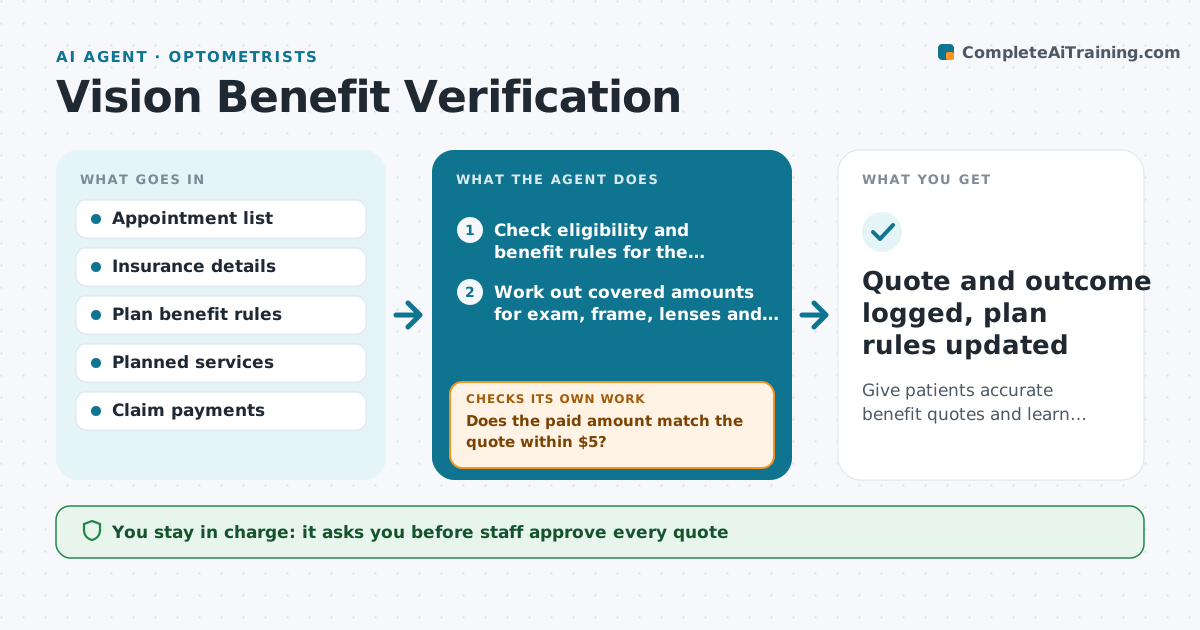
Give patients accurate benefit quotes and learn from every difference after payment.
What it does
Front desks quote patients what insurance will pay, then the claim pays differently and the patient is upset. This agent runs before each visit. It reads the patient's vision plan, checks eligibility, exam and frame allowances, lens rules and the last use date, and drafts a quote for the planned services. Staff review and approve the quote before it goes to the patient. After the claim is paid, the agent compares what the plan paid with what was quoted. If they differ, it finds the reason, such as a coating not covered or a frame over the allowance, explains it in plain words and updates the quote template for the next visit with that plan. Edge case: the plan resets on a date, so a patient who used benefits last month may be eligible again next week.
How it works
Follow the arrows from top to bottom. The orange dashed arrow is the loop: when a check fails, the agent goes back and tries again.
Read the steps as a list
- Visit is scheduled
- Check eligibility and benefit rules for the patient's plan
- Work out covered amounts for exam, frame, lenses and coatings
- Draft a quote with the patient share
- Front desk staff approve the quoteThe agent waits here for your OK.
- Send the quote and record it with the visit
- Read the paid claim after services
- Does the paid amount match the quote within $5?If not: find the cause, correct the rule or quote, and requote the open balance. Back to step 3.
- Staff approve any patient balance explanationThe agent waits here for your OK.
- Quote and outcome logged, plan rules updated
How it decides
It quotes only what the plan rules support. After payment, any gap over $5 gets an explanation and a rule update.
- Treat eligibility as unconfirmed if the plan check returns no result and say so in the quote
- Round patient share up, never down, when a rule is unclear
- Flag any difference over $5 for review
- Reuse a corrected rule for the same plan on the next quote
Make it yours
Every agent is a starting point. You choose these settings for your own situation.
- Difference threshold (default $5)
- Days before visit to run (default 2)
- Quote wording
- Plans to verify by phone instead (default none)
What keeps you in control
It always asks you first
- Staff approve every quote
- Staff approve explanations sent to patients
Hard limits
- Never promise coverage that is not confirmed
- Never bill the patient without staff approval
It stops when
- Done: quote matches payment or the difference is explained and logged
- Stop: plan cannot be verified, ask the patient
Set it up
We guide you through the set-up, step by step
Members get the full set-up guide for this agent. No technical skills needed: you copy, paste and upload.
- One set of instructions to paste into your AI, with the clicks for ChatGPT, Claude, Microsoft 365 Copilot, Gemini and Grok
- The agent then walks you through connecting your own data, one source at a time
- A downloadable copy with the flow chart, the rules and the full guide