AI agent for receptionists
Visitor Log and Compliance Audit Agent
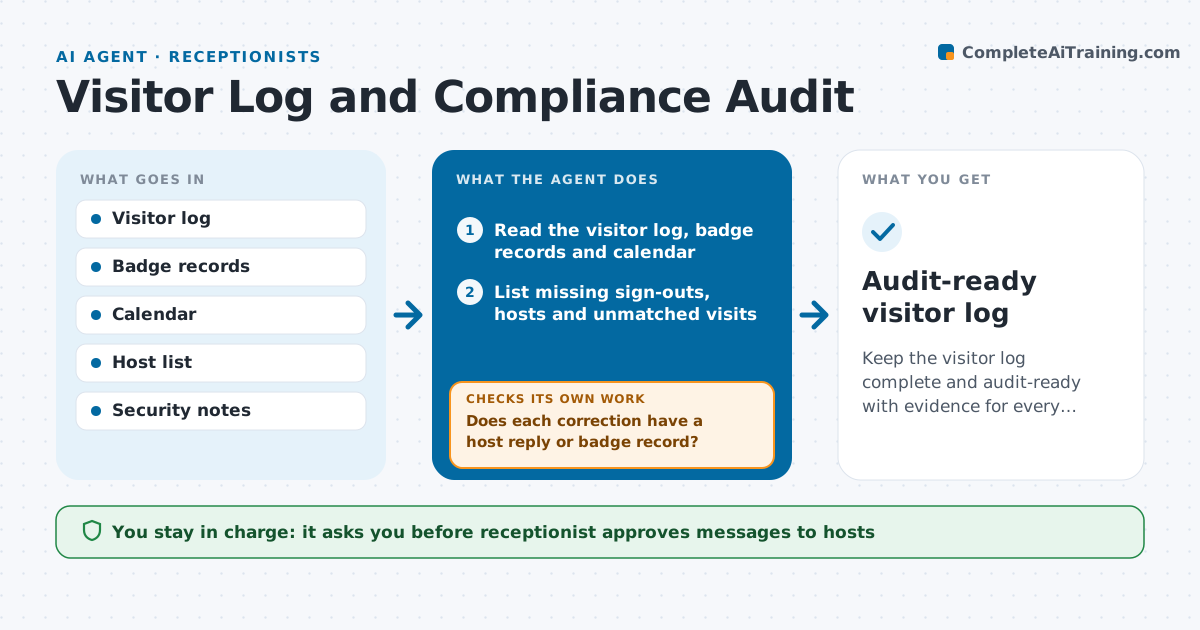
Keep the visitor log complete and audit-ready with evidence for every correction.
What it does
Before an audit, you find 30 visitor entries with no sign-out time and several visitors with no host listed. This agent checks the visitor log every day against calendar entries, badge records and host confirmations. It finds missing sign-outs, badges not returned, visitors with no host and entries that do not match any booked visit. It asks each host to confirm the visit and time of departure, and fixes the record once they reply. It checks again that the log is complete and that the evidence for every correction, such as a host reply, is attached. At period end it prepares an audit extract with the corrections shown. The receptionist approves all record changes. Edge case: a visitor stayed past closing and was escorted out by security, so the agent attaches the security note.
How it works
Follow the arrows from top to bottom. The orange dashed arrow is the loop: when a check fails, the agent goes back and tries again.
Read the steps as a list
- Daily log review
- Read the visitor log, badge records and calendar
- List missing sign-outs, hosts and unmatched visits
- Draft confirmation requests to the hosts
- Receptionist approves the requestsThe agent waits here for your OK.
- Send the requests and record the replies
- Does each correction have a host reply or badge record?If not: remind the host and keep the entry marked open. Back to step 4.
- Receptionist approves the record changesThe agent waits here for your OK.
- Is the log complete for the period?If not: list the remaining open entries and rerun the review. Back to step 2.
- Prepare the audit extract with the corrections shown
- Audit-ready visitor log
How it decides
A record is incomplete when it lacks a sign-out, a host or a matching booking. A correction is accepted only with a host reply or a badge record.
- Require a host reply or badge scan for every correction
- Flag a visitor with no sign-out after closing time
- Keep the original entry visible beside each correction
- List unmatched visits to the security lead
Make it yours
Every agent is a starting point. You choose these settings for your own situation.
- Review schedule
- Evidence accepted for corrections
- Time before an entry becomes an exception (default 5 days)
- Extract format
- Closing time
What keeps you in control
It always asks you first
- Receptionist approves messages to hosts
- Receptionist approves every record change
Hard limits
- Never alter or delete the original log entry
- Never mark an entry complete without evidence
It stops when
- Done: log complete and extract ready
- Stop: entries cannot be confirmed within 5 working days, so mark them as exceptions
Set it up
We guide you through the set-up, step by step
Members get the full set-up guide for this agent. No technical skills needed: you copy, paste and upload.
- One set of instructions to paste into your AI, with the clicks for ChatGPT, Claude, Microsoft 365 Copilot, Gemini and Grok
- The agent then walks you through connecting your own data, one source at a time
- A downloadable copy with the flow chart, the rules and the full guide