
AI agent for nonprofit program managers
Volunteer Burnout Early Warning Agent
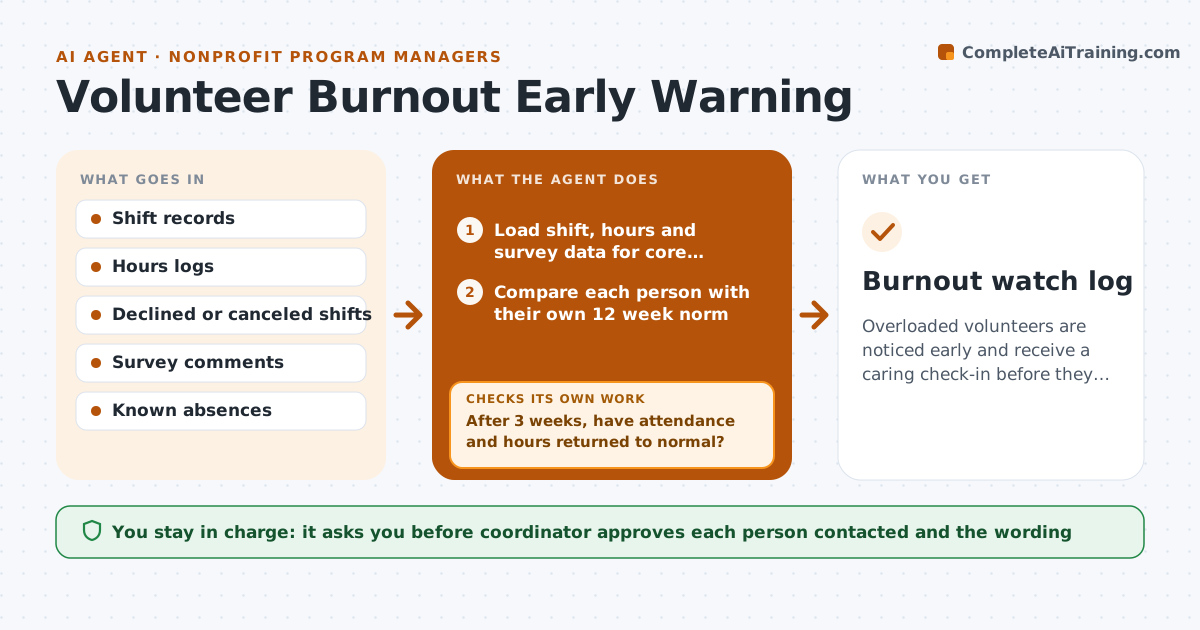
Overloaded volunteers are noticed early and receive a caring check-in before they leave.
What it does
Your most reliable volunteer cancels twice, then stops coming, and you never saw it coming. This agent watches the signs each week. It looks at hours trends, late arrivals, declined shifts and survey comments for your core volunteers, and flags those trending toward overload, such as hours up 40% over their usual and two declined shifts. It drafts check-in options, like a thank-you note, a lighter schedule or a break offer. After a check-in, it logs the answer and tracks whether shifts and attendance improve. If they do not, it flags the person again with a different suggestion. You approve who gets contacted and how. Edge case: a drop in hours because of a known vacation is not flagged.
How it works
Follow the arrows from top to bottom. The orange dashed arrow is the loop: when a check fails, the agent goes back and tries again.
Read the steps as a list
- Weekly Monday run
- Load shift, hours and survey data for core volunteers
- Compare each person with their own 12 week norm
- Remove known absences and holidays
- Flag people with two or more warning signals
- Draft check-in options for each flagged person
- Coordinator approves who is contacted and the messageThe agent waits here for your OK.
- Log replies and any shift changes
- After 3 weeks, have attendance and hours returned to normal?If not: Draft a different support option and flag the person again. Back to step 4.
- Burnout watch log
How it decides
It flags a volunteer when two or more signals appear together, such as hours up over 30% of their norm, declined shifts and negative comments.
- Flag when 2 or more signals occur in 4 weeks
- Compare each person with their own history
- Ignore drops explained by a known break
- Recheck at 3 weeks after contact
Make it yours
Every agent is a starting point. You choose these settings for your own situation.
- Signals counted
- Warning threshold (default 2 signals)
- Follow-up period
- Who counts as core
What keeps you in control
It always asks you first
- Coordinator approves each person contacted and the wording
Hard limits
- Never contact a volunteer itself
- Never share personal comments outside the coordinator
It stops when
- Done: flagged volunteers have a follow-up outcome
- Stop: data covers fewer than 20 volunteers
Set it up
We guide you through the set-up, step by step
Members get the full set-up guide for this agent. No technical skills needed: you copy, paste and upload.
- One set of instructions to paste into your AI, with the clicks for ChatGPT, Claude, Microsoft 365 Copilot, Gemini and Grok
- The agent then walks you through connecting your own data, one source at a time
- A downloadable copy with the flow chart, the rules and the full guide



