
AI agent for nonprofit program managers
Volunteer Leader Pipeline Agent
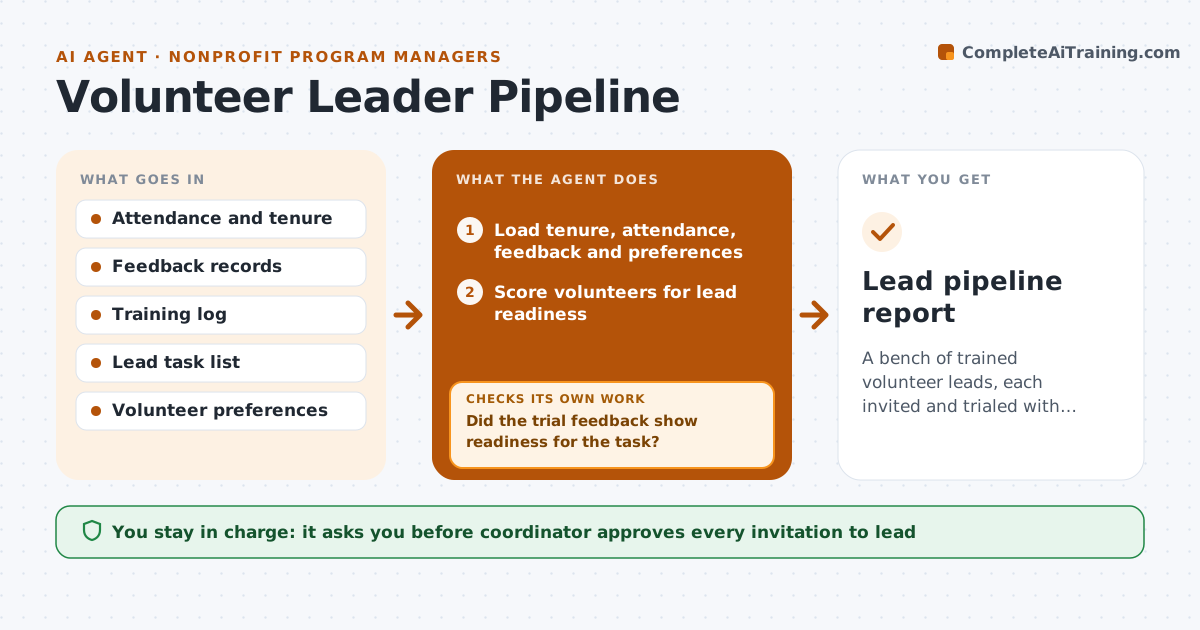
A bench of trained volunteer leads, each invited and trialed with feedback.
What it does
When you are away, shifts fall apart because nobody else can run them. This agent builds your bench. Each quarter it finds volunteers with long tenure, high reliability and positive feedback, and matches them to lead tasks such as opening a site, training new volunteers or leading a team. It proposes a training and trial plan for each candidate, then tracks readiness. After a trial, it collects feedback from the candidate, the team and you, and adjusts the plan if the trial falls short. You approve each invitation. Edge case: a volunteer who is reliable but has said they want no extra responsibility is not invited, only thanked.
How it works
Follow the arrows from top to bottom. The orange dashed arrow is the loop: when a check fails, the agent goes back and tries again.
Read the steps as a list
- Quarter begins
- Load tenure, attendance, feedback and preferences
- Score volunteers for lead readiness
- Exclude people who said they want no added responsibility
- Match candidates to lead tasks and training
- Coordinator approves each invitationThe agent waits here for your OK.
- Schedule the trial and collect feedback after it
- Did the trial feedback show readiness for the task?If not: Adjust the training or choose a smaller task, then repeat the trial. Back to step 4.
- Update readiness and the succession list
- Lead pipeline report
How it decides
It scores candidates on tenure, attendance above 90%, feedback and stated interest, then assigns the lead task that fits.
- Consider volunteers with at least 6 months and 90% attendance
- Respect stated preferences
- Start with a smaller lead task for a first trial
- Require 2 positive trial feedbacks before full lead
Make it yours
Every agent is a starting point. You choose these settings for your own situation.
- Tenure and attendance minimums
- Lead tasks
- Trial feedback needed
- Review period
What keeps you in control
It always asks you first
- Coordinator approves every invitation to lead
Hard limits
- Never invite or promote anyone itself
- Never use private notes beyond the coordinator
It stops when
- Done: pipeline updated with approved leads
- Stop: too few volunteers meet the minimum
Set it up
We guide you through the set-up, step by step
Members get the full set-up guide for this agent. No technical skills needed: you copy, paste and upload.
- One set of instructions to paste into your AI, with the clicks for ChatGPT, Claude, Microsoft 365 Copilot, Gemini and Grok
- The agent then walks you through connecting your own data, one source at a time
- A downloadable copy with the flow chart, the rules and the full guide



