
AI agent for nonprofit program managers
Volunteer Program Feedback Loop Agent
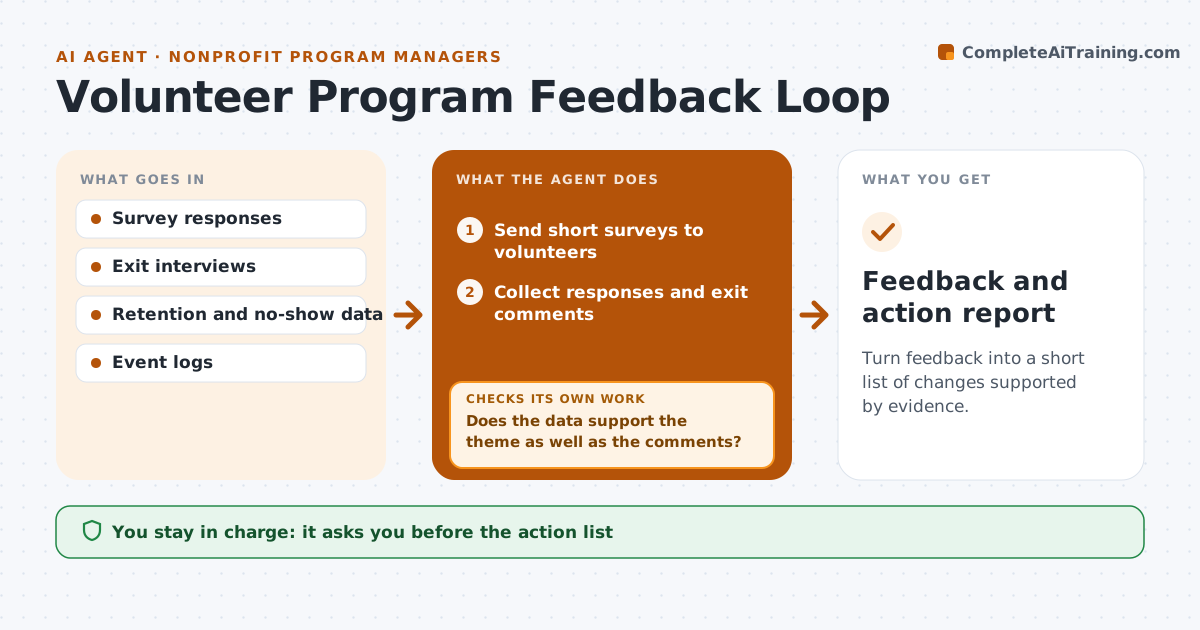
Turn feedback into a short list of changes supported by evidence.
What it does
Programs collect surveys after events and exit interviews when volunteers leave, then the answers sit in a folder. The same complaints come back. After each event or quarter, this agent sends short surveys, collects answers and groups them into themes. It compares the themes with retention and no-show data, so a complaint that matches a rise in dropouts counts more than a one-off. It drops proposed fixes that are backed only by opinion or only by data and keeps those backed by both. It drafts a short action list. The coordinator approves the actions. Edge case: a single serious concern, such as safety, goes straight to the coordinator and not into the theme count.
How it works
Follow the arrows from top to bottom. The orange dashed arrow is the loop: when a check fails, the agent goes back and tries again.
Read the steps as a list
- Event or quarter ends
- Send short surveys to volunteers
- Collect responses and exit comments
- Group comments into themes and count them
- Compare themes with retention and no-show data
- Does the data support the theme as well as the comments?If not: Mark the theme as opinion only and drop it from the action list. Back to step 3.
- Draft fixes for the supported themes
- Coordinator approves the action listThe agent waits here for your OK.
- Track the same themes next period
- Did the theme fall after the change?If not: Revise the fix or try another. Back to step 6.
- Feedback and action report
How it decides
Counts themes in feedback and checks them against retention and no-show data; a fix is kept only if both feedback and data support it.
- Theme needs at least 5 mentions or one safety concern
- Safety concerns skip the count and go to the coordinator
- A fix needs both feedback and data support
- Results are judged next period
Make it yours
Every agent is a starting point. You choose these settings for your own situation.
- Survey timing
- Minimum mentions (default 5)
- Data sources
- Safety keywords
- Report format
What keeps you in control
It always asks you first
- The action list
- Any message to volunteers about changes
- Any change to the program
Hard limits
- Never share identifiable comments
- Never promise a change to volunteers
It stops when
- Done: action list approved and tracked
- Stop: too few responses
- Stop: program ends
Set it up
We guide you through the set-up, step by step
Members get the full set-up guide for this agent. No technical skills needed: you copy, paste and upload.
- One set of instructions to paste into your AI, with the clicks for ChatGPT, Claude, Microsoft 365 Copilot, Gemini and Grok
- The agent then walks you through connecting your own data, one source at a time
- A downloadable copy with the flow chart, the rules and the full guide



