AI agent for network administrators
VPN Access and Tunnel Health Agent
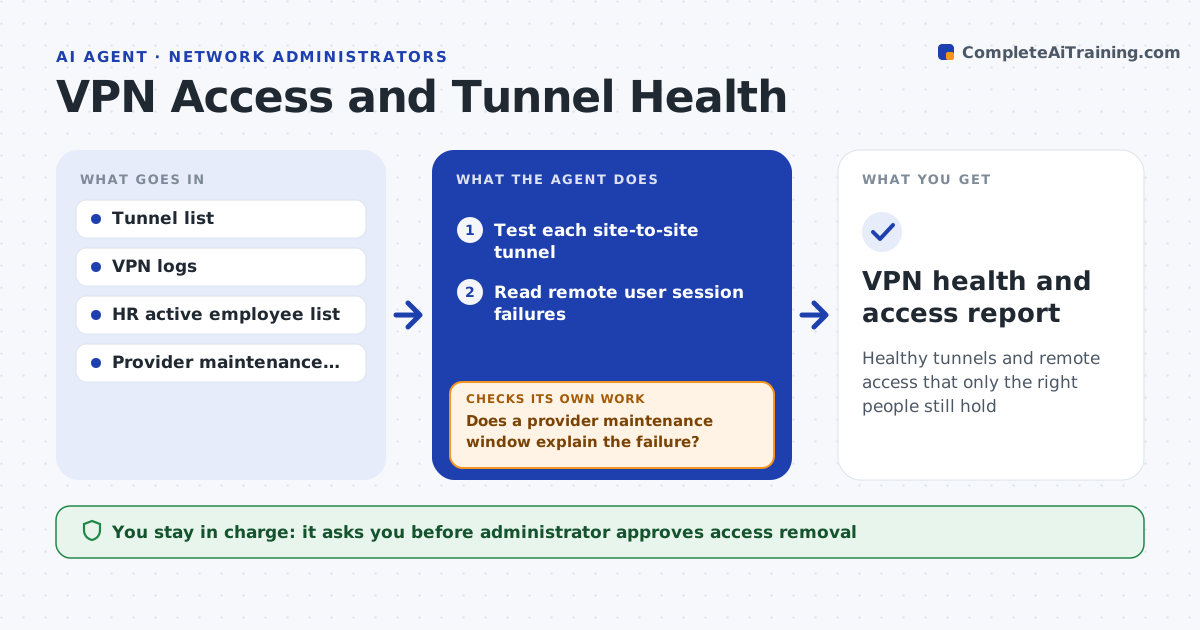
Healthy tunnels and remote access that only the right people still hold
What it does
VPN failures and stale remote access are found only when users complain. This agent tests site-to-site tunnels, reads remote user connection failures, and compares the list of VPN users with HR data. It flags dead tunnels and accounts for people who left or changed roles. It retests tunnels after a fix to confirm they come up. The administrator approves access removal. It writes a short report that shows each tunnel's status, the failed logins by user and the accounts proposed for removal, so you can act on it in a few minutes. It also keeps a history, so a tunnel that fails again and again is raised as a pattern. Edge case: a tunnel is down only at night, so the agent checks the provider's maintenance schedule before raising an incident.
How it works
Follow the arrows from top to bottom. The orange dashed arrow is the loop: when a check fails, the agent goes back and tries again.
Read the steps as a list
- Daily tunnel test
- Test each site-to-site tunnel
- Read remote user session failures
- List dead tunnels and repeated user failures
- Does a provider maintenance window explain the failure?If not: retest after the window, and raise an incident if it still fails. Back to step 2.
- Compare VPN accounts with the HR employee list
- Flag accounts for people who left or have been unused for 90 days
- Administrator approves access removalThe agent waits here for your OK.
- Disable the approved accounts
- After fixes, are the tunnels up and are the removed accounts disabled?If not: investigate the remaining item and update the report. Back to step 2.
- VPN health and access report
How it decides
A tunnel is unhealthy when it fails the test twice in a row. Access is stale when the person has left or has not used VPN for the set time.
- Treat two failed tests in a row as a failure
- Check maintenance schedules before raising an incident
- Flag accounts of leavers immediately
- Flag accounts unused for 90 days
Make it yours
Every agent is a starting point. You choose these settings for your own situation.
- Unused days before flagging (default: 90)
- Test frequency
- Provider maintenance sources
- Who approves removals
What keeps you in control
It always asks you first
- Administrator approves access removal
Hard limits
- Never disables accounts without approval
- Never changes tunnel configs on its own
It stops when
- Done: tunnels are healthy and stale access is handled
- Stop: the HR list is not available
Set it up
We guide you through the set-up, step by step
Members get the full set-up guide for this agent. No technical skills needed: you copy, paste and upload.
- One set of instructions to paste into your AI, with the clicks for ChatGPT, Claude, Microsoft 365 Copilot, Gemini and Grok
- The agent then walks you through connecting your own data, one source at a time
- A downloadable copy with the flow chart, the rules and the full guide