AI agent for customer support representatives
Warranty and Return Eligibility Agent
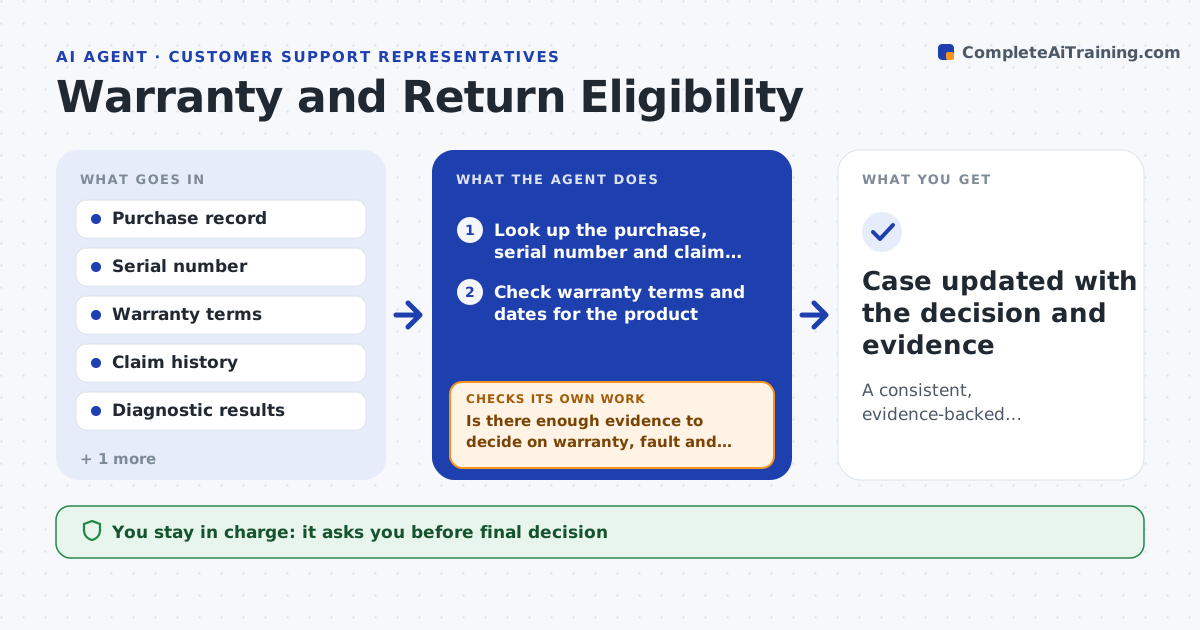
A consistent, evidence-backed recommendation to repair, replace or decline
What it does
Two specialists can give the same customer opposite answers about a warranty return. This agent reads the purchase record, serial number and device history. It checks the warranty terms for the product and date, looks for prior claims and checks for exclusions such as damage or unauthorized repair. It runs remote diagnostics when the device supports it, or asks the customer for photos or test results. It then compares the evidence with the terms and recommends repair, replace or decline, with reasons. If the evidence is unclear, it asks the customer a specific question and rechecks after the answer. The specialist approves every decision and any message to the customer. Edge case: the purchase date is from a reseller receipt that does not match the serial's ship date.
How it works
Follow the arrows from top to bottom. The orange dashed arrow is the loop: when a check fails, the agent goes back and tries again.
Read the steps as a list
- Customer requests a warranty repair or return
- Look up the purchase, serial number and claim history
- Check warranty terms and dates for the product
- Run remote diagnostics or request photos and test results
- Is there enough evidence to decide on warranty, fault and exclusions?If not: ask the customer a specific question and rerun the check on the reply. Back to step 4.
- Compare evidence with terms and choose repair, replace or decline
- Does the decision match the rules for repeat claims and exclusions?If not: recheck the history and revise the recommendation. Back to step 6.
- Draft the customer message with reasons and next steps
- Specialist approves the decision and messageThe agent waits here for your OK.
- Case updated with the decision and evidence
How it decides
Eligibility needs a valid warranty date, a covered fault and no exclusion. Replace is recommended only when repair is not possible or the same fault has been repaired before.
- Decline only when a documented exclusion applies
- Recommend replace after the second repair of the same fault
- Ask for the original receipt if serial and purchase dates differ by over 30 days
- Never decide without diagnostic or photo evidence
Make it yours
Every agent is a starting point. You choose these settings for your own situation.
- Warranty terms by product
- Repeat-claim threshold (default 2)
- Evidence required
- Message tone
What keeps you in control
It always asks you first
- Final decision
- Message to the customer
Hard limits
- Never promises a refund
- Never closes a case on its own
It stops when
- Done: decision approved and sent
- Stop: the serial number cannot be verified
Set it up
We guide you through the set-up, step by step
Members get the full set-up guide for this agent. No technical skills needed: you copy, paste and upload.
- One set of instructions to paste into your AI, with the clicks for ChatGPT, Claude, Microsoft 365 Copilot, Gemini and Grok
- The agent then walks you through connecting your own data, one source at a time
- A downloadable copy with the flow chart, the rules and the full guide