AI agent for sports coachs
Weather and Facility Cancellation Agent
Make a rule-based call on each session and make sure everyone affected is notified
What it does
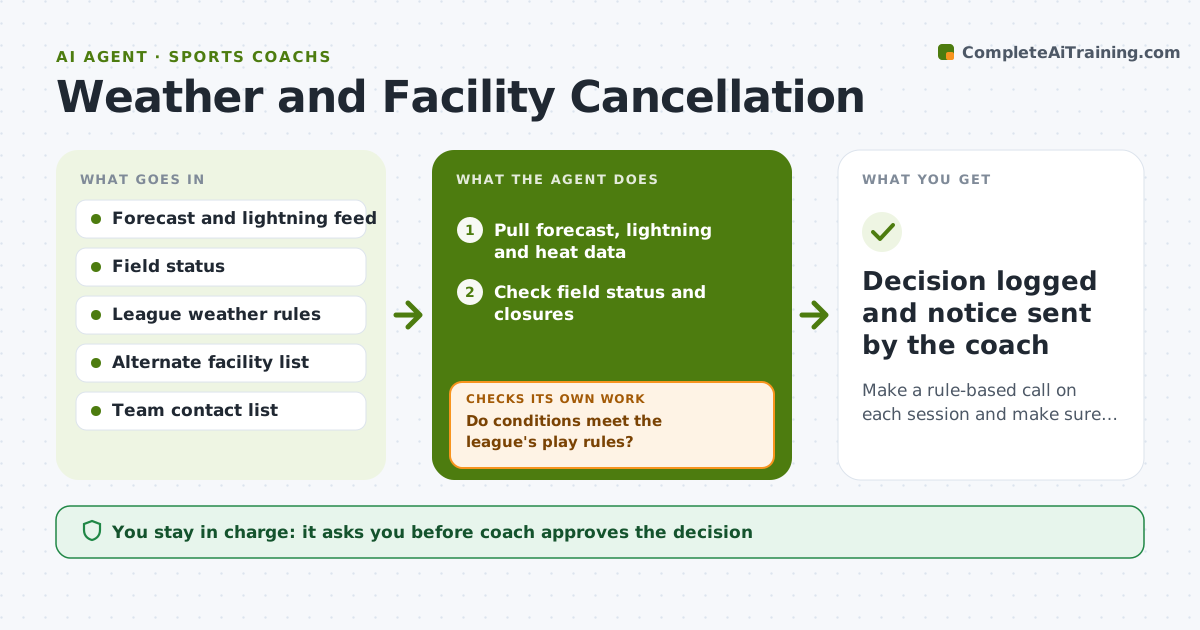
At 3:00 the sky turns dark and a coach has to decide, then tell forty people. This agent checks the forecast, lightning data and field status before each session against the league's heat and lightning rules. It proposes one of three options: play as planned, shorten, or cancel and move. If the field is closed, it looks for an alternate facility, such as the school gym, and checks availability. It then drafts one notice and checks that every parent and player is on the notice list with a working contact. If someone is missing, it fixes the list before anything is sent. The coach approves the decision and the notice. Edge case: if the gym is booked, it proposes a film session instead of a cancellation.
How it works
Follow the arrows from top to bottom. The orange dashed arrow is the loop: when a check fails, the agent goes back and tries again.
Read the steps as a list
- Two hours before a session
- Pull forecast, lightning and heat data
- Check field status and closures
- Do conditions meet the league's play rules?If not: Refresh data; if still failing, propose shorten, move or cancel. Back to step 2.
- Look for an alternate facility and its availability
- Draft the notice with the decision and new time or place
- Check every parent and player is on the notice list
- Does everyone have a working contact?If not: List missing contacts, fix the list and ask the coach for the rest. Back to step 7.
- Coach approves the decision and noticeThe agent waits here for your OK.
- Recheck conditions 30 minutes before and update if needed
- Decision logged and notice sent by the coach
How it decides
It compares readings with the rules and picks the least disruptive option that satisfies them, preferring a move over a cancellation.
- Cancel or delay when lightning is detected within the rule distance
- Shorten the session when the heat index passes the league limit
- Prefer an indoor alternate over a cancellation
- Treat a missing contact as a blocker for the notice
Make it yours
Every agent is a starting point. You choose these settings for your own situation.
- Lightning distance rule (default league rule)
- Heat index limit (default league limit)
- Alternate facilities list (default school gym and nearby field)
- Notice channel (default message app then email)
What keeps you in control
It always asks you first
- Coach approves the decision
- Coach approves the notice before it is sent
Hard limits
- Never send a notice without coach approval
- Never override league safety rules
- Do not book a facility without the coach
It stops when
- Done: Notice approved, sent and decision logged
- Stop: Emergency or unsafe conditions, so follow the safety plan and alert the coach
Set it up
We guide you through the set-up, step by step
Members get the full set-up guide for this agent. No technical skills needed: you copy, paste and upload.
- One set of instructions to paste into your AI, with the clicks for ChatGPT, Claude, Microsoft 365 Copilot, Gemini and Grok
- The agent then walks you through connecting your own data, one source at a time
- A downloadable copy with the flow chart, the rules and the full guide