AI agent for category managers
Weekly Category Sales Review Agent
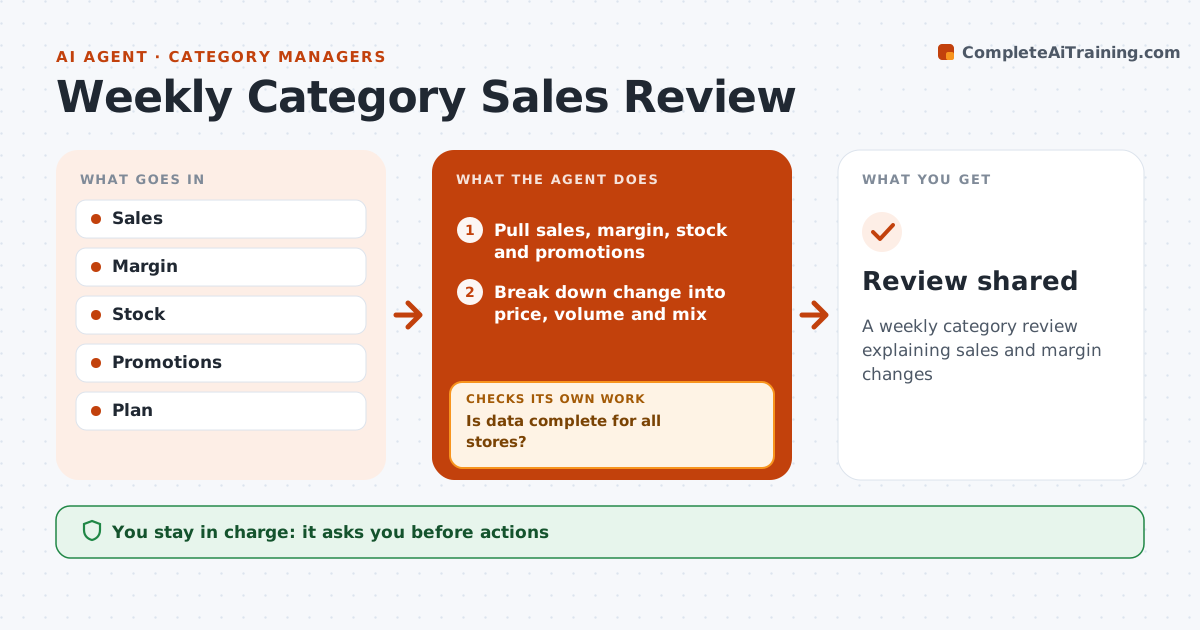
A weekly category review explaining sales and margin changes
What it does
Each week category managers review sales, margin and share by product, and digging through reports to explain changes takes hours. When the weekly data is ready, this agent pulls sales, margin, stock and promotion data. It first checks that data is complete for every store. If a store is missing, it marks the store and leaves it out so totals are not distorted. It compares results with last year and plan and splits each change into price, volume and mix effects. It then checks whether out-of-stocks or promotions explain the change, looking at lost sales from empty shelves first. It drafts the weekly review with suggested actions, such as fixing replenishment for a store. The category manager approves actions before they go to other teams. Edge case: a new product launch shifts sales from older ones, so the agent shows the net effect on the category.
How it works
Follow the arrows from top to bottom. The orange dashed arrow is the loop: when a check fails, the agent goes back and tries again.
Read the steps as a list
- Weekly data ready
- Pull sales, margin, stock and promotions
- Is data complete for all stores?If not: mark missing stores and exclude. Back to step 2.
- Break down change into price, volume and mix
- Check stock and promotion effects
- Draft review with actions
- Category manager approves actionsThe agent waits here for your OK.
- Review shared
How it decides
It breaks changes into price, volume and mix and checks for stock or promotion causes.
- Out-of-stocks explain lost sales first
- Cannibalization shown as net
- Missing stores excluded
Make it yours
Every agent is a starting point. You choose these settings for your own situation.
- Metrics
- Breakdown
- Report format
- Day
What keeps you in control
It always asks you first
- Actions
- Price changes
Hard limits
- No price changes made
- Data shared internally only
It stops when
- Done: shared
- Stop: data missing
Set it up
We guide you through the set-up, step by step
Members get the full set-up guide for this agent. No technical skills needed: you copy, paste and upload.
- One set of instructions to paste into your AI, with the clicks for ChatGPT, Claude, Microsoft 365 Copilot, Gemini and Grok
- The agent then walks you through connecting your own data, one source at a time
- A downloadable copy with the flow chart, the rules and the full guide