AI agent for customer onboarding specialists
Welcome Call Scheduling and No-Show Agent
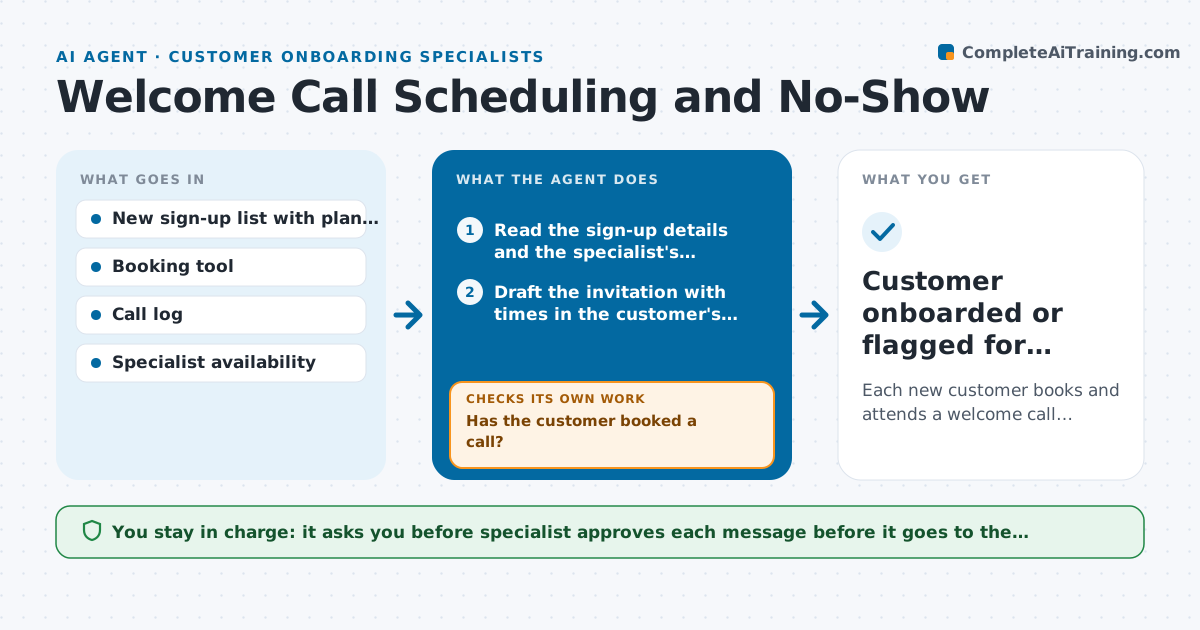
Each new customer books and attends a welcome call, with no reminders sent after booking
What it does
A company signs up, receives one invitation to book a call, never replies, and a month later asks for a refund because they never got started. This agent tracks every new sign-up and sends scheduling reminders in steps: an invitation on day 0, a nudge on day 2, a different channel on day 4, and a final offer on day 7. It checks the booking tool before each step so nobody gets a reminder after booking. After the call time, it checks the call log to detect no-shows, offers new times and rechecks bookings the next day. It adapts the message to what it knows, such as the customer's plan and time zone. The specialist approves each message before it goes to the customer. Edge case: a customer who booked then rescheduled twice is moved to a phone call offer.
How it works
Follow the arrows from top to bottom. The orange dashed arrow is the loop: when a check fails, the agent goes back and tries again.
Read the steps as a list
- New customer signs up
- Read the sign-up details and the specialist's availability
- Draft the invitation with times in the customer's time zone
- Specialist approves the messageThe agent waits here for your OK.
- Send the approved message and check the booking tool the next day
- Has the customer booked a call?If not: Draft the next reminder step on another channel with new times. Back to step 3.
- After the call time, read the call log
- Did the customer attend the call?If not: Draft a no-show message offering new times and recheck the bookings the next day. Back to step 3.
- Record attendance and hand over notes to the specialist
- Customer onboarded or flagged for personal outreach
How it decides
It chooses the next message by the day count and the booking status, and it stops as soon as the customer has attended or opted out.
- Remind on days 2, 4 and 7 if there is no booking
- Never send a reminder after a booking is made
- Stop all messages when the customer opts out
- Move to a phone call offer after 2 reschedules or a no-show
Make it yours
Every agent is a starting point. You choose these settings for your own situation.
- Reminder days (default 2, 4 and 7)
- Message tone
- Channels used
- Number of slots offered
- Time zone handling
What keeps you in control
It always asks you first
- Specialist approves each message before it goes to the customer
Hard limits
- Never send a message without approval
- Never contact customers who opted out
It stops when
- Done: The customer attended the welcome call
- Stop: The customer has not responded after the final step, so the agent flags the account for personal outreach
Set it up
We guide you through the set-up, step by step
Members get the full set-up guide for this agent. No technical skills needed: you copy, paste and upload.
- One set of instructions to paste into your AI, with the clicks for ChatGPT, Claude, Microsoft 365 Copilot, Gemini and Grok
- The agent then walks you through connecting your own data, one source at a time
- A downloadable copy with the flow chart, the rules and the full guide