AI agent for board members
Whistleblower and Ethics Report Handling Agent
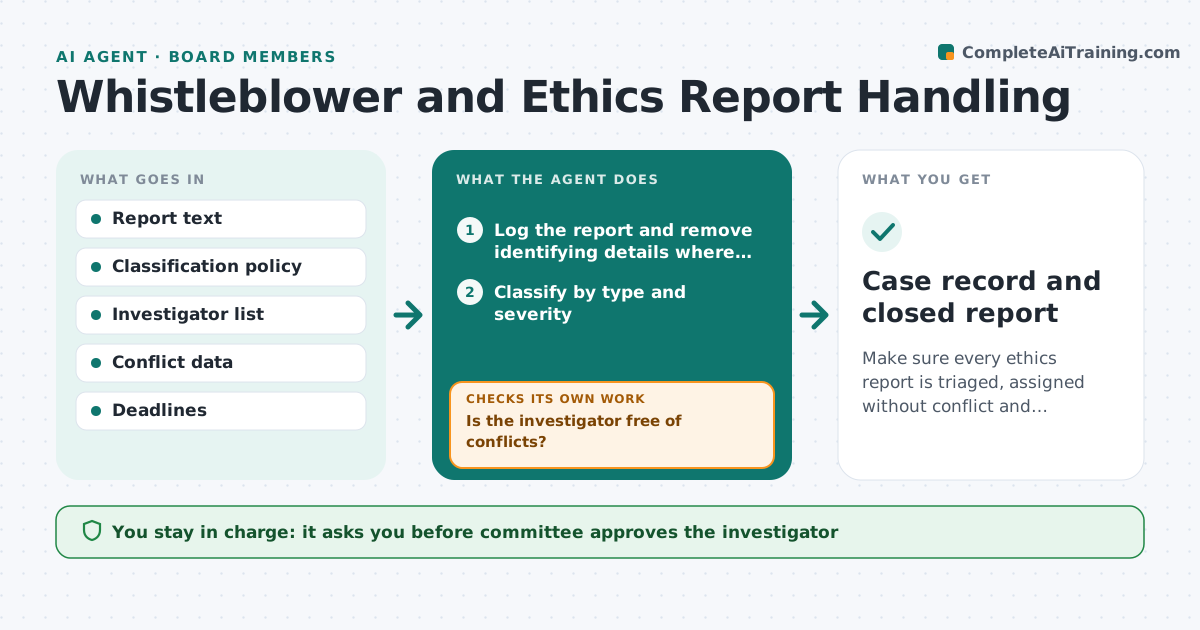
Make sure every ethics report is triaged, assigned without conflict and followed to an approved outcome.
What it does
Hotline reports need quick triage and careful tracking. Delays or lost follow-up create legal risk and damage trust. The agent logs each report, classifies it by type and severity, and checks possible conflicts for the intended investigator. It sets deadlines based on policy and tracks progress, escalating overdue or serious cases. If the investigator has a conflict, it suggests another. When a case moves, it updates the status and re-checks the deadline. The committee approves the investigator and the outcome. Edge case: a report names the head of procurement, so the investigator must not report to that person.
How it works
Follow the arrows from top to bottom. The orange dashed arrow is the loop: when a check fails, the agent goes back and tries again.
Read the steps as a list
- Hotline report received
- Log the report and remove identifying details where needed
- Classify by type and severity
- Check the intended investigator against the people named
- Is the investigator free of conflicts?If not: Choose another eligible investigator and re-check. Back to step 3.
- Set deadlines from the policy
- Committee approves the investigatorThe agent waits here for your OK.
- Track progress and update status
- Is the case on time and is the outcome ready?If not: Escalate the overdue case to the committee with the reason. Back to step 7.
- Committee approves the outcomeThe agent waits here for your OK.
- Case record and closed report
How it decides
It classifies by type and severity using the policy. Serious cases, such as fraud or safety, go to the committee at once. An investigator is eligible only if there is no conflict with anyone named.
- Fraud, safety and harassment reports are high severity
- An investigator who reports to or works with a named person is excluded
- A case 5 days past a deadline is escalated
- Reports are logged within 1 business day
Make it yours
Every agent is a starting point. You choose these settings for your own situation.
- Severity levels and rules
- Deadline per case type
- Escalation days (default 5)
- Eligible investigators
What keeps you in control
It always asks you first
- Committee approves the investigator
- Committee approves the outcome
Hard limits
- Never discloses the reporter's identity
- Never decides the outcome of a case
It stops when
- Done: outcome approved and case closed
- Stop: report is outside scope, so it is referred
Set it up
We guide you through the set-up, step by step
Members get the full set-up guide for this agent. No technical skills needed: you copy, paste and upload.
- One set of instructions to paste into your AI, with the clicks for ChatGPT, Claude, Microsoft 365 Copilot, Gemini and Grok
- The agent then walks you through connecting your own data, one source at a time
- A downloadable copy with the flow chart, the rules and the full guide