AI agent for treasury analysts
Wire Transfer Preparation Check Agent
Every wire correct, screened and ready for dual approval
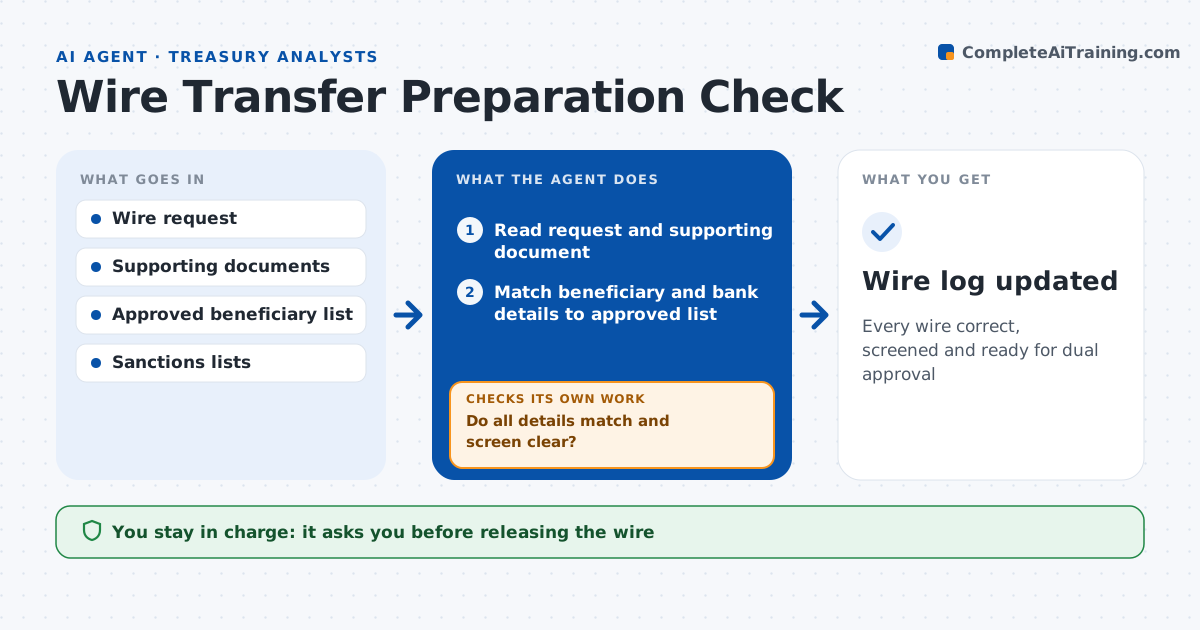
What it does
A wire with a wrong bank code or a fake beneficiary is hard to recover once it leaves. When a wire request arrives, this agent prepares it for release. It reads the request and the supporting invoice or agreement, matches the beneficiary to the approved list, validates bank codes and account formats, and compares the amount to the source document. It screens the beneficiary against sanctions lists. If anything fails, it returns the request with the exact issue and checks again when it is resubmitted. New beneficiaries need verification first, and a possible sanctions match stops the request and goes to compliance. When everything passes, it sets up the wire as a draft in the bank portal. A maker and a checker release it. Edge case: the beneficiary name has a small spelling difference from the approved record, so the agent stops and asks.
How it works
Follow the arrows from top to bottom. The orange dashed arrow is the loop: when a check fails, the agent goes back and tries again.
Read the steps as a list
- Wire request submitted
- Read request and supporting document
- Match beneficiary and bank details to approved list
- Screen against sanctions lists
- Do all details match and screen clear?If not: return to requester with the issue and wait for a corrected request. Back to step 2.
- Prepare the wire in the bank portal draft
- Maker and checker release the wireThe agent waits here for your OK.
- Wire log updated
How it decides
It requires an exact match on beneficiary, bank details and amount, plus a clear sanctions screen.
- New beneficiary: require verification first
- Amount differs from document: return
- Possible sanctions match: stop and escalate
Make it yours
Every agent is a starting point. You choose these settings for your own situation.
- Amount that needs a second approver
- Sanctions lists to use
- Request cut-off time
- Required supporting documents
What keeps you in control
It always asks you first
- Releasing the wire
Hard limits
- Never releases a wire
- Never adds a beneficiary
It stops when
- Done: wire ready for release
- Stop: sanctions hit or failed verification
Set it up
We guide you through the set-up, step by step
Members get the full set-up guide for this agent. No technical skills needed: you copy, paste and upload.
- One set of instructions to paste into your AI, with the clicks for ChatGPT, Claude, Microsoft 365 Copilot, Gemini and Grok
- The agent then walks you through connecting your own data, one source at a time
- A downloadable copy with the flow chart, the rules and the full guide