
All-in-one AI plugin for it auditors
IT Auditors: the all-in-one AI plugin for your audit work
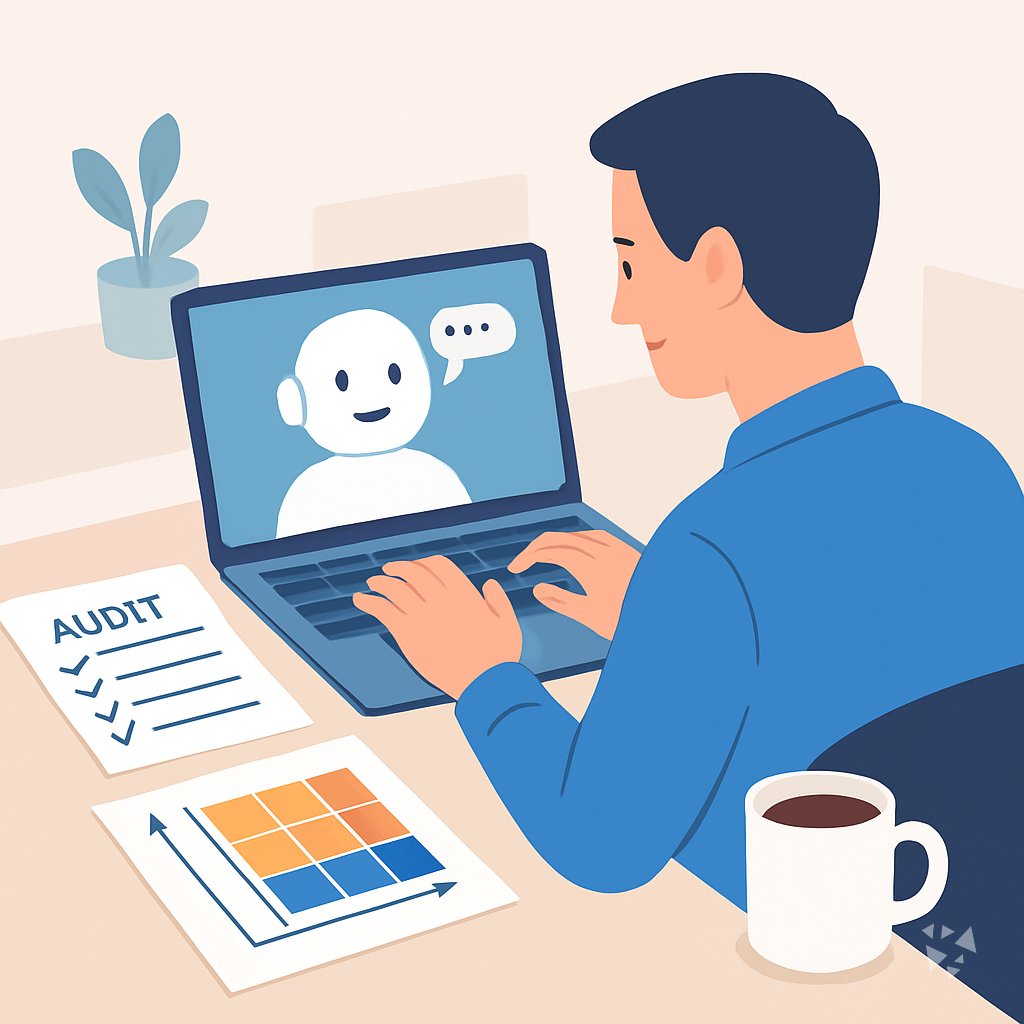
One download gives your AI 11 audit skills, 23 prompts and 3 apps to plan audits, test controls, write findings and prep evidence, all inside the AI you already use.
- 11skills
- 23prompts
- 3apps
- 12Grok bots
What's inside
Your week is a queue of requests. Someone wants evidence for a control, someone else wants a policy reviewed, and the risk register is out of date again. You answer in documents, chase owners, and rewrite the same finding in three different formats before Friday.
11 audit skills, plain names
Plan an audit, test controls, review a policy, score a risk, or write up findings. Each skill asks for the details it needs and hands back a draft.
23 ready-made prompts, 9 topics
Draft an audit program, document a finding, choose a sample, or write the report summary. Copy a prompt, add your case, and the AI answers in audit language.
3 apps that keep evidence tidy
A compliance evidence workspace, an audit request router and an observation classifier. They keep every finding and every document traceable to the request that asked for it.
12 Grok Bot agents on call
A security auditor, a compliance specialist, an ISMS audit expert, a risk manager, a threat modeling expert and more. Useful when you want a second opinion before you sign off.
Works in the AI you use
ChatGPT, Claude, Microsoft 365 Copilot, Gemini, Grok, Grok Bot, Cursor and Kimi. Download once and add it to whichever one your team already pays for.
Daily news, ideas and updates
Members get a live feed of AI news for IT auditors, one new idea each day with the prompt to do it, and every skill update without downloading again.
A day with your plugin
The plugin puts the audit work inside the AI you already have open. Ask for an audit program, a control test, a finding write-up or a policy review, and you get a draft with the right structure, ready for your judgment and your edits.
- Morning
Open the audit request evidence router app and drop in this week's requests. It groups them by control area and shows which evidence you already have on file.
- Late morning
Run the security audit and review skill on the access control questionnaire. You get a draft report with gaps listed and the follow-up questions to send the system owner.
- Afternoon
Score three open risks with the risk register skill, using the likelihood and impact prompts. The register entry comes back in the wording your audit committee expects.
- End of day
Use the audit observation classifier app to sort the day's notes into findings, observations and good practice, so nothing sits unassigned in your working file.
Install it in your AI
Choose the AI you use. No technical knowledge needed: it's a few clicks and some copy and paste.
ChatGPT
Your own GPT on chatgpt.com, plus a plugin for Codex and ChatGPT workspaces. About 5 minutes.
- Download the ChatGPT version and unzip it (double-click the file).
- Go to chatgpt.com, click GPTs in the left menu, then Create, then the Configure tab.
- Name it IT Auditor Assistant. Open
custom-gpt/instructions.txt, copy everything and paste it into Instructions. - Under Knowledge, upload all the files from the
custom-gpt/knowledgefolder. - Paste the lines from
conversation-starters.txtas conversation starters and click Create. - For the daily news, ideas and skill updates: in ChatGPT go to Settings → Apps & Connectors, add the Complete AI Training connector and sign in with your membership. The README shows each click.
Download for members
Members download the plugin for every job, with daily news, ideas and skill updates. Or buy this plugin alone for $49, once.
Claude
A Claude plugin for claude.ai, the desktop app, Cowork and Claude Code. About 2 minutes.
- Download the Claude version. Keep it zipped.
- Open Claude (claude.ai or the desktop app), click your name at the bottom left, then Settings → Capabilities.
- Click Upload plugin and choose the zip file. Turn the plugin on.
- Start a new chat and type /start. Your it auditor assistant introduces itself.
- The first time it uses Complete AI Training, Claude asks you to connect: click Connect and sign in with your membership.
Download for members
Members download the plugin for every job, with daily news, ideas and skill updates. Or buy this plugin alone for $49, once.
Microsoft 365 Copilot
A Copilot agent: set it up yourself in Agent Builder, or give IT the ready app package. About 5 minutes.
- Download the Microsoft 365 Copilot version and unzip it.
- Open Microsoft 365 Copilot (m365.cloud.microsoft/chat) and click Create agent, then the Configure tab.
- Name it IT Auditor Assistant. Paste everything from
agent-builder/instructions.txtinto Instructions. - Under Knowledge, upload the files from
agent-builder/knowledge. Add the starter prompts and click Create. - Working in a company? The
appPackagefolder is a ready app for your IT team, with the Complete AI Training connection built in. The README has a message you can forward to them.
Download for members
Members download the plugin for every job, with daily news, ideas and skill updates. Or buy this plugin alone for $49, once.
Gemini
Skills you upload to Gemini, a ready Gem, and a Gemini CLI extension. About 2 minutes.
- Download the Gemini version and unzip it.
- Go to gemini.google.com and open Settings → Skills → Upload.
- Upload the
SKILL.mdfiles from theskillsfolder, starting with the folder whose name ends in-assistant. Gemini now uses them by itself. - Prefer a Gem? Open Gems → New Gem, paste
gem/instructions.txtand upload the files ingem/knowledge. - Using Gemini CLI?
gemini extensions installon the folder also connects Complete AI Training for the daily news, ideas and skill updates.
Download for members
Members download the plugin for every job, with daily news, ideas and skill updates. Or buy this plugin alone for $49, once.
Grok
A Grok Project with all the instructions and files. About 5 minutes.
- Download the Grok version and unzip it.
- Go to grok.com, open Projects in the left menu and click New project. Name it IT Auditor Assistant.
- Paste everything from
grok-project/instructions.txtinto the project's instructions. - Upload the files from
grok-project/knowledgeto the project. - Start your work chats inside this project. Try one of the lines in
conversation-starters.txt.
Download for members
Members download the plugin for every job, with daily news, ideas and skill updates. Or buy this plugin alone for $49, once.
Grok Bot
One message that sets up a whole team of Grok Bot agents for your job. About 5 minutes.
- Download the Grok Bot version and unzip it.
- Open Grok Bot and create a new bot. Name it IT Auditor Team Lead.
- Open
SETUP-MESSAGE.md, copy everything and paste it as your first message. - The team lead sets up its own role and walks you through adding each specialist bot, one at a time.
- Add the Complete AI Training connector in Grok Bot so your team lead gets the daily news and ideas for it auditors.
Download for members
Members download the plugin for every job, with daily news, ideas and skill updates. Or buy this plugin alone for $49, once.
Cursor
A Cursor plugin with the skills, rules and connection, or project files. About 3 minutes.
- Download the Cursor version and unzip it.
- In Cursor, open Settings → Plugins and add the unzipped folder.
- No plugins in your Cursor? Copy
skillsto.cursor/skillsandrulesto.cursor/rulesin your project, andmcp.jsonto.cursor/mcp.json. - Open the Agent chat and ask what it can do for you as an it auditor.
Download for members
Members download the plugin for every job, with daily news, ideas and skill updates. Or buy this plugin alone for $49, once.
Kimi
A Kimi Code plugin, and instructions with files for Kimi chat. About 3 minutes.
- Download the Kimi version and unzip it.
- Kimi chat (kimi.com or the app): start a new chat, paste
kimi-chat/instructions.txtand attach the files inkimi-chat/files. - Keep using that chat for your work: Kimi now acts as your it auditor assistant.
- Kimi Code: type
/plugins installwith the folder, then/reload. It connects Complete AI Training too.
Download for members
Members download the plugin for every job, with daily news, ideas and skill updates. Or buy this plugin alone for $49, once.
Everything in the plugin
Your AI picks the right part by itself. You can also ask for one by name.
Skills for it auditors 11
- security audit and review assistantPlans and drafts audit reports across cloud, access, and log domains. Example: you get a full draft report on weak MFA settings.
- it policy and compliance assistantDrafts and reviews IT policies, plans, and audit prep. Example: you turn a blank access control policy into a reviewed draft.
- isms audit expertRuns ISO 27001 audit programs and control assessments. Example: you build a risk-based audit plan for your next surveillance audit.
- infosec risk register botScores threats and keeps the risk register current. Example: you rate a phishing incident and add it to the register.
- agency security compliance auditorCovers SOC 2, ISO 27001, HIPAA, and PCI-DSS. Example: you collect readiness evidence for a SOC 2 Type II report.
- operational risk management assistantTurns ops data into risk registers and mitigation plans. Example: you list mitigation steps for unpatched database servers.
Show all 8 skills
- security policy development assistantDrafts and maps security policies to standards. Example: you map a new data retention policy to GDPR and ISO 27001.
- audit preparationBuilds the audit file register with documents, dates, and queries. Example: you track a missing firewall review and its due date.
Plus a start-here assistant, the prompt library and the app builder, and for members the daily brief.
Ready-made prompts 23
- Explain Controls And Frameworks3 prompts, like Explain A Control In Plain English
- Draft Audit Programs3 prompts, like Draft Test Steps For A Control
- Document Findings3 prompts, like Draft an IT Audit Finding
- Assess IT Risks2 prompts, like Brainstorm IT Risks For A System
- Review Policies And Evidence3 prompts, like Gap-Analyze Policy Against Framework
- Test Data And Sampling2 prompts, like Justify An IT Audit Sampling Approach
- Write Audit Reports3 prompts, like Draft An Executive Summary
Show all 9 topics
- Communicate With Clients2 prompts
- Learn And Upskill2 prompts
Apps you can build with AI 3
- Multi-framework compliance evidence and certification workspaceWhy build: keep evidence traceable to its source across SOC 2, ISO 27001, HIPAA, and PCI-DSS. Demo included.
- Operations audit observation classifierWhy build: group findings by theme while keeping the evidence visible behind each one. Demo included.
- Audit request evidence routerWhy build: reuse approved evidence across requests without losing the request lineage. Demo included.
Your Grok Bot team 12
- Security AuditorConducts systematic security audits, compliance assessments, and risk evaluations across systems and processes.
- Compliance SpecialistAssesses compliance gaps and prepares audit evidence for regulatory frameworks.
- Isms Audit ExpertConducts ISO 27001 ISMS audits, manages audit programs, and assesses security controls for compliance verification. No certification decisions made. A
- Compliance AuditorAudits compliance across GDPR, HIPAA, SOC 2, PCI DSS, and ISO frameworks.
- Security Compliance Compliance CheckAudits software systems against GDPR, HIPAA, SOC2, PCI-DSS and guides remediation.
- Aws Security AuditAudit AWS security posture for misconfigurations and vulnerabilities. Report findings only.
- Risk ManagerQuantifies portfolio risk, sets position limits, and designs hedging strategies.
- Threat Modeling ExpertAnalyze system architecture to identify threats and recommend mitigations.
- Stride Analysis PatternsSystematic threat identification using STRIDE methodology for security analysis.
- Attack Tree ConstructionBuild attack trees to visualize threat paths and defense gaps.
- Incident ResponderAssess severity, stabilize systems, coordinate communication, and produce blameless post-incident reports.
- Quality Documentation ManagerManages document control, change control, and regulatory documentation compliance for medical device organizations.
Get the plugin
Two ways to get it. Most people choose the membership: it includes every plugin and keeps them up to date.
Recommended
Membership
$9 a month, billed yearly
- The plugin for it auditors, and for 500 other jobs
- Daily AI news and a new idea every day, inside your AI
- Skills update by themselves
- 900+ video courses and certificates
- Download up to 2 plugins a day
This plugin only
Standalone plugin
$49 once
- The plugin for it auditors, for all eight AIs
- All 11 skills, 23 prompts and 3 apps
- Yours to keep, no subscription
- No daily news, ideas or skill updates
Secure payment by Stripe. Bought it already? Use the link in your email.
Questions
What is a plugin, and how do I install it if I am not technical?
A plugin is a set of instruction files you add to your AI account. You download it, follow the short install guide, and your AI can then use the skills, prompts and apps. No coding, no servers, no IT ticket.
Which AI does it work with?
ChatGPT, Claude, Microsoft 365 Copilot, Gemini, Grok, Grok Bot, Cursor and Kimi. The same download works across them, so you can use it at work and on your own account.
What is the difference between the member download and the $49 plugin?
The $49 one-time plugin is the standalone version: 11 skills, 23 prompts and 3 apps, yours to keep. Members download it as part of their plan and also get the daily news, a new idea each day, and automatic skill updates.
Is my audit data safe?
The plugin is instructions and files, not a service. It does not store or send your data anywhere. Your AI provider handles your chats under the privacy terms of the account you already use.
How many plugins can I download?
Two plugins a day. If you audit several areas, you can pick up a second plugin for a related job on the same day.
Learn to use AI as an it auditor
The plugin does the work; the learning path shows you how to get the most out of it, step by step.
Plugins for related jobs
 AI plugin
DevOps Engineers
One download gives your AI 17 DevOps skills, 25 prompts, 7 apps and a 12-agent team, so pipelines, Kubernetes, incidents and alerts get done faster.
17 skills · 25 prompts · 7 apps AI plugin
Director of ITs
One download adds 17 skills, 305 prompts and 5 apps for budgets, audits, security and vendors, inside the AI you already use.
17 skills · 305 prompts · 5 apps AI plugin
Electrical Engineers
One download puts 8 skills, 24 prompts, 3 apps and 12 Grok Bot agents into the AI you already use, so schematics, tests and reports move faster.
8 skills · 24 prompts · 3 apps