
AI tool
AgentDock
AgentDock shows the status of multiple coding agents as colored dots on the edge of your screen. It collects questions and permission prompts from all agents into a single inbox for developers who run several tools like Claude Code and Codex at once.
About AgentDock
AgentDock is a Mac utility that keeps coding agents like Claude Code and Codex visible on the edge of your screen. It collects questions and permission prompts from multiple agents into a single inbox, letting you answer them with a keystroke. The tool reads agent session files locally - no account required, and nothing leaves your Mac.
Review
Running several coding agents at once often means switching between terminal tabs to check if one is stuck waiting for input. AgentDock addresses that friction by surfacing agent status as colored dots at the screen edge and routing all prompts to one inbox. It's a focused utility built around a specific workflow, not a general-purpose agent manager.
Key Features
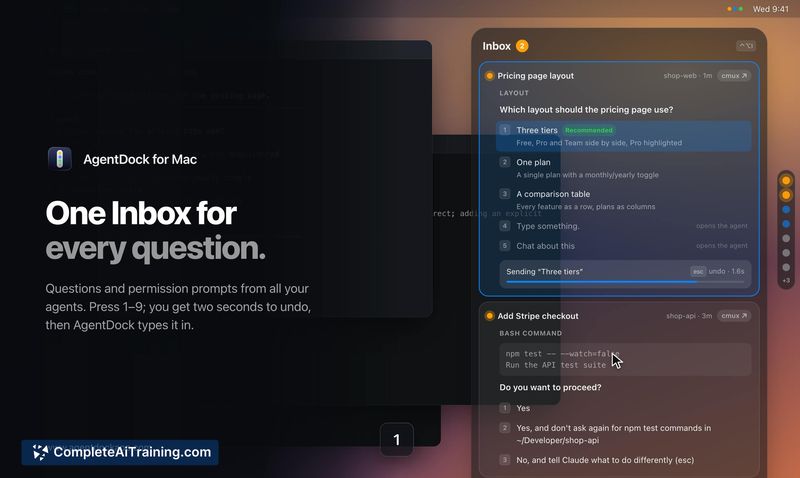
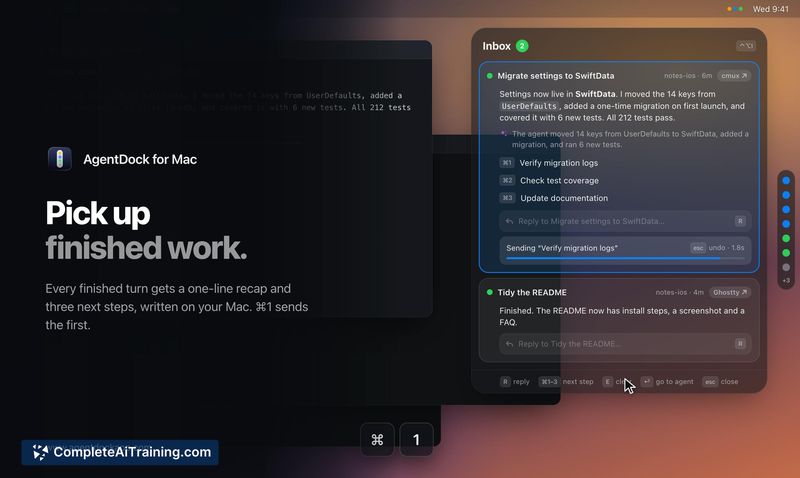
- Unified inbox for agent prompts. Questions and permission requests from all running agents appear in a single panel (⌃⌥I). Press 1-9 to select an answer; a two-second undo window lets you cancel before the response is typed into the agent.
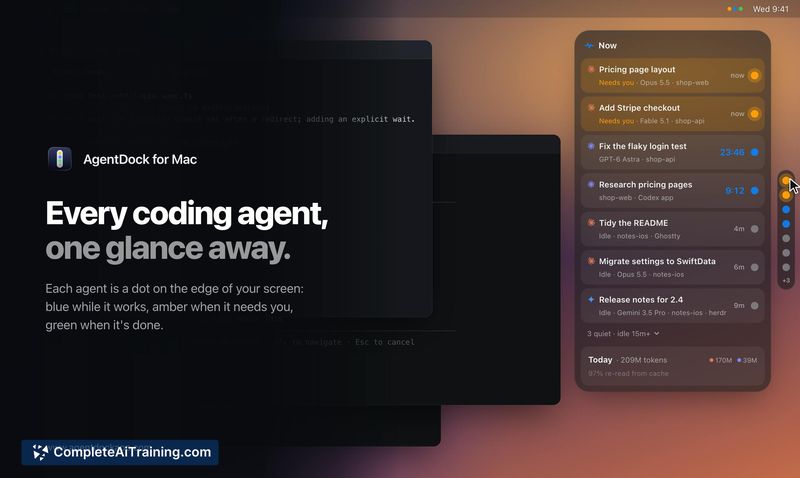
- Status dots on screen edge. Each agent gets a color-coded dot: blue means working, amber signals a pending question, and green marks completion. Hovering reveals details, and clicking jumps directly to that agent's terminal tab.
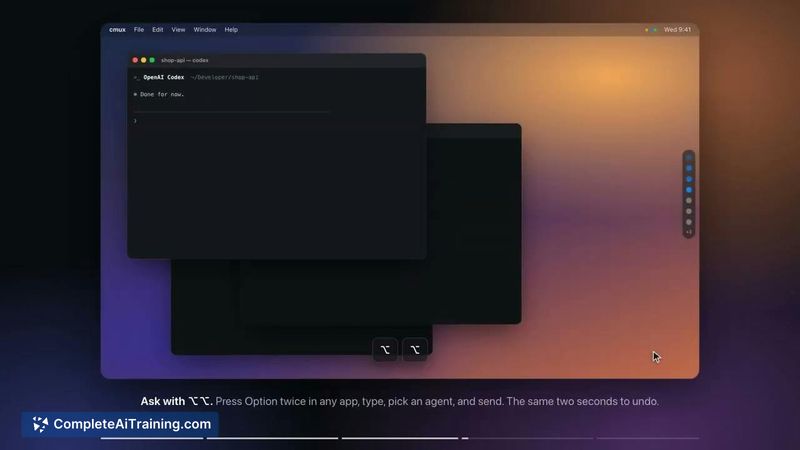
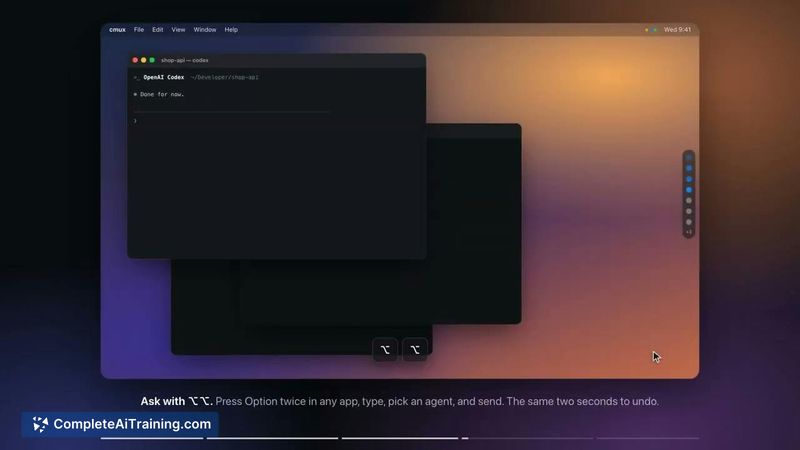
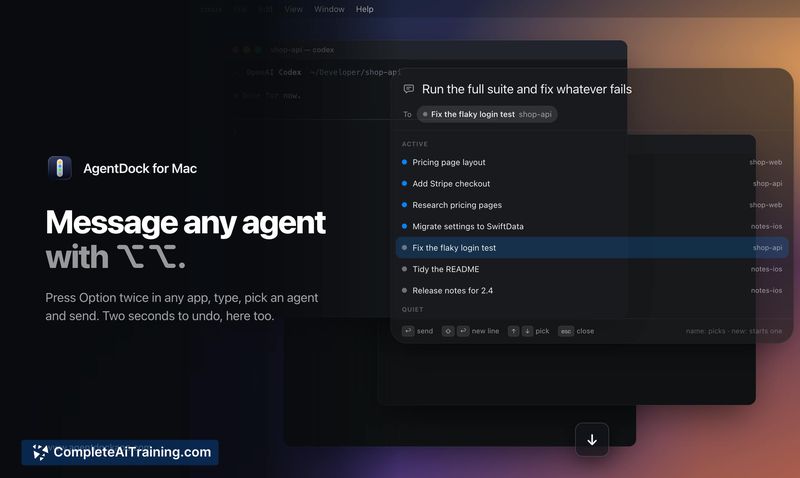
- Cross-app messaging with ⌥⌥. Pressing Option twice opens a message field from any application. You can type a message, choose an existing agent, or start a new one.
- Work recaps with next steps. When an agent finishes, Apple Intelligence writes a summary locally. The recap includes three suggested next steps that can be sent with ⌘1-3.
- iPhone access via local Wi-Fi. The same inbox is available in Safari on an iPhone, letting you answer prompts from your phone on the same network.
Pricing and Value
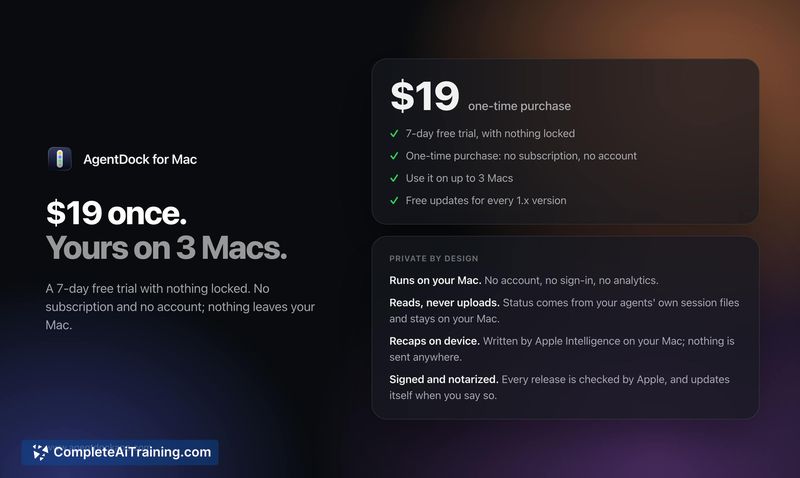
AgentDock costs $19 as a one-time purchase for up to 3 Macs, following a 7-day free trial with all features unlocked. It requires macOS 26. After the trial ends, the status dots remain free. There is no subscription, no account, and no in-app analytics.
Pros
- Combines prompts from Claude Code and Codex into one place, reducing the need to hunt through terminal tabs.
- Runs entirely on-device; session data stays local and no account creation is needed.
- One-time purchase model with a perpetual free tier for the status dots after the trial.
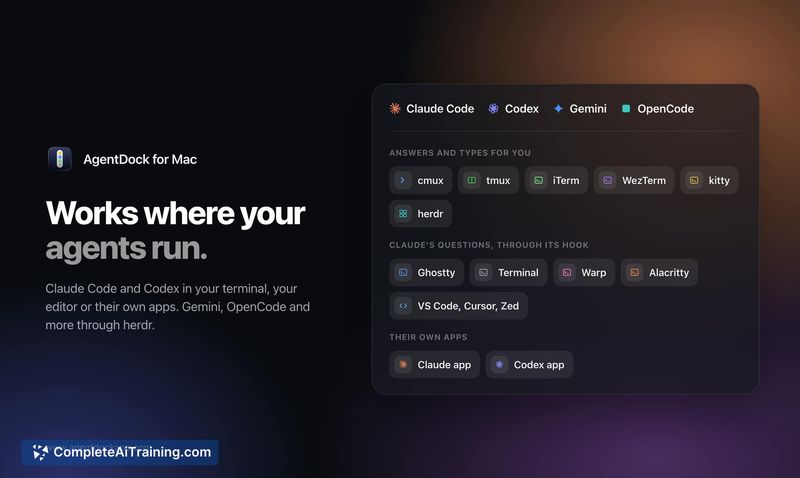
- Works across multiple terminal emulators - cmux, tmux, iTerm, WezTerm, kitty, and herdr - plus Claude Code's hook for Ghostty, Terminal, Warp, VS Code, and the Claude app.
- iPhone access via local Wi-Fi adds flexibility without a cloud dependency.
Cons
- Limited to macOS 26, which excludes users on earlier versions or other operating systems.
- The tool is built around the maker's personal workflow; some community-requested features, such as grouping by worktree, are not yet available.
- Not well suited for users who run only a single agent or who prefer managing agents entirely within their IDE without an additional overlay.
AgentDock fits developers who routinely run multiple Claude Code or Codex sessions in separate terminal tabs and want a faster way to see which agent needs attention. It's less relevant if you work with just one agent or do most of your coding inside an IDE that already handles agent prompts inline. For multi-agent terminal workflows on a recent Mac, it fills a specific gap without a subscription or cloud tie-in.



