AI tool
Ask Ad Manager by Google Ads
Ask Ad Manager is a conversational AI agent in Google Ad Manager that helps publishers troubleshoot ad delivery, analyze bidder performance, and navigate the UI using their first-party data.
About Ask Ad Manager by Google Ads
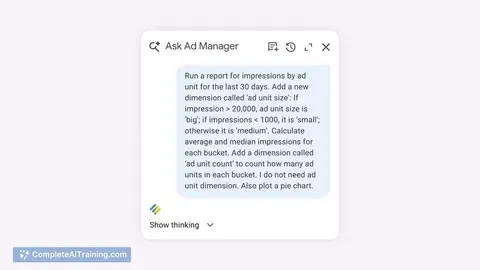
Ask Ad Manager by Google Ads is a conversational AI agent, built with Gemini, that works inside Google Ad Manager. Publishers can type natural-language questions to get performance diagnostics, generate data tables, or jump to specific sections of the interface-all grounded in their own first-party account data. The tool is currently in beta, with a wider rollout expected later in the year.
Review
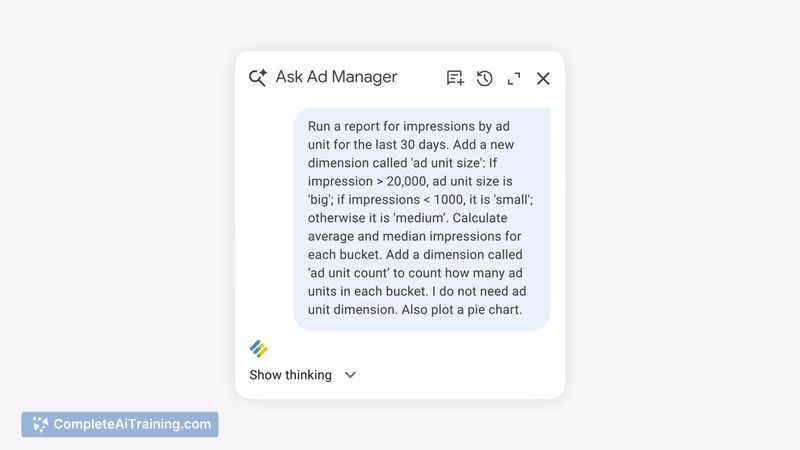
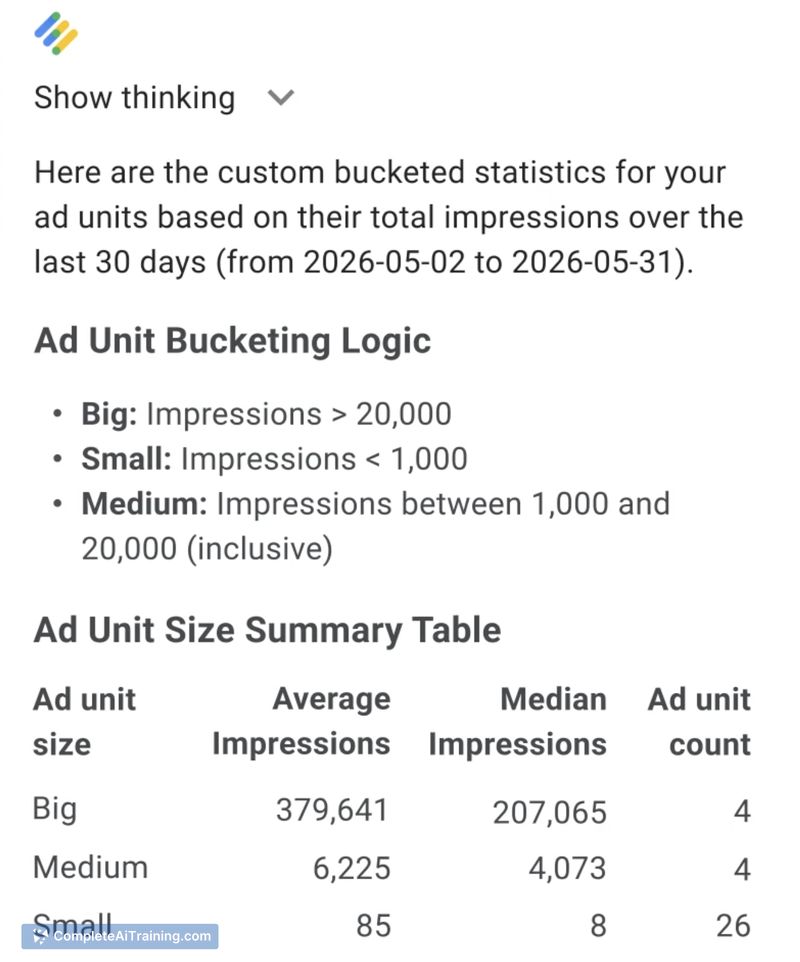
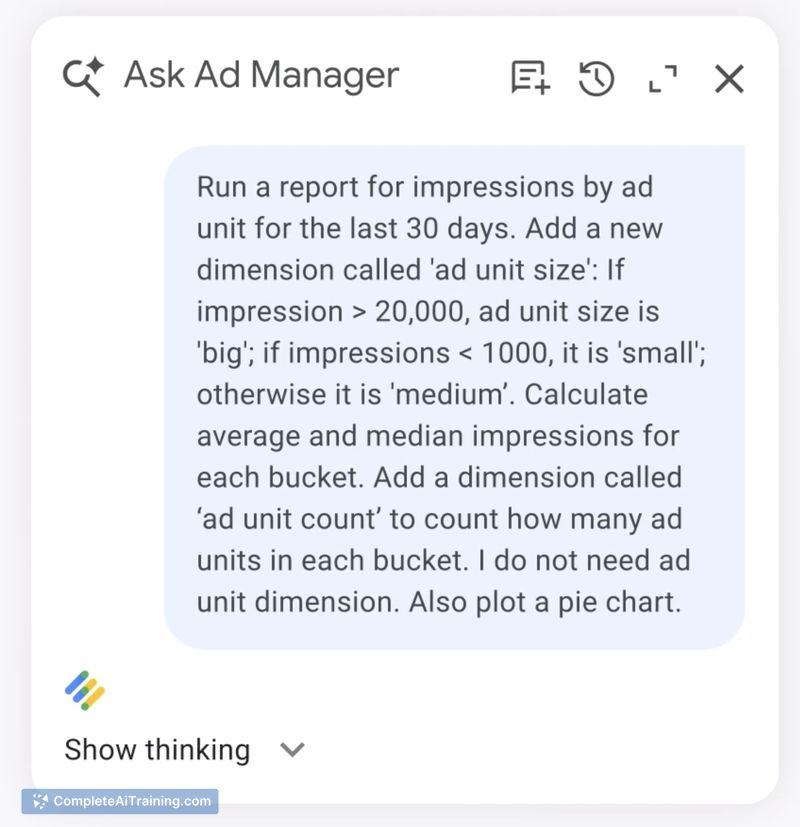
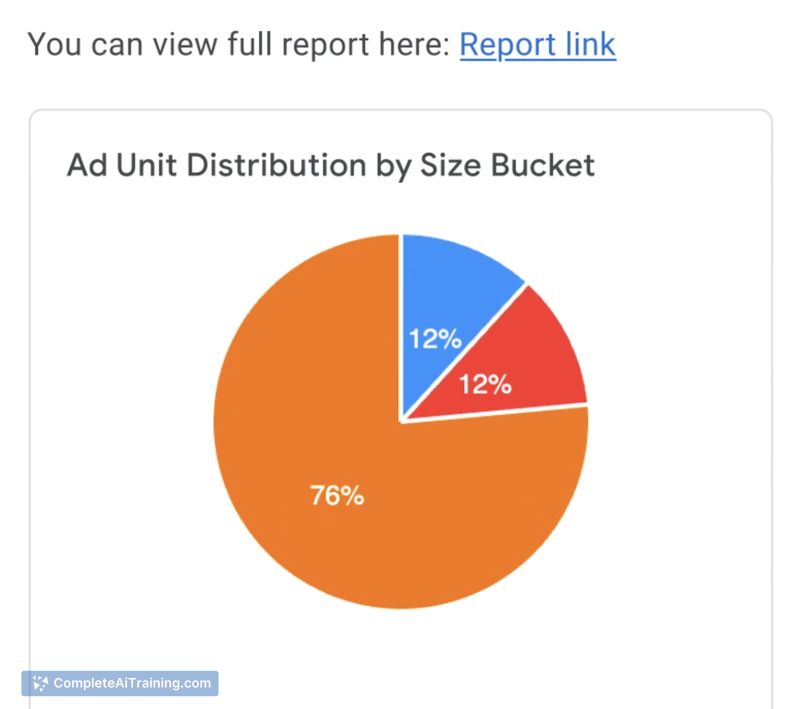
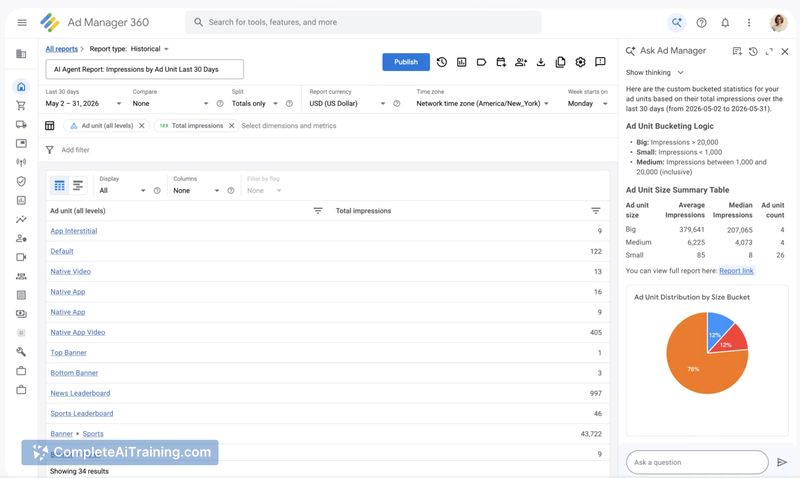
Instead of building manual reports or clicking through menus, users query the tool much like they would ask a colleague for help. The agent interprets the intent and returns answers drawn from the publisher's existing data, aiming to cut down the time spent on routine checks. It does not pull from external benchmarks or anonymised datasets, and the company states that account data is never used to train models or shared elsewhere.
Key Features
- Natural-language troubleshooting: Ask something like "Why isn't this line item delivering?" and the agent diagnoses the root cause and lists steps to fix the issue.
- On-page insights: A question such as "How are my top bidders performing this week?" returns a sortable data table without forcing you to leave your current screen.
- Direct UI navigation: The agent can redirect you to the relevant campaign page with all filters and settings pre-loaded, reducing manual menu navigation.
- First-party data grounding: All analysis is based solely on the publisher's own account data. Google does not use that data to train its underlying models or share it with third parties.
Pricing and Value
Pricing details have not been publicly outlined as of this writing. The beta began rolling out in March 2025; a broader launch is planned later in the year. Whether the tool will stay free for Google Ad Manager users or move to a paid tier has not been confirmed.
Pros
- Reduces manual report toggling by surfacing diagnostic answers directly inside the interface.
- Generates data tables on demand for ad-hoc queries about bidder performance or pricing rule scenarios.
- Maintains a strict boundary around account data: nothing leaves the publisher's own environment or feeds model training.
- Uses everyday language, so users don't need to learn a specialised query syntax.
- Pre-loads filters and settings when navigating to campaign pages, saving clicks.
Cons
- Works only with Google Ad Manager data; publishers who need a combined view across AdSense, AdMob, or YouTube Studio won't get that here.
- Beta status means availability is limited, and how the tool handles ambiguous or multi-intent questions hasn't been fully documented.
- The agent tells you what to do but doesn't explain the reasoning behind its diagnosis-users managing large budgets may want a clearer audit trail before acting.
Publishers who live inside Google Ad Manager and need faster troubleshooting and ad-hoc reports will likely see the most immediate use. Those running multi-platform setups or who require transparent logic for every recommendation should weigh whether the current beta scope fits their workflow. A wider rollout and more detailed reasoning outputs could broaden who finds the tool useful.
Jobs Ask Ad Manager by Google Ads suits
We checked Ask Ad Manager by Google Ads against 500+ jobs; these get the most out of it.