AI tool
Assist
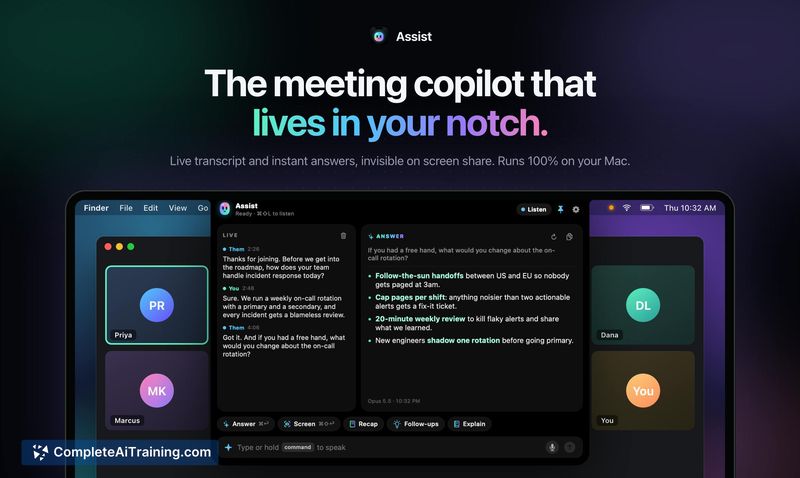
Assist is a Mac meeting assistant that lives in the notch, capturing live transcripts and privately suggesting answers when you are asked a question. It runs locally, stays hidden from screen shares, and deletes all data when you quit. It is for a...
About Assist
Assist is a meeting tool that runs as a Mac app, positioned in the notch of a MacBook screen. It listens to meeting audio, generates a live transcript, and suggests responses when the user is asked a question. The app can operate entirely on-device, stays hidden during screen sharing, and clears its transcript data when the app is quit.
Review
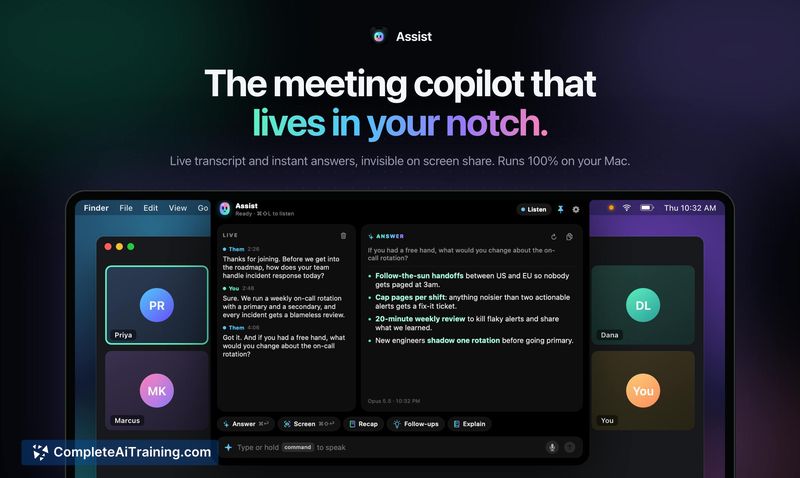
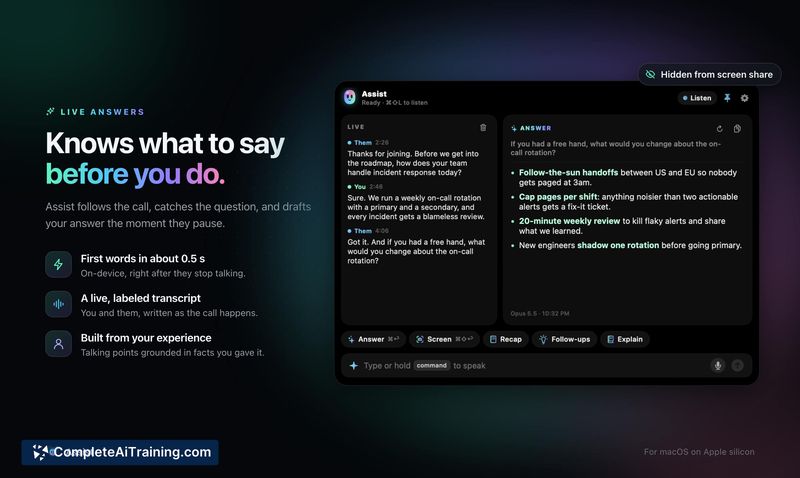
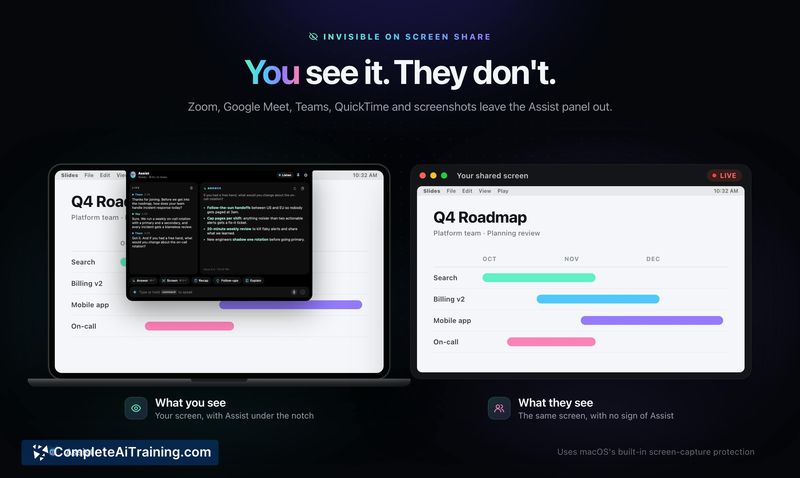
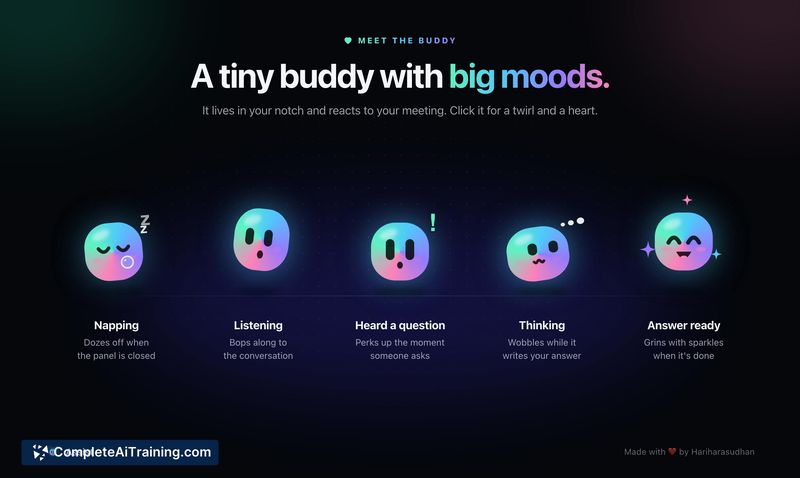
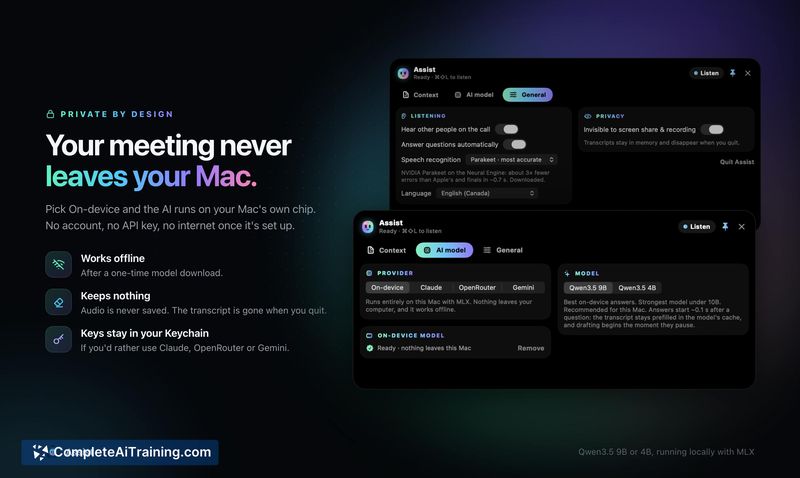
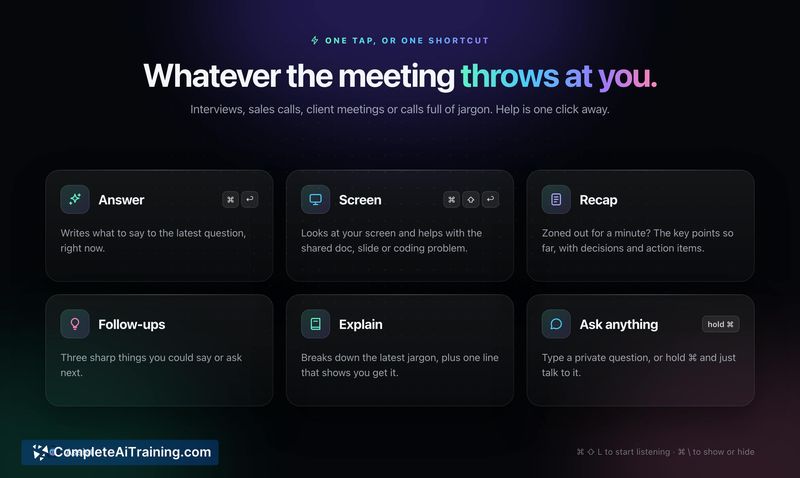
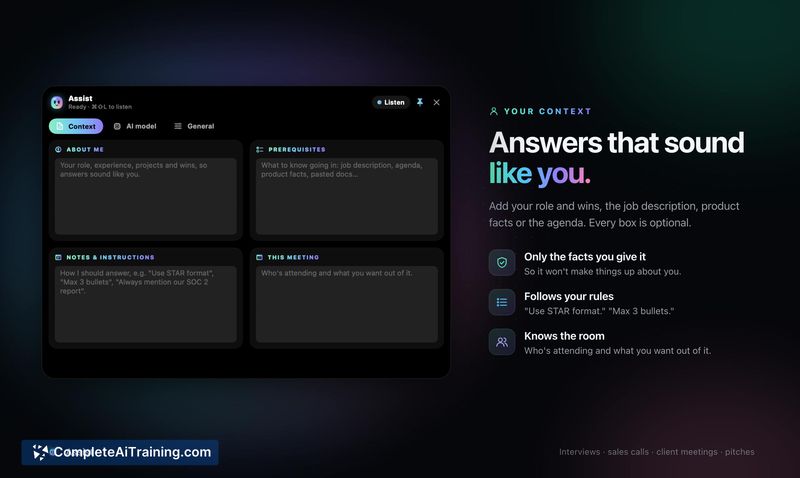
Assist takes a narrow approach to meeting software: it sits in the MacBook notch, transcribes what it hears, and feeds the user suggested replies during calls. There's no bot joining the meeting, no cloud dependency required, and no visible interface for other participants. The tool is new - launched this week - and the feature set reflects that early stage.
Key Features
- Live transcription that runs during meetings, with an option to process everything locally on the Mac.
- Invisible screen share presence - other participants cannot see the app or its suggestions.
- Question detection that prompts suggested responses when someone addresses the user directly.
- Ephemeral data handling: the transcript is deleted when the app quits, with no persistent storage.
Pricing and Value
Pricing information is not yet defined. The tool's website and launch materials do not list a pricing model, subscription tiers, or a one-time purchase cost at this stage. Users evaluating Assist should treat the current release as an early version with commercial details to follow.
Pros
- On-device processing means meeting audio and transcripts can stay off cloud servers entirely.
- Notch placement keeps the interface accessible but out of the way during calls.
- Transcripts clear automatically on quit, which reduces lingering data exposure.
- Screen share invisibility avoids awkward notifications or popups during presentations.
- No meeting bot participant required - the app works by listening to system audio directly.
Cons
- Transcript latency on Apple Silicon (M1/M2) hasn't been quantified; response suggestions only help if they appear before the other person moves on.
- Transcript export or saving before quitting is not available according to the current FAQ, which limits post-meeting review.
- The app is not well suited for users who need a full searchable meeting archive or cross-platform support - it's Mac-only and discards data on exit.
Assist fits situations where a user wants real-time prompting during a meeting without introducing a visible AI participant or storing recordings. It's less relevant for teams that need meeting summaries, searchable transcripts, or a record of what was said after the call ends. The on-device option makes it worth a look for privacy-sensitive conversations, though buyers will need to wait for clarity on pricing and export features.