
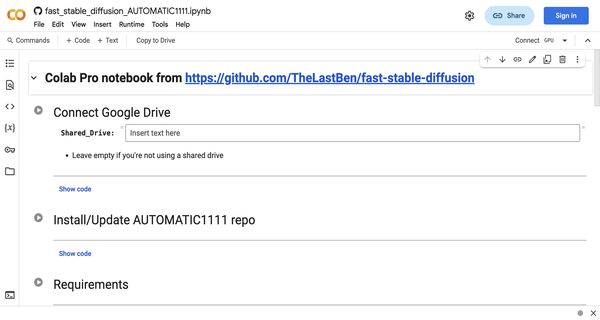
About: Automatic 1111
The Web-based Dreambooth Google Colab is a powerful tool designed for users looking to train custom AI models efficiently and effectively. This user-friendly Colab adaptation of the AUTOMATIC1111 Web UI simplifies the process of model training, allowing you to harness the capabilities of Dreambooth with minimal effort. With just a one-time entry of your Hugging Face token, the tool seamlessly caches all necessary files in Google Drive, including your trained models, ensuring easy access and management.
Key features include support for high-quality reference images, which are essential for optimal training results, and the ability to run the entire process within the familiar Colab environment. This tool is particularly valuable for artists, developers, and researchers looking to create personalized AI models tailored to their specific needs without extensive technical knowledge. Its streamlined setup and integration with Google Drive set it apart, making it a unique solution for those aiming to leverage advanced AI training capabilities efficiently.

Review: Automatic 1111
Introduction
Web-based Dreambooth Google Colab is a specialized tool designed for users who want to train custom models using Dreambooth technology through a Google Colab interface. It leverages adaptations of the AUTOMATIC1111 WebUI, making it an appealing choice for AI enthusiasts, researchers, and hobbyists looking for a streamlined and accessible model training experience. This review is relevant for anyone interested in exploring efficient model training methods without having to set up complex local environments.
Key Features
This tool offers a range of functionalities that simplify the process of training AI models:
- Google Colab Integration: Operates within a web-based Colab environment, removing the need for dedicated hardware and allowing for quick setup.
- AUTOMATIC1111 WebUI Adaptation: Integrates with the popular AUTOMATIC1111 WebUI, providing familiar and robust interfaces for users already accustomed to this tool.
- Dreambooth Technology: Implements Dreambooth, enabling detailed and personalized model training with minimal configuration.
- Simple Hugging Face Token Setup: Requires only a one-time entry of your Hugging Face token, after which it caches all necessary files in your Google Drive.
- Model Persistence and Accessibility: Once a model is trained, it is stored in your Google Drive, allowing you to use it directly from the Colab environment.
- Support for High-Quality Inputs: Emphasizes the importance of using high-quality reference pictures to ensure optimal training results.
Pros and Cons
- Pros:
- Accessible web-based interface that leverages Google Colab.
- Simplifies the model training process with minimal initial setup.
- Seamless integration with AUTOMATIC1111 WebUI and Dreambooth innovations.
- Efficient caching and storage via Google Drive, ensuring persistent project data.
- One-time Hugging Face token entry reduces repetitive authentication tasks.
- Cons:
- Requires users to have high-quality reference images to achieve the best results.
- The setup might be a bit technical for complete beginners unfamiliar with Colab or AI model training.
- Dependent on the stability and limitations of free Colab sessions and GPU availability.
Final Verdict
The Web-based Dreambooth Google Colab is an excellent tool for AI enthusiasts, researchers, and hobbyists who are looking for a quick and hassle-free way to train custom models. Its seamless integration with Google Colab, AUTOMATIC1111 WebUI, and Dreambooth technology makes it a robust option for those with some technical background. While it is ideal for users comfortable with navigating Colab environments and ensuring quality input data, beginners may require a brief learning curve. Overall, this tool is highly recommended for individuals seeking an efficient, web-based solution for model training without the need for extensive local setups.
Open 'Automatic 1111' Website
Your membership also unlocks:



















