About Better Logger
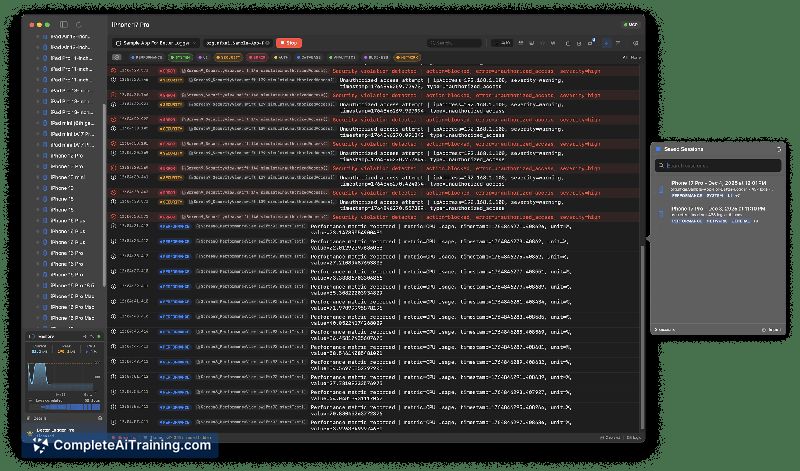
Better Logger is a modern macOS log viewer built for iOS developers. It streams logs in real time from iOS Simulators, organizes them into visual lanes, and offers integration with AI tools via MCP so you can query logs without manual copy/paste.
Review
Better Logger focuses on making simulator logs easier to inspect by grouping related entries into lanes and providing live streaming. The addition of MCP integration with AI tools such as Cursor adds a layer of interactive querying that can speed up common debugging tasks.
Key Features
- Real-time streaming of logs from iOS Simulators to a macOS-native viewer.
- Visual lane organization for categorizing and filtering log streams.
- MCP integration that allows AI tools like Cursor to query logs directly by lane or filter.
- Export options to compose sharable issue reports for GitHub, Slack, or other channels.
- Launch promotions and free options available during initial rollout (e.g., a launch discount for early adopters).
Pricing and Value
Pricing information indicates there are free options and a launch discount (a percentage off for the first set of users). For teams or developers who rely on quick iterations with simulator logs, the combination of visual lanes and AI query support can reduce time spent copying, filtering, and pasting log content into other tools.
Pros
- Clean, macOS-native interface that integrates directly with iOS Simulators.
- Lane-based visualization makes it easier to focus on specific categories of logs.
- MCP support enables direct queries from AI tools, reducing manual steps in debugging workflows.
- Export capability for sharing focused log slices with teammates or issue trackers.
- Free tier and early-adopter discounts lower the barrier to trying the tool.
Cons
- macOS and iOS Simulator focus means limited usefulness for cross-platform or non-iOS projects.
- AI-assisted workflows can be affected by token/context limits; large or long-running logs may require splitting or other strategies to keep interactions efficient.
- As an early launch product, some team-oriented features (shared live views, large-team workflows) may be less mature and rely on export-based workarounds.
Overall, Better Logger is best suited for individual iOS developers and small teams who want faster, more interactive access to simulator logs and who plan to use AI-assisted queries as part of their debugging workflow. If you need a macOS-native log viewer with lane-based filtering and AI integration, this tool is worth evaluating during the launch window; teams that require broad platform support or advanced collaboration features should verify that export- and sharing workflows meet their needs.
Open 'Better Logger' Website
Your membership also unlocks: