AI tool
BrowserAct
BrowserAct is a browser automation CLI that helps AI agents navigate logins, dynamic pages, and verification flows by maintaining session state, requesting human help when stuck, and returning clean data for reasoning.
About BrowserAct
BrowserAct is a browser automation CLI built for AI agents that interact with real websites. It runs local Chrome sessions, preserves login states through obstructions, and brings human assistance into stalled workflows via a remote-assist link. The tool returns cleaned page data instead of raw DOM so agents can reason over what matters.
Review
When an agent hits a login wall, CAPTCHA, or a shifting DOM, most scripts stop. BrowserAct addresses that friction by running as a persistent browser layer that can pause, hand off to a human, and resume without discarding the original session. It's designed for the parts of the web that break clean demos.
Key Features
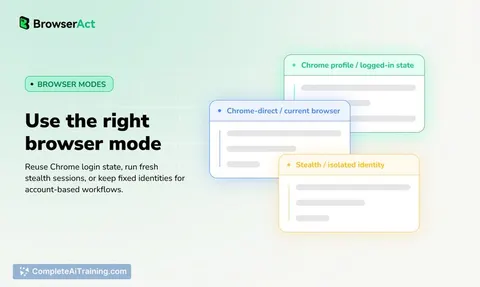
- Local stealth browser sessions that keep cookies, storage, and logged-in identity intact across interruptions.
- Remote-assist handoff: the CLI generates a short-lived link when a step needs human identity or judgment, then the agent picks up from the same live session after the blocker clears.
- Multi-session isolation so parallel tasks or multiple accounts run without cross-contamination.
- Automatic CAPTCHA handling where feasible, escalating only when a step requires human identity (2FA, OAuth, QR scan).
- Clean data extraction that reads the live page state and supplies structured information to the reasoning agent, avoiding raw DOM dumps.
Pricing and Value
BrowserAct provides a free 7-day trial. Beyond the trial period, pricing information has not been publicly released. During the trial, users can test real browser workflows without coding, according to the launch announcement.
Pros
- Sessions survive verification, manual handoff, and page reflows without restarting.
- Runs locally by default, keeping sensitive credentials and browser profiles on the user's device.
- Integrates with existing agents through a single skill-install command from GitHub.
- Preserves session state after a human steps in, so the agent continues from the exact same tab, storage, and network context.
Cons
- Requires command-line setup-it's not a no-code or visual workflow builder.
- The free tier ends after seven days; longer-term cost is still undefined.
- Not the best fit for teams that want a fully managed cloud browser service with zero local footprint, because BrowserAct prioritizes local operation first.
BrowserAct suits developers and teams building AI agents that must navigate authenticated, verification-heavy web apps. If an agent constantly breaks on login gates, 2FA prompts, or dynamic page shifts, the persistent session model and assisted handoff can replace repeated failures with a pause-resume escalation path. It's less applicable for non-technical users who prefer a visual UI or for those who need entirely server-side browser orchestration out of the box.
Jobs BrowserAct suits
We checked BrowserAct against 500+ jobs; these get the most out of it.