
AI tool
Caveman
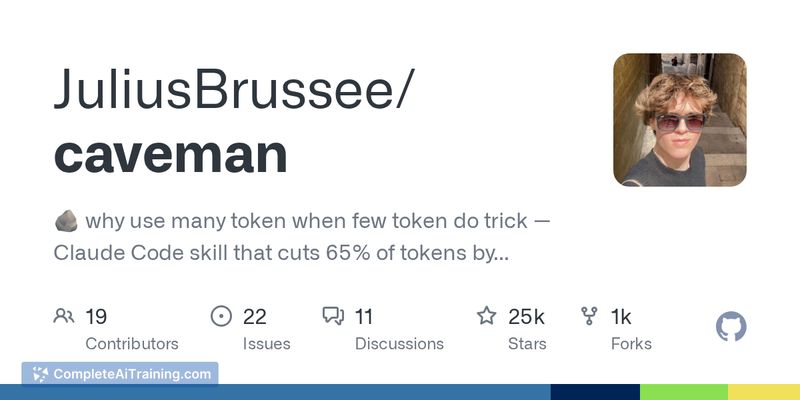
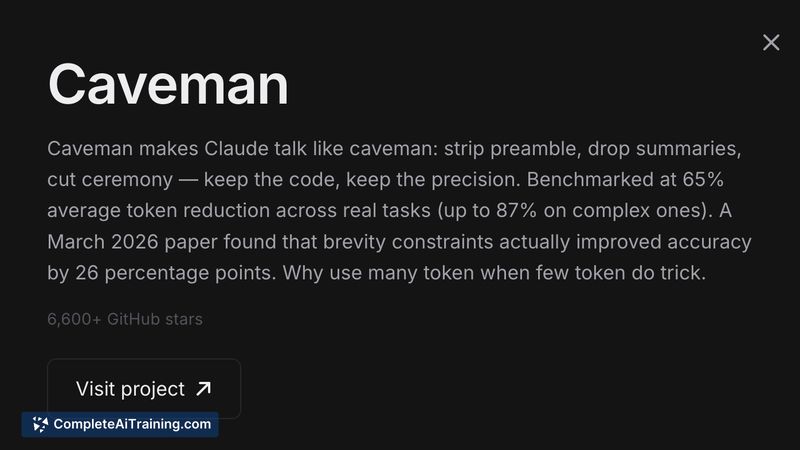
Caveman: a Claude prompt that removes verbosity for coding tasks-≈75% fewer tokens, ≈3x faster responses, plus terse commits and one-line PR comments. Free, MIT, one-line install.
About Caveman
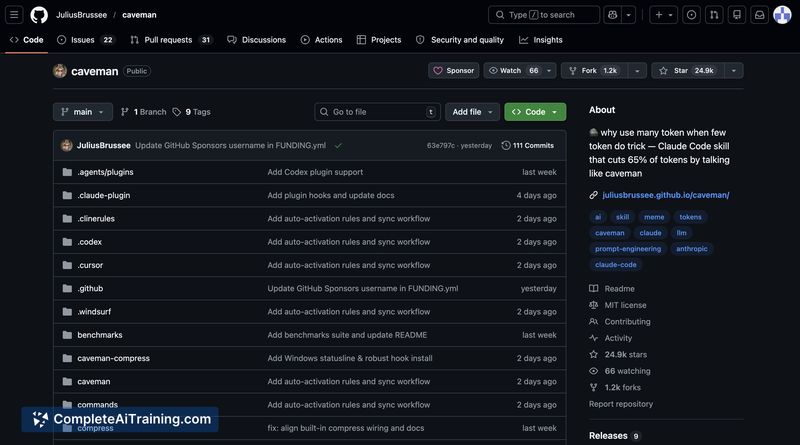
Caveman is an open-source utility that trims LLM input and output to reduce token usage for code-focused assistants. It offers terse response modes, shorthand commit and review helpers, and a one-line install to add the tool to many developer workflows.
Review
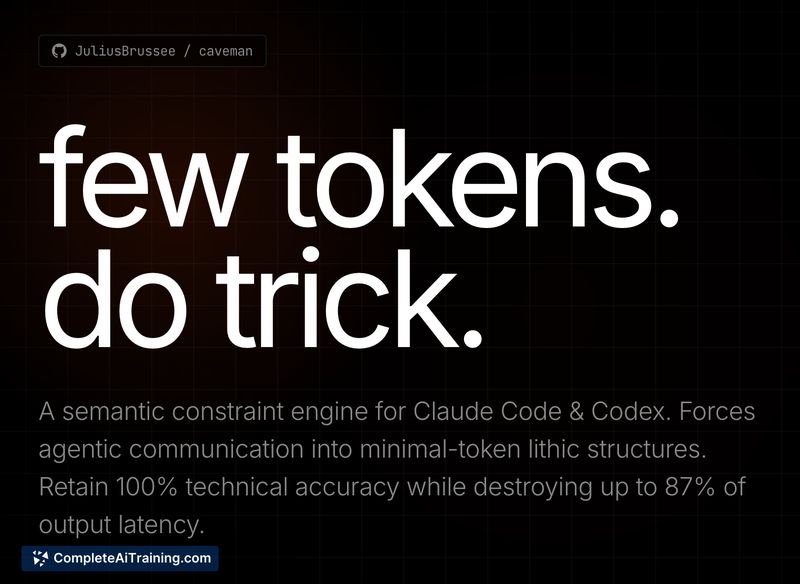
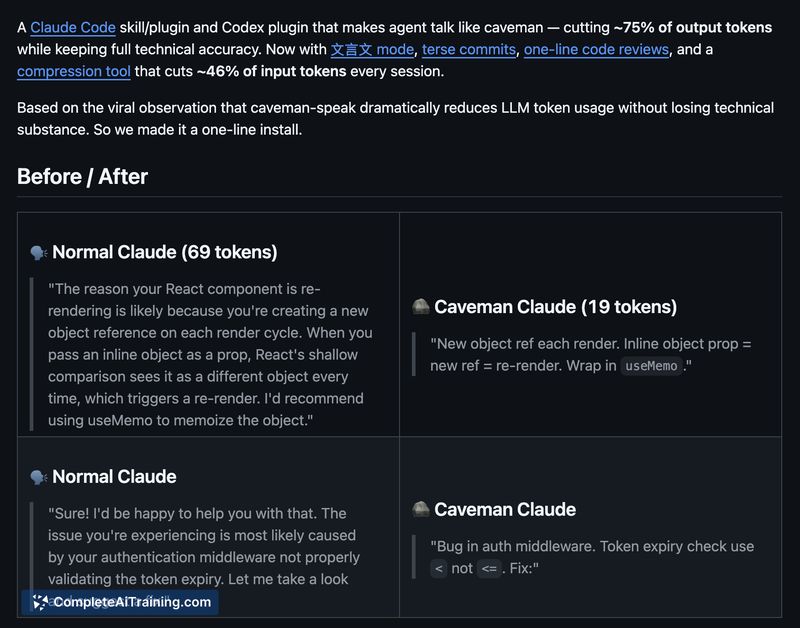
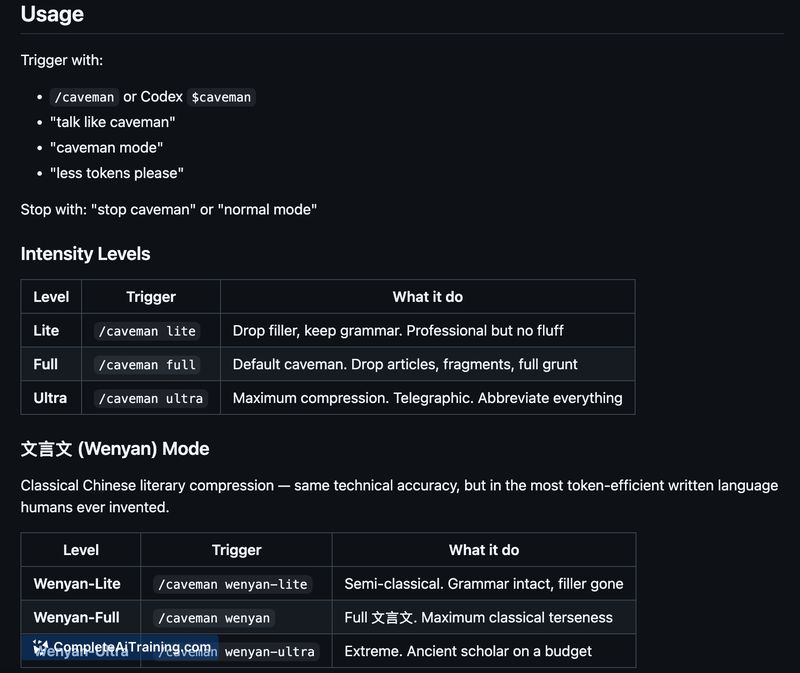
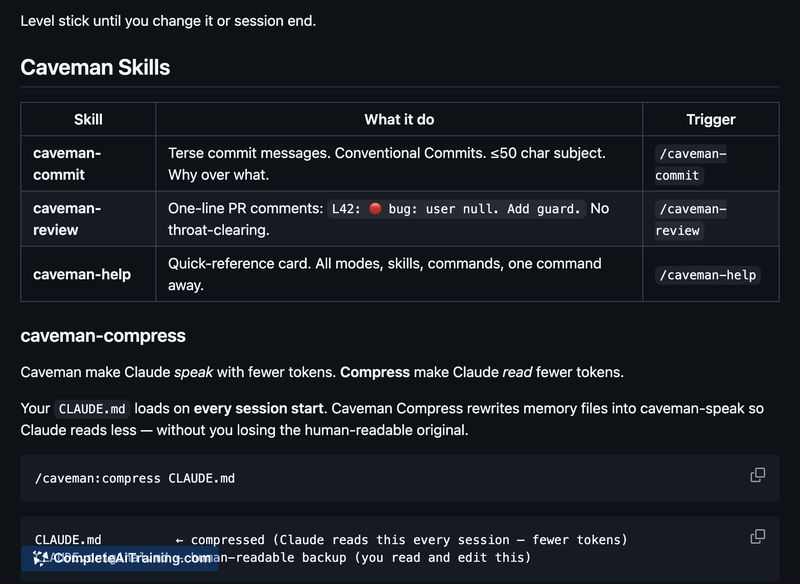

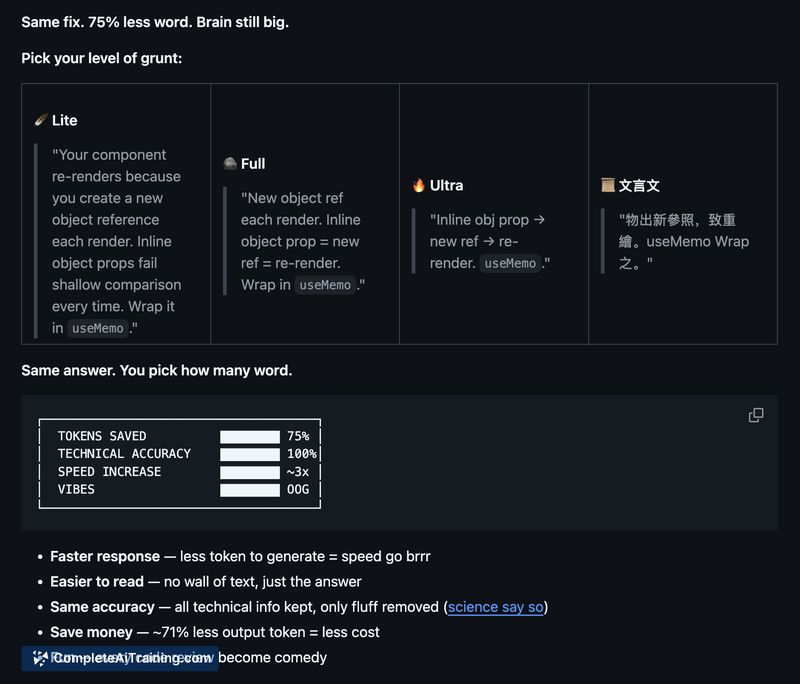
Caveman targets verbosity in assistant responses, trading extra phrasing for compact, actionable output that often preserves technical accuracy. For developers concerned about token limits or response latency, it provides clear, configurable options to compress both output and long instruction files.
Key Features
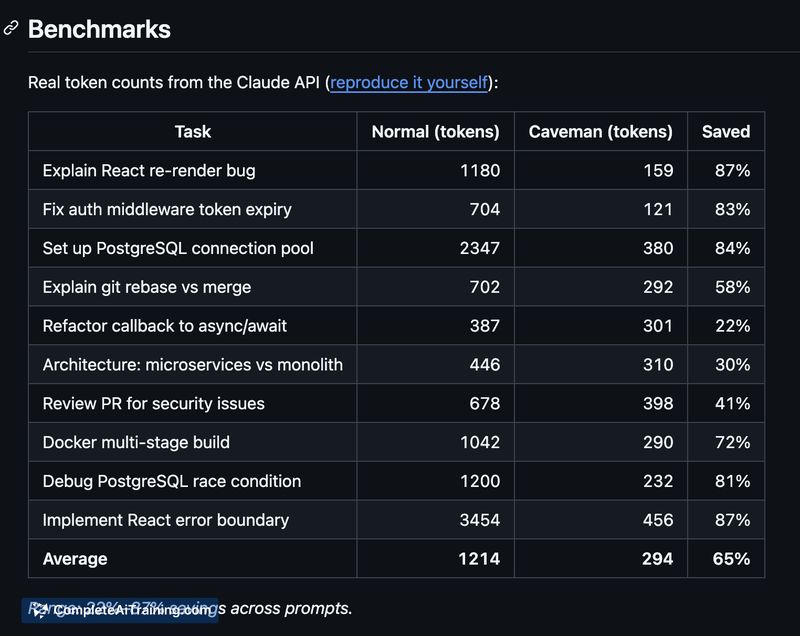
- Significant token reduction: reported average output reduction around 65% and examples up to ~75% savings on coding tasks.
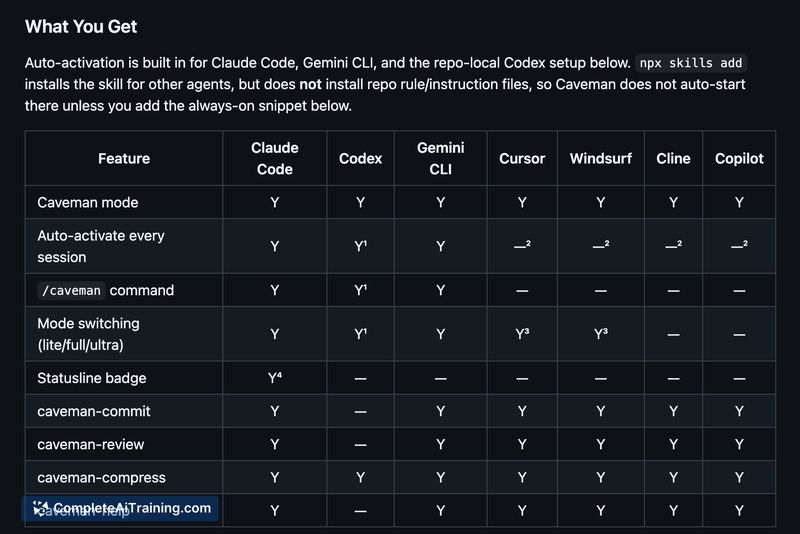
- Four intensity modes (Lite, Full, Ultra, and a Classical Chinese mode) to control terseness.
- Short-form tooling: terse commit message generator and one-line PR comment formatter for concise code review notes.
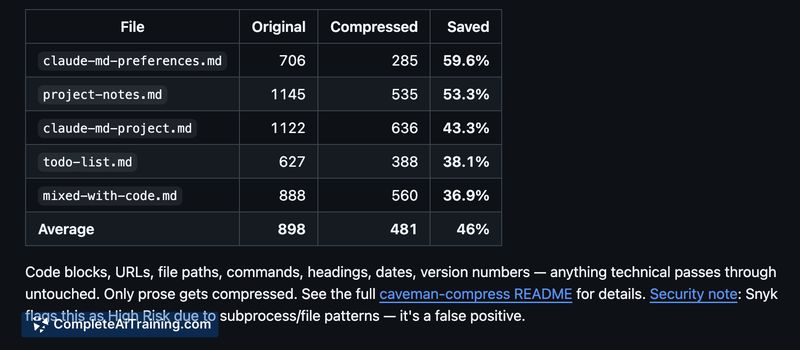
- Input compression that rewrites instruction/memory files to cut input tokens (example reported ~46% reduction).
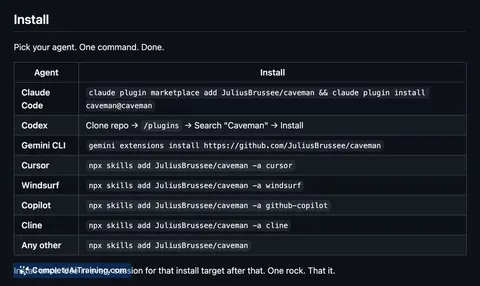
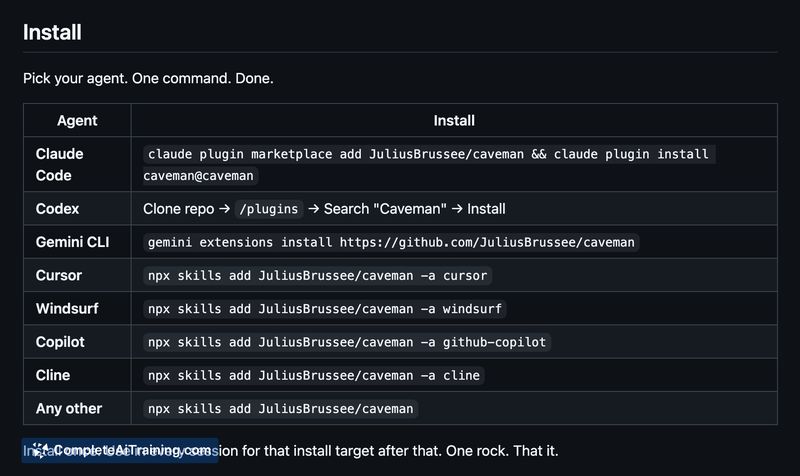
- Free and open source (MIT) with a simple one-line install and broad integration support for code-oriented agents.
Pricing and Value
Caveman is free and MIT-licensed, making it low-cost to adopt for individuals and teams. Its primary value is reduced token consumption and faster generation when terse output is acceptable; actual savings depend on how much extraneous wording a given assistant typically emits and on any additional system prompts required.
Pros
- Large token savings for many coding tasks, which can lower API costs and speed up responses.
- Configurable brevity levels let you balance terseness and detail.
- Convenient short-form features for commits and PR comments that fit developer workflows.
- Open-source, free, and easy to install.
- Compression for instruction files can reduce repeated input costs across sessions.
Cons
- Best suited for technical and code-focused interactions; detailed explanations or nuanced guidance may suffer if set to the most terse modes.
- Because the system prompt itself counts as input, net token savings vary and can be lower for some workflows.
- Compression heuristics can risk subtle shifts in meaning if instruction files are aggressively rewritten, so caution and review are advisable.
Overall, Caveman is a practical choice for developers and teams who want to reduce token usage and speed up routine coding interactions while keeping essential technical accuracy. It works well for automated commits, one-line reviews, and trimming long instruction files, but users who need full, nuanced explanations should use less aggressive settings or a full-length output mode.
Jobs Caveman suits
We checked Caveman against 500+ jobs; these get the most out of it.



