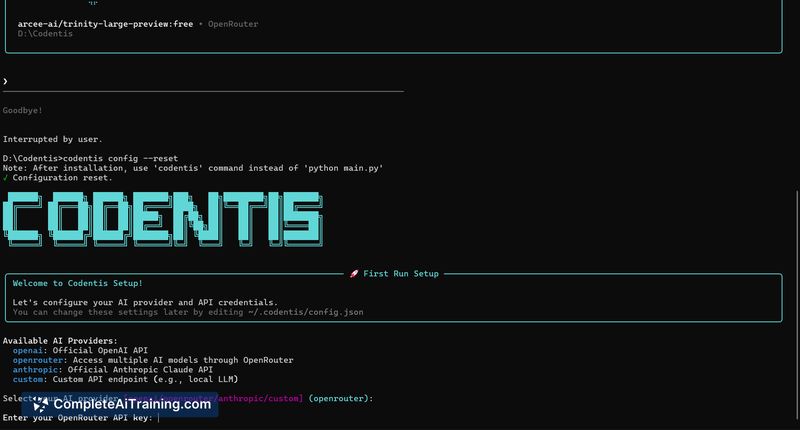
About Codentis
Codentis is a command-line AI assistant for developers that runs directly in the terminal to assist with coding, debugging, and system comprehension. It offers real-time streaming, syntax-highlighted outputs, and a set of interactive commands to support developer workflows without leaving the shell.
Review
Codentis targets developers who want to reduce context switching by keeping work inside the terminal. Its agent-based approach includes async processing and session memory to maintain context across tasks and produce actionable responses.
Key Features
- CLI-based agent interface that runs inside the terminal for quick access while coding.
- Real-time streaming and syntax-highlighted outputs for clearer, immediate feedback.
- 10+ interactive commands to run common developer tasks and workflows from the shell.
- Agentic architecture with asynchronous processing and session memory to keep context across steps.
- Support for running multiple models side-by-side and merging responses for more reliable answers.
Pricing and Value
At launch, Codentis is offered for free, which makes it an accessible option for individual developers to try in daily work. The core value is time saved by reducing context switches and speeding up debugging and exploration inside a familiar terminal environment. As the project matures, common pricing approaches would likely include a free tier for individuals and paid tiers for teams or added features; evaluate future plans if team collaboration or higher-scale usage is required.
Pros
- Makes it easy to keep coding and debugging within the terminal, reducing interruptions.
- Live streaming and syntax highlighting improve readability and speed of iteration.
- Session memory and async processing help maintain context across multi-step tasks.
- Ability to orchestrate multiple models can produce more consistent results.
- Command-driven interactions allow repeatable and scriptable workflows.
Cons
- Terminal-first design may not suit users who prefer GUI-based tools or integrated IDE plugins.
- Early-stage feature set and integrations may be limited compared with more mature platforms.
- Team collaboration features and documentation could require further development for larger teams.
Codentis is best suited for developers who are comfortable in a terminal environment and want to streamline coding and debugging without switching contexts. It's a good fit for solo engineers, small teams experimenting with agent-driven workflows, and anyone looking to prototype command-line AI assistance quickly.
Open 'Codentis' Website
Your membership also unlocks: