
About: Contentinator
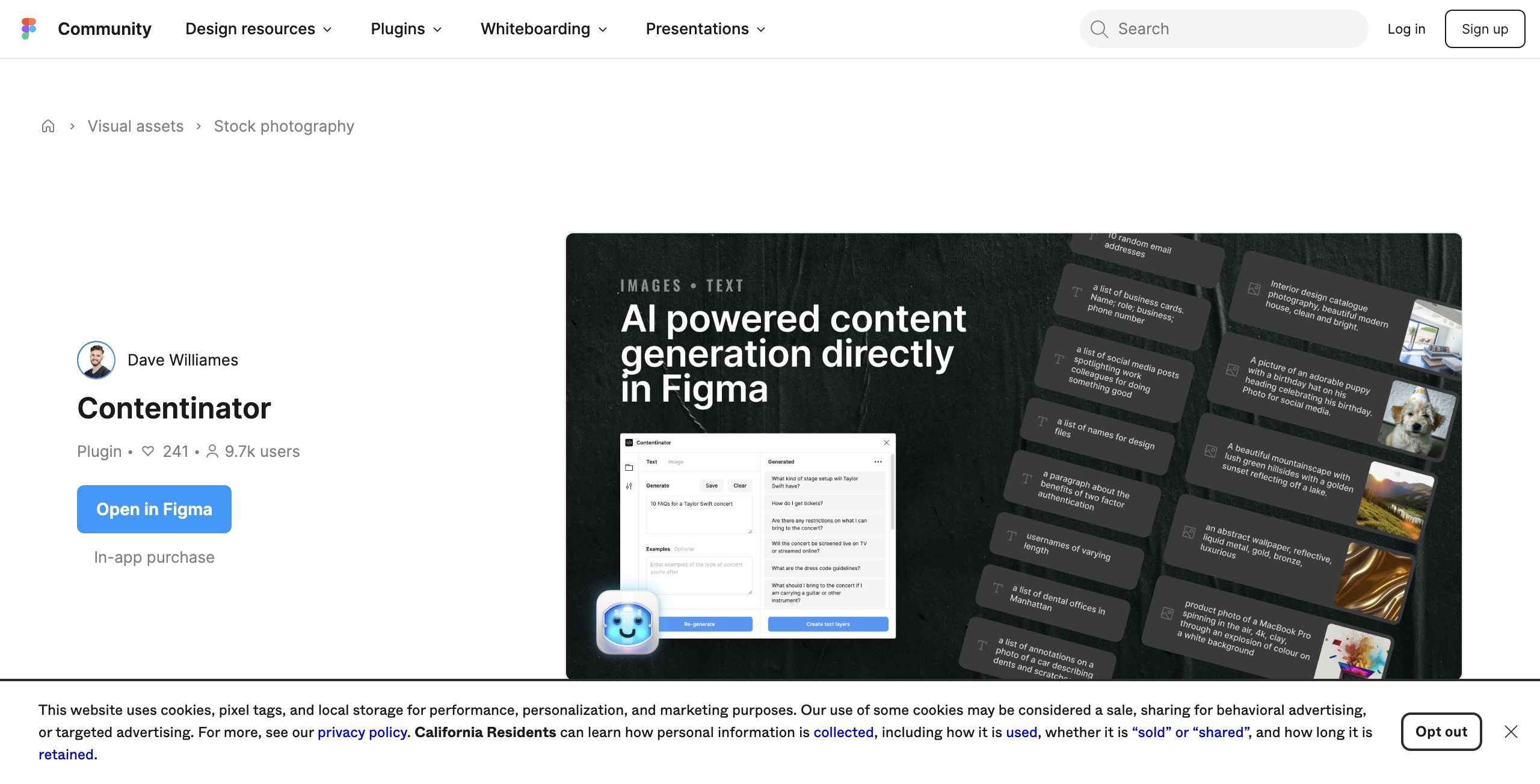
Contentinator is a powerful Figma plugin designed to enhance your design workflow by seamlessly generating content, images, and copywriting. This innovative tool leverages advanced AI to populate your designs with realistic placeholder text, high-quality images, and diverse copywriting options, enabling you to focus on creativity rather than tedious manual input.
Key features include customizable text generation tailored to various contexts, a library of stock images that can be integrated directly into your projects, and versatile copywriting suggestions that adapt to different tones and styles. Contentinator is particularly beneficial for designers, marketers, and content creators looking to streamline their processes and deliver polished results in significantly less time.
What sets Contentinator apart is its ability to provide not just random placeholders but contextually relevant content that enhances the quality of your designs. By automating content generation, it allows users to experiment and iterate more freely, ultimately elevating their design capabilities and improving project turnaround times.
Review: Contentinator
Introduction
Contentinator is a Figma plugin designed to populate your design projects with realistic, AI-generated content including placeholder text, high-quality images, and versatile copywriting suggestions. It is tailored primarily for UI/UX designers, creative teams, and anyone looking to streamline their design process within Figma. Given the increasing demand for efficient design workflows and realistic content in mockups, Contentinator stands out as a valuable tool worth reviewing.
Key Features
The tool boasts several innovative features that help designers quickly populate their projects:
- AI-Powered Text Generation: Upgrade placeholder text or generate original copy, including articles, blog posts, taglines, and more.
- Image Generation: Create high-quality images (1024 x 1024) directly in Figma using text prompts, perfect for stock photography, illustrations, or custom textures.
- Design Stress-Testing: Efficiently simulate realistic content and data to ensure designs hold up under varying conditions.
- Copywriting Assistance: Enhance text content by expanding, condensing, or exploring alternative writing approaches.
Pricing and Value
Contentinator offers its feature set on a subscription basis. The pricing starts from as little as $5 per month and includes a one-week trial period to allow new users to evaluate the plugin. Considering the breadth of its functionalities, the competitive pricing makes it an attractive option for designers looking to save time and add value to their projects without a significant financial commitment.
Pros and Cons
- Pros:
- Integrates directly with Figma, streamlining design workflows.
- Multiple content generation options (text, images, copy) powered by advanced AI.
- Cost-effective subscription model with a trial period for risk-free testing.
- Improves design quality by providing realistic and diverse content.
- Cons:
- Being an AI tool, the quality of generated content might vary based on complex project needs.
- Requires an internet connection and Figma environment for full functionality.
Final Verdict
Contentinator is a robust tool that considerably reduces the time and effort required to populate design projects with realistic content. It would be particularly beneficial for UX/UI designers, creative teams, and anyone interested in experimenting with AI-generated text and images directly within Figma. While the output quality might sometimes require additional fine-tuning, the substantial feature set and affordable subscription make it an appealing option for design professionals seeking to enhance their workflow. Overall, Contentinator earns a strong recommendation for those who regularly work with Figma and need efficient, AI-powered design content solutions.
Open 'Contentinator' Website
Your membership also unlocks: