About Contral
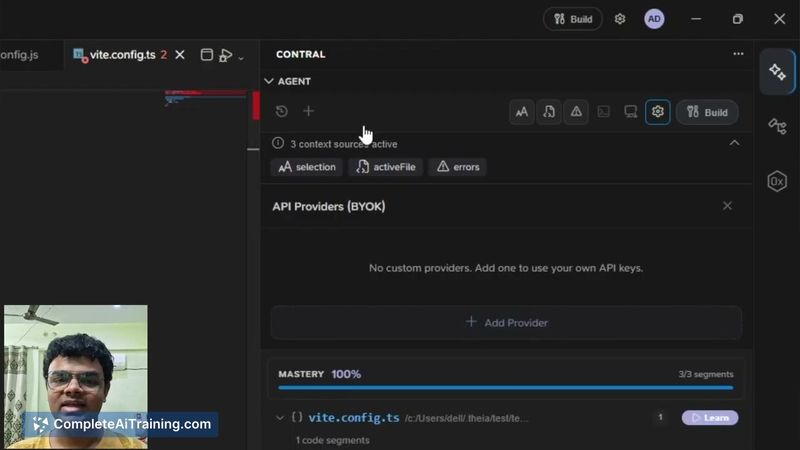
Contral is an agentic IDE that teaches you while you build by combining AI agents with contextual, line-by-line explanations. It offers a Build Mode for hands-on work with in-context assistance and a Learn Mode that provides step-by-step guidance for learning specific languages.
Review
Contral targets the gap between following tutorials and building independently by providing explanations and learning prompts as code is generated. In its initial launch and beta, the tool shows promise for developers who want concrete, task-linked learning rather than separate lessons.
Key Features
- Build Mode: Context-aware assistance that explains decisions as code is created and helps you apply concepts on real tasks.
- Learn Mode: Structured, language-focused lessons with real-time explanations and guidance while you work.
- Codebase Analyzer: Scans large repositories to map architecture, explain components, and generate quizzes from real code.
- AI agents: Multiple agents collaborate inside the IDE to write code and provide on-the-spot explanations for functions and architectural choices.
Pricing and Value
Contral is launching with a downloadable beta and a waitlist; there are free options available during the initial launch. Detailed pricing tiers are not published yet, but the likely model is a freemium approach where core learning features are accessible early and advanced capabilities or team plans will be offered as paid tiers. The main value proposition is accelerating the transition from following examples to building independently by embedding explanations directly into the development workflow.
Pros
- Explains code and architectural decisions in real time, which helps deepen understanding while you work.
- Combines practical coding assistance with learning features like quizzes and structured lessons.
- Codebase Analyzer can handle very large projects, making it useful for understanding existing repositories.
- Easy to try in beta via download and a visible early-adopter community for feedback.
Cons
- Early beta means some features are limited or still evolving; users may encounter rough edges.
- Learn Mode currently focuses on languages rather than adapting to specific frameworks or prior fluency levels.
- Quality depends on the underlying models, so occasional inaccuracies or incomplete explanations are possible.
Contral is best suited for junior to mid-level developers, learners who prefer task-based instruction, and solo builders wanting clearer explanations of AI-generated code. Teams or users needing mature integrations and enterprise stability should evaluate readiness in the beta before adopting it for production workflows.
Open 'Contral' Website
Your membership also unlocks: