About Crawler.sh
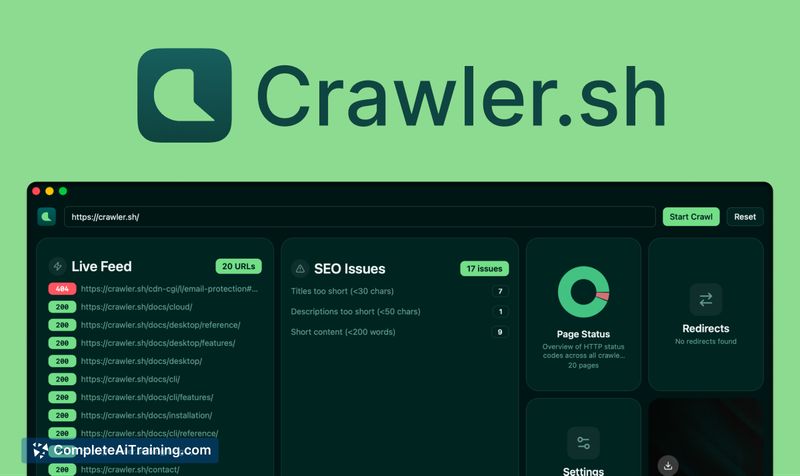
Crawler.sh is a local-first web crawler and AEO & SEO analysis tool that runs from the terminal or a native desktop app. It crawls sites quickly, performs automated checks, and extracts content as clean Markdown with exports available in JSON, CSV, or Sitemap XML.
Review
Crawler.sh launches as a compact, fast option for website audits and content extraction, emphasizing privacy by running locally. Its combination of crawling, SEO/AEO checks, and Markdown export makes it useful for developers and content teams who want actionable outputs without cloud delays.
Key Features
- Local-first crawling built in Rust for speed and lower resource overhead.
- Automated AEO & SEO checks with issue reporting and downloadable findings.
- Clean Markdown content extraction that removes HTML noise for easier editing.
- Multiple export formats: JSON, CSV, and Sitemap XML for interoperability.
- Flexible interfaces: terminal CLI and a native desktop application.
Pricing and Value
There is a free offering that provides the core local crawler, SEO/AEO checks, and Markdown extraction. A launch promotion (50% off the first year) suggests paid tiers exist or are planned for additional features such as cloud functionality and team plans. For users comparing options, the value lies in a lower-cost, privacy-focused alternative to large enterprise tools, especially for individuals and small teams who prioritize local execution and standard export formats.
Pros
- Very fast local crawling thanks to a performance-oriented implementation.
- Keeps data local by default, which benefits privacy-sensitive workflows.
- Markdown extraction is handy for content reuse and editorial workflows.
- Exports to common formats make it easy to integrate results into other tools.
- Offers both CLI and GUI, accommodating technical and non-technical users.
Cons
- Newly launched - some advanced features (cloud, team plans) are still on the roadmap.
- Unclear how well it handles heavily client-side rendered sites without additional rendering support.
- Depth of AEO checks and long-term support/enterprise integrations remain to be proven.
Overall, Crawler.sh is a strong fit for developers, SEOs, and content teams who need fast, private site audits and clean content exports. It's best for single users or small teams at present; organizations requiring mature cloud collaboration or extensive JavaScript rendering should evaluate current capabilities against their needs before committing to a paid plan.
Open 'Crawler.sh' Website
Your membership also unlocks: