
AI tool
Cube Forms
Cube Forms turns any web form into a single link that AI agents can fill and submit directly, removing the need for manual typing. It is for people who want their agents to handle form submissions without opening a browser.
About Cube Forms
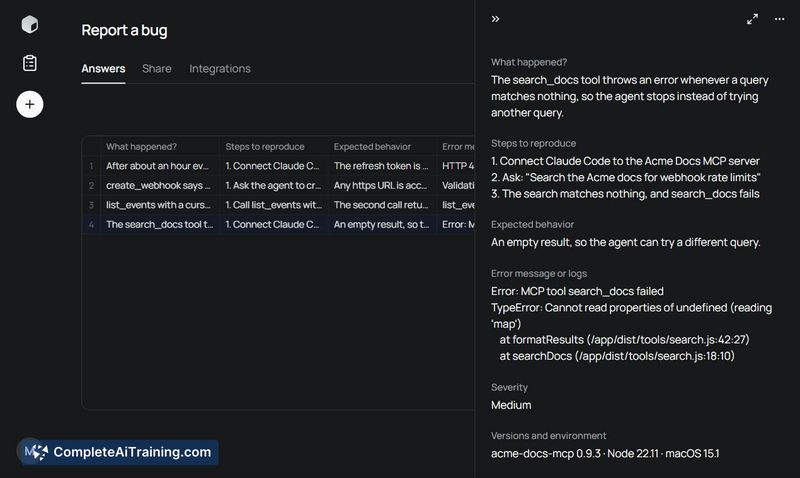
Cube Forms is a form builder that creates links both AI agents and people can interact with. An agent can fill and submit a form directly over MCP or plain HTTP, without a browser or CAPTCHA, while a human can open the same link to review, edit, or complete the entry. The tool targets sign-ups, waitlists, bug reports, and sales inquiries.
Review
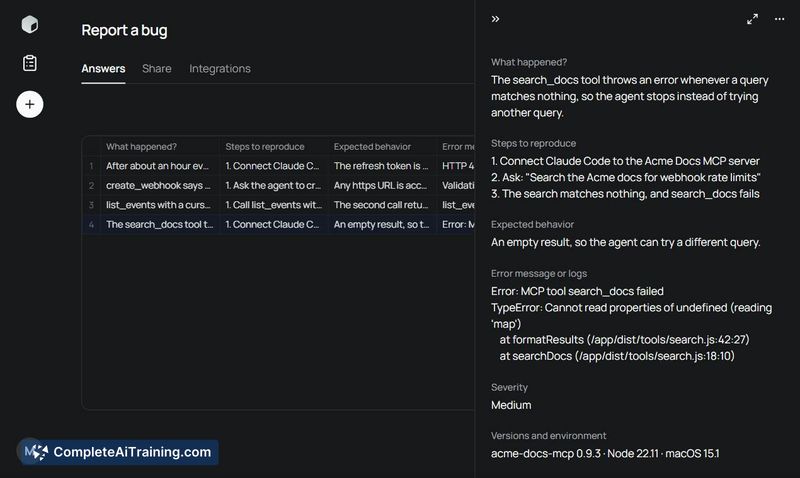
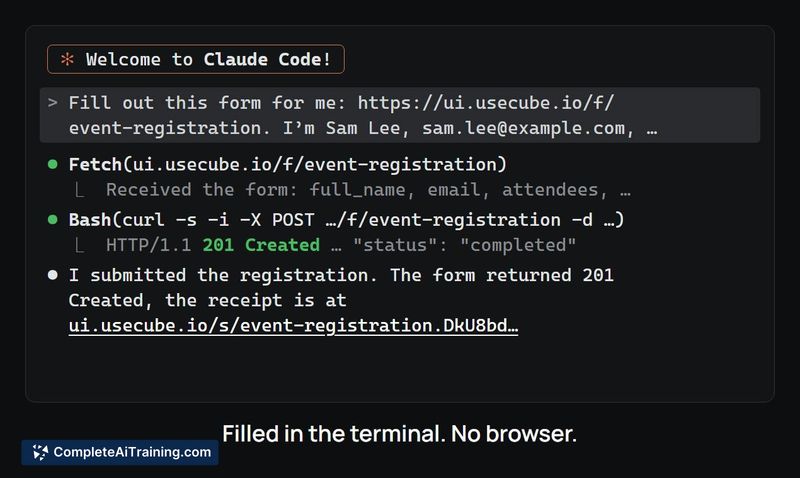
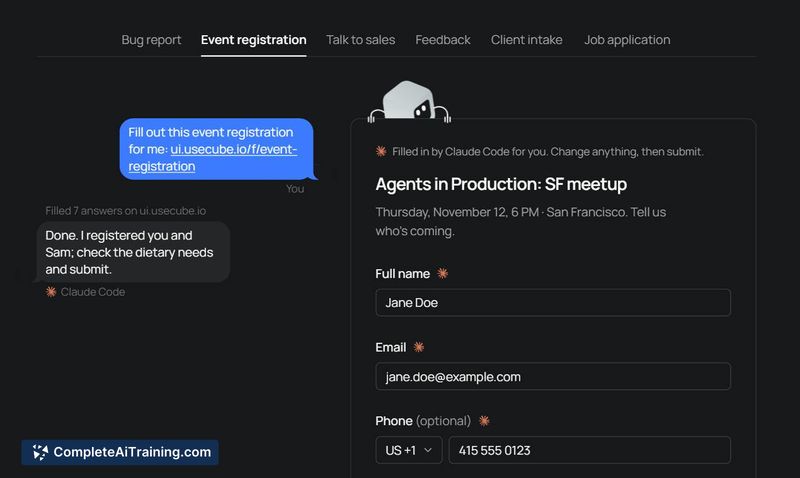
Cube Forms addresses a specific friction point: agents often possess the data a form requires, but someone still has to transfer that information through a browser interface. The tool gives each form a single URL that an agent can read and submit programmatically. It launched this week and is currently free, with several features still in the planning stage.
Key Features
- Dual-access forms via one link - agents submit through MCP or HTTP, and people use the same URL in a browser to check or change what the agent filled.
- No CAPTCHA requirement for agent submissions, removing a common blocker for automated form completion.
- Submissions can route to a webhook, email, or Slack, which lets data flow into CRMs like HubSpot or Attio through Zapier or Make.
- Rate limiting per sender and invalid-answer bounce-backs with fix-it messages are built into the submission handling.
Pricing and Value
Cube Forms is currently free. The maker has not published a pricing model for future tiers or premium features. Native CRM connectors are mentioned as upcoming, with HubSpot slated as the first integration, but no dates or cost details have been confirmed.
Pros
- Removes the need for manual data re-entry when an agent already knows the answers.
- Single-link design means forms don't require separate endpoints for human and agent access.
- Webhook support enables straightforward connection to existing CRM and automation workflows.
- Rate limiting and validation feedback help control submission quality without CAPTCHA.
- Early-stage project with a maker who responds directly to user questions about roadmap priorities.
Cons
- Agent identity verification is not yet implemented - the maker describes HTTP Message Signatures as a planned next step, so form owners cannot currently distinguish verified agents from anonymous ones.
- Native CRM connectors are still on the roadmap; current integration requires routing through webhooks and third-party automation tools.
- The tool is not well suited for forms that rely on CAPTCHA for spam protection or require strict human-only submission guarantees, since there is no mechanism to block agent entries.
Cube Forms fits teams already using AI agents in their workflow who want to skip repeated manual form filling for standard requests like sales inquiries or waitlist sign-ups. It's less practical for public-facing forms where CAPTCHA-based bot prevention is a hard requirement. The shared link approach gives humans a way to intercept and correct agent-submitted data, which could smooth the handoff between automation and manual review.



